suiss/ui · Block
Dash Store
A store admin overview with sales stats, an online versus in-store bar chart, and a filterable orders list.
Dash Store is an open-source block from suiss/ui for React, React Native, SwiftUI and Jetpack Compose. The @esuiss/ui CLI copies its source into your project, so you own the code.
A store admin home with sales stats for the chosen range, a bar chart comparing online and in-store sales by day and a recent orders list filtered by status. Hovering a day dims the other bars and updates the chart headline. Order status shows from small tablets up, and the Sidebar navigation opens as a sheet from the trigger on mobile. A good base for e-commerce, point-of-sale or bookings dashboards.
Installation
CLI
Works in any project with a components.json. See Installation for the one-line registry setup. Or use the suiss/ui CLI:
Manual
- Install the dependencies:
-
Add the pieces it builds on: Avatar, Chart, Item, Sidebar, Toggle Group.
-
Copy the source into
components/blocks/dash-store.tsx:
- Update the import paths to match your project.
Usage
Replace week with your daily online and in-store series and orders with recent orders, each with an id, customer name, product, status, total and avatar hue. The stats and change percentages are fixed numbers multiplied by the range factor in ranges, so fetch real values per range from your backend. items sets the navigation.
Notes
The chart supports keyboard navigation, and its headline is announced as you move through the days.
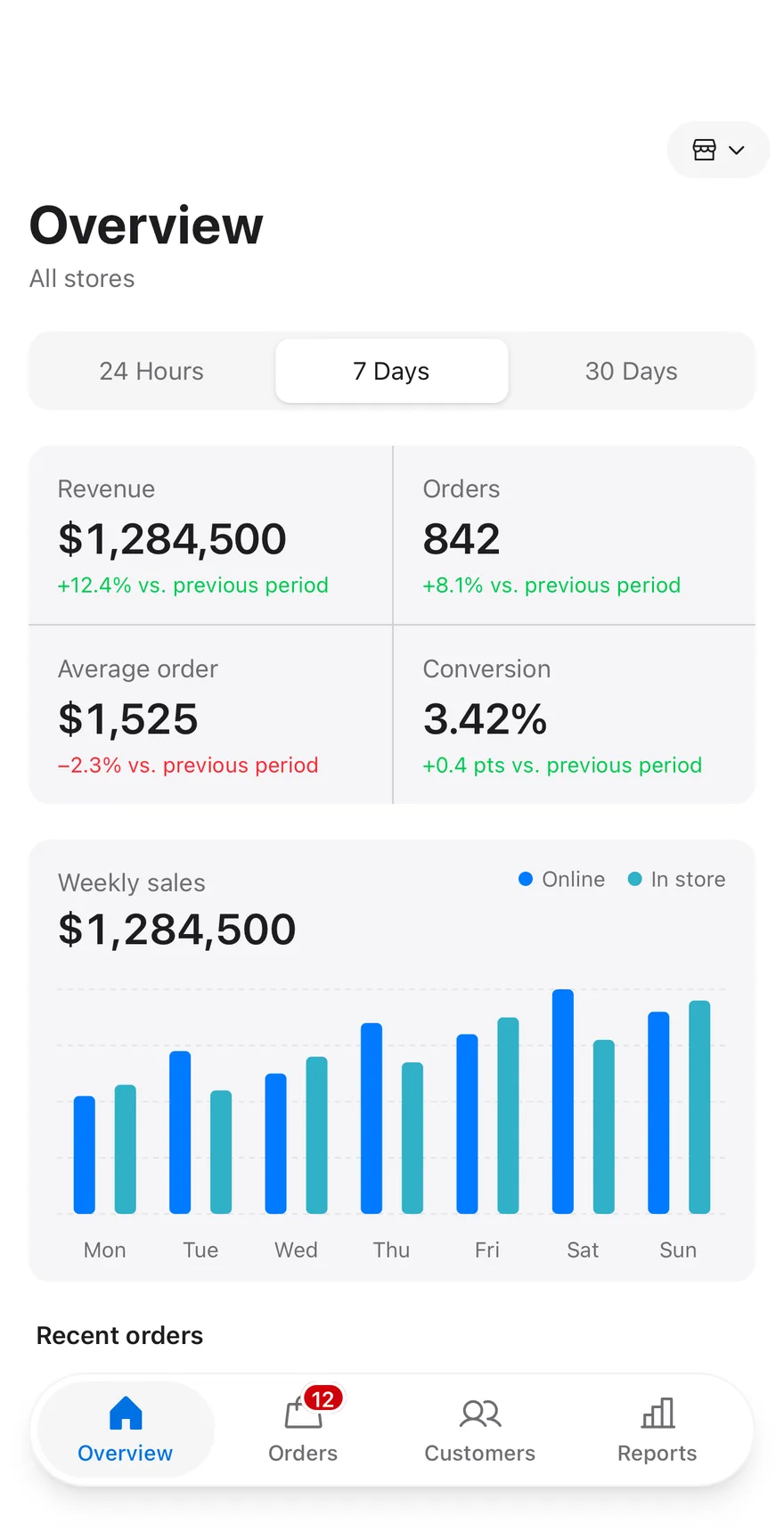
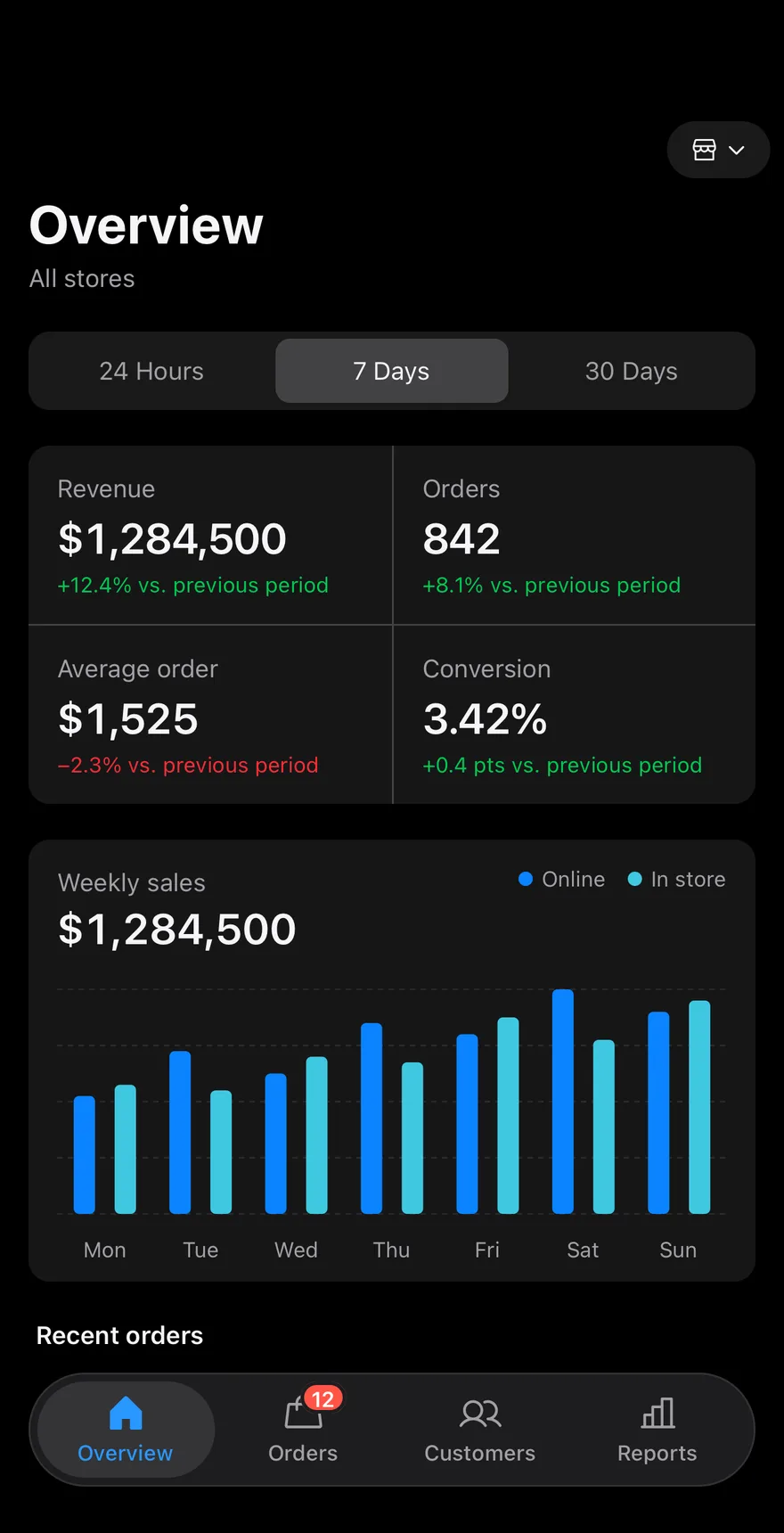
Composes Screen, Header, DropdownMenu for picking the store, ToggleGroup, the BarChart from Chart, Chip filters, Avatar, Item rows and TabBar. The bar chart compares online and in-store sales per day, and pressing a day highlights it and shows its total. Order status chips filter the list.
Installation
The CLI also adds what it builds on: Avatar, Button, Chart, Chip, Dropdown Menu, Header, Icon, Item, Screen, Tab Bar, Text, Toggle Group. On React Native it also adds the animated view components/ui/animated-view.tsx.
Manual
- Install the dependencies:
-
Add the pieces it builds on: Avatar, Button, Chart, Chip, Dropdown Menu, Header, Icon, Item, Screen, Tab Bar, Text, Toggle Group, and the animated view
components/ui/animated-view.tsxfrom the next step. -
Copy the animated view into
components/ui/animated-view.tsx:
- Copy the source into
components/blocks/dash-store.tsx:
- Update the import paths to match your project.
- Install the dependencies:
-
Add the pieces it builds on: Avatar, Button, Chart, Chip, Dropdown Menu, Header, Icon, Item, Screen, Tab Bar, Text, Toggle Group, and the animated view
components/ui/animated-view.tsxfrom the next step. -
Copy the animated view into
components/ui/animated-view.tsx:
- Copy the source into
components/blocks/dash-store.tsx:
- Update the import paths to match your project.
- Install the dependencies:
-
Add the pieces it builds on: Avatar, Button, Chart, Chip, Dropdown Menu, Header, Icon, Item, Screen, Tab Bar, Text, Toggle Group, and the animated view
components/ui/animated-view.tsxfrom the next step. -
Copy the animated view into
components/ui/animated-view.tsx:
- Copy the source into
components/blocks/dash-store.tsx:
- Update the import paths to match your project.
-
Target iOS 17 or later.
-
Add the Swift package to your app:
- Copy the theme files every view uses:
- Copy the source and every file it uses:
- Add the files to your app target.
- Set
minSdkto 24 or higher and add the dependencies:
- Copy the theme files every view uses:
- Copy the source and every file it uses:
- Update the
com.esuiss.uipackage names to match your project.
Usage
Replace STORES, ranges, week, orders and filters with your store data. Pass onRangeChange, onFilterChange, onStoreChange, onOrderPress and onNavigate to react to each control.