suiss/ui · Interaction
Search Reveal
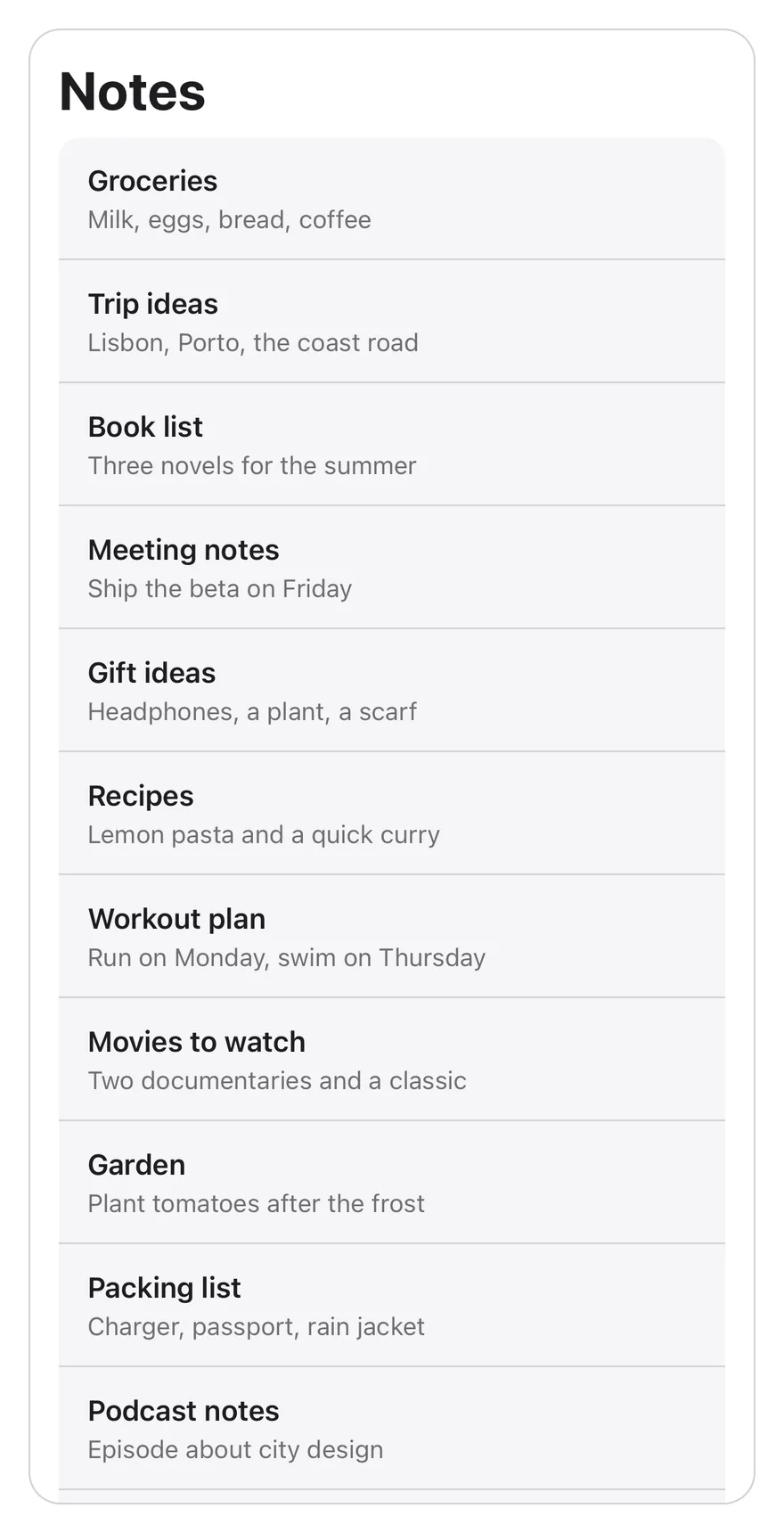
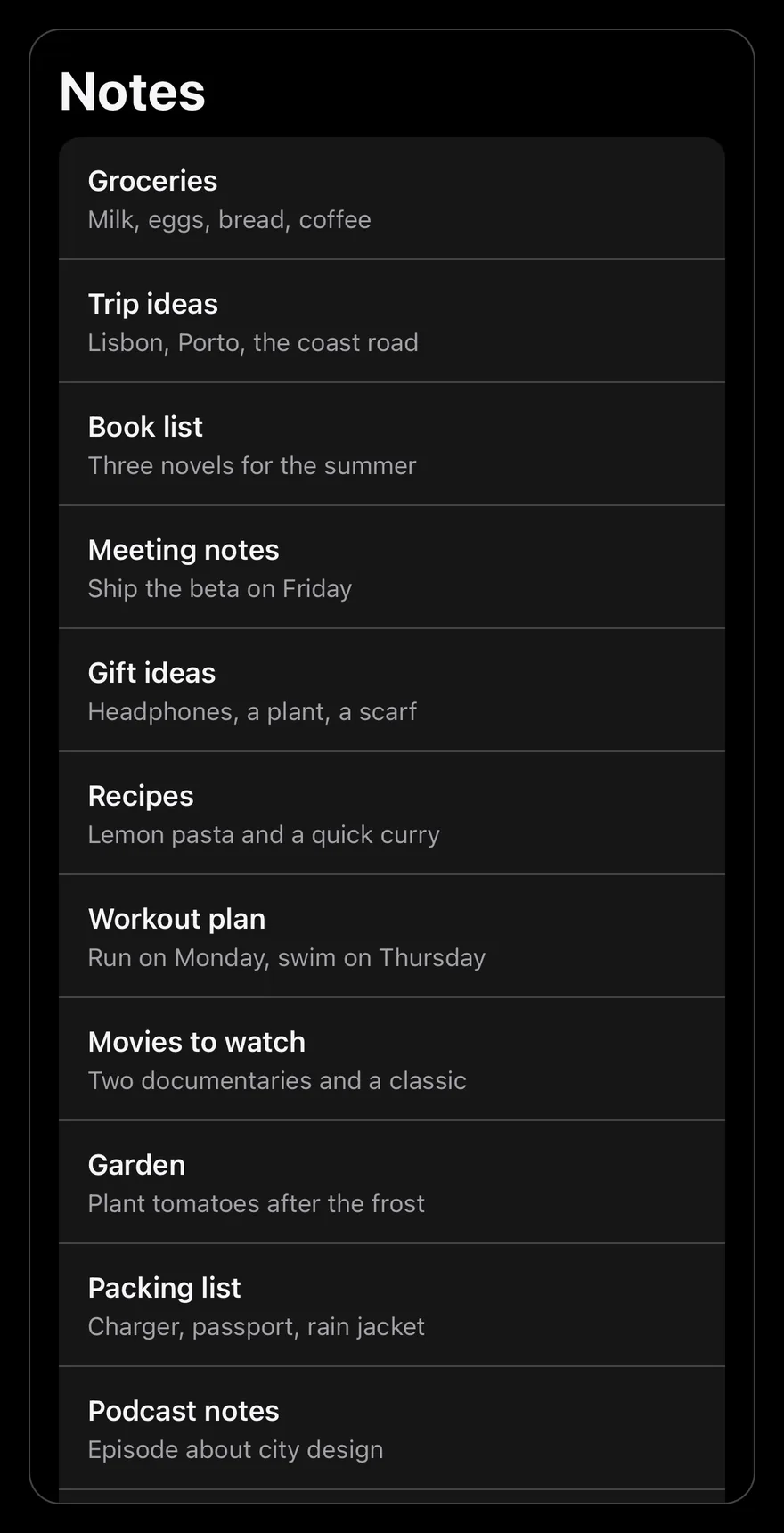
A scrolling list with a search field tucked above it that appears when the user scrolls up.
Search Reveal is an open-source interaction from suiss/ui for React, React Native, SwiftUI and Jetpack Compose. The @esuiss/ui CLI copies its source into your project, so you own the code.
import * as React from "react"
import {
  SearchReveal,
  SearchRevealContent,
  SearchRevealField,
} from "@/components/interactions/search-reveal"

const allNotes = [
  { id: 1, title: "Groceries", preview: "Milk, eggs, bread, coffee" },
  { id: 2, title: "Trip ideas", preview: "Lisbon, Porto, the coast road" },
  { id: 3, title: "Book list", preview: "Three novels for the summer" },
  { id: 4, title: "Meeting notes", preview: "Ship the beta on Friday" },
  { id: 5, title: "Gift ideas", preview: "Headphones, a plant, a scarf" },
  { id: 6, title: "Recipes", preview: "Lemon pasta and a quick curry" },
  { id: 7, title: "Workout plan", preview: "Run on Monday, swim on Thursday" },
  {
    id: 8,
    title: "Movies to watch",
    preview: "Two documentaries and a classic",
  },
  { id: 9, title: "Garden", preview: "Plant tomatoes after the frost" },
  { id: 10, title: "Packing list", preview: "Charger, passport, rain jacket" },
  { id: 11, title: "Podcast notes", preview: "Episode about city design" },
  { id: 12, title: "Budget", preview: "Rent, groceries, savings" },
]

function NotesExample({ count }: { count: number }) {
  const [query, setQuery] = React.useState("")
  const notes = allNotes
    .slice(0, count)
    .filter((note) =>
      `${note.title} ${note.preview}`
        .toLowerCase()
        .includes(query.trim().toLowerCase())
    )

  return (
    <div className="mx-auto flex h-[min(36rem,calc(100dvh-4rem))] w-[min(28rem,calc(100vw-2rem))] flex-col overflow-hidden rounded-2xl border">
      <h2 className="px-4 pt-4 pb-2 text-3xl font-bold tracking-tight">
        Notes
      </h2>
      <SearchReveal className="min-h-0 flex-1">
        <SearchRevealField value={query} onValueChange={setQuery} />
        <SearchRevealContent>
          {notes.length === 0 ? (
            <p className="px-4 py-16 text-center text-sm text-muted-foreground">
              No results for “{query}”
            </p>
          ) : (
            <ul className="mx-4 overflow-hidden rounded-xl bg-muted">
              {notes.map((note) => (
                <li key={note.id} className="not-first:border-t">
                  <button
                    type="button"
                    className="flex w-full flex-col px-4 py-3 text-start outline-none focus-visible:ring-3 focus-visible:ring-ring/50 focus-visible:ring-inset"
                  >
                    <span className="truncate font-semibold">{note.title}</span>
                    <span className="truncate text-sm text-muted-foreground">
                      {note.preview}
                    </span>
                  </button>
                </li>
              ))}
            </ul>
          )}
          <p className="px-4 py-3 text-center text-xs text-muted-foreground">
            {notes.length} {notes.length === 1 ? "note" : "notes"}
          </p>
        </SearchRevealContent>
      </SearchReveal>
    </div>
  )
}

export default function SearchRevealDemo() {
  return <NotesExample count={12} />
}SearchReveal recreates the iOS pattern where a search field hides above a list. The container starts scrolled so the field is just out of view; scrolling up reveals it and fades it in. When scrolling stops partway, the container settles to fully shown or fully hidden, and it stays revealed while the field holds a query. Focusing the field scrolls it into view.
SearchRevealField is a controlled search input with a magnifying glass and a clear button. Use the pattern for lists such as notes, messages, or contacts where search should be available without taking up space.
Installation
CLI
$ pnpm dlx shadcn@latest add @esuiss/search-revealWorks in any project with a components.json. See Installation for the one-line registry setup. Or use the suiss/ui CLI:
$ pnpm dlx @esuiss/ui@latest add interactions search-revealManual
- Install the dependencies and add the
cnhelper:
$ pnpm add @phosphor-icons/react- Copy the source into
components/interactions/search-reveal.tsx:
"use client"

import { MagnifyingGlassIcon, XCircleIcon } from "@phosphor-icons/react"
import * as React from "react"
import { cn } from "@/lib/utils"

const SETTLE_DELAY = 140

function scrollBehavior(): ScrollBehavior {
  return window.matchMedia("(prefers-reduced-motion: reduce)").matches
    ? "auto"
    : "smooth"
}

function fieldOf(root: HTMLElement | null) {
return root?.querySelector<HTMLElement>("[data-slot=search-reveal-field]")- Update the import paths to match your project.
Usage
import { SearchReveal, SearchRevealField, SearchRevealContent } from "@/components/interactions/search-reveal"<NotesExample count={12} />- Place
SearchRevealFieldfirst andSearchRevealContentafter it insideSearchReveal, and give the container a bounded height. - The field is controlled: pass
valueand update it inonValueChange. Filter the content from that value. SearchRevealContentfills at least the container's height, so the field can hide even when the list is short.placeholderdefaults toSearchand also labels the input.
Examples
Short list
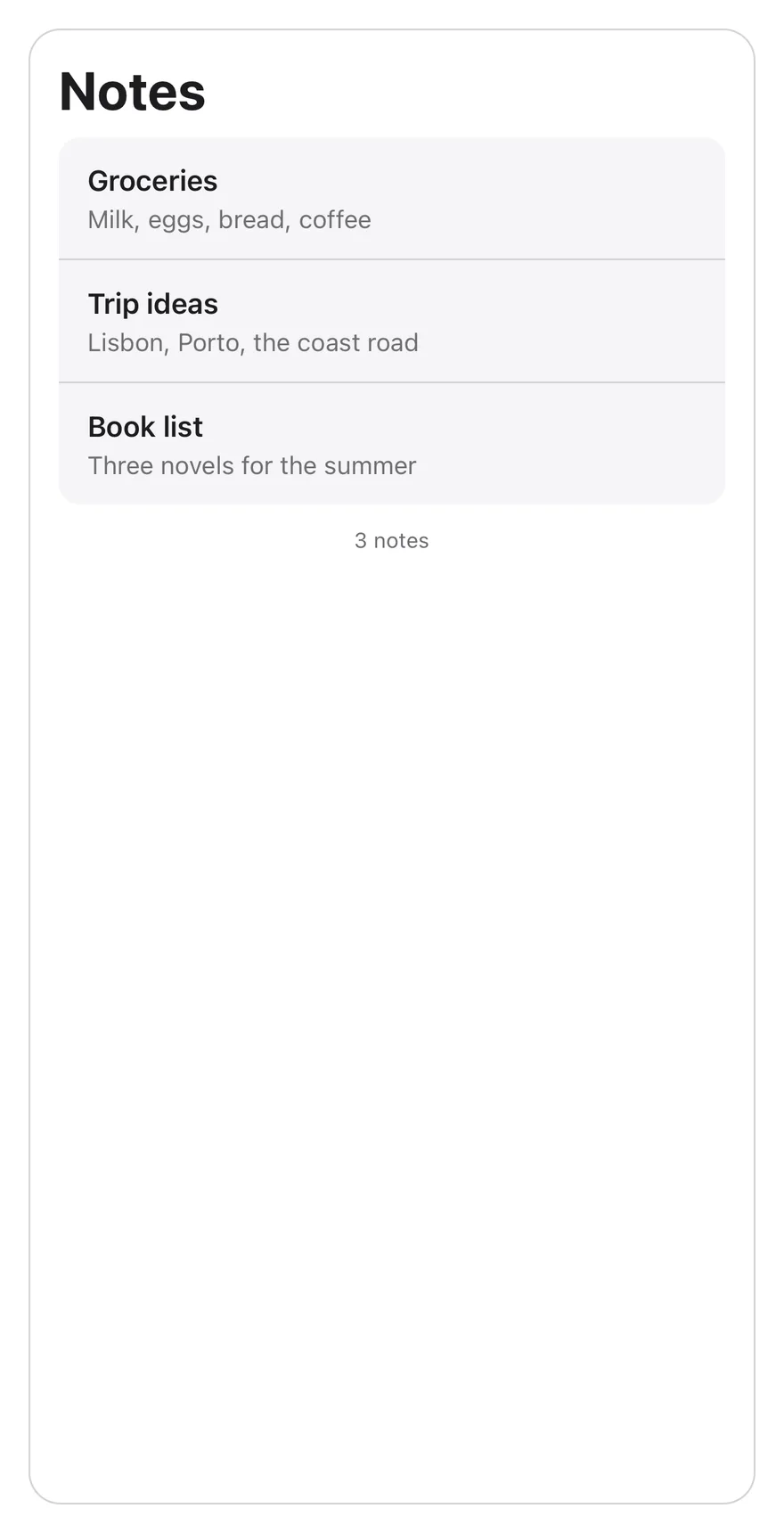
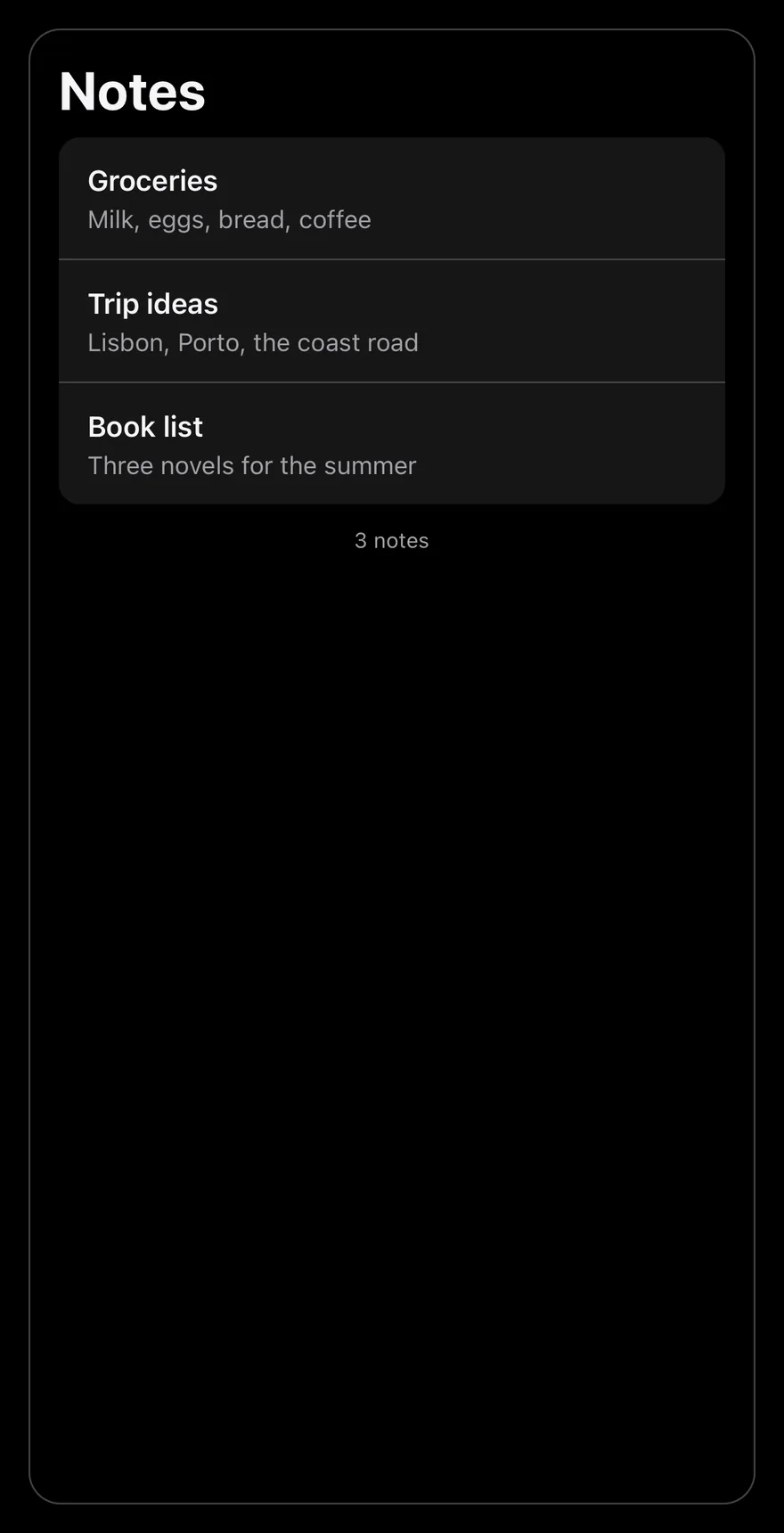
A short list still hides the field above it and reveals it on focus.
import * as React from "react"
import {
  SearchReveal,
  SearchRevealContent,
  SearchRevealField,
} from "@/components/interactions/search-reveal"

const allNotes = [
  { id: 1, title: "Groceries", preview: "Milk, eggs, bread, coffee" },
  { id: 2, title: "Trip ideas", preview: "Lisbon, Porto, the coast road" },
  { id: 3, title: "Book list", preview: "Three novels for the summer" },
  { id: 4, title: "Meeting notes", preview: "Ship the beta on Friday" },
  { id: 5, title: "Gift ideas", preview: "Headphones, a plant, a scarf" },
  { id: 6, title: "Recipes", preview: "Lemon pasta and a quick curry" },
  { id: 7, title: "Workout plan", preview: "Run on Monday, swim on Thursday" },
  {
    id: 8,
    title: "Movies to watch",
    preview: "Two documentaries and a classic",
  },
  { id: 9, title: "Garden", preview: "Plant tomatoes after the frost" },
  { id: 10, title: "Packing list", preview: "Charger, passport, rain jacket" },
  { id: 11, title: "Podcast notes", preview: "Episode about city design" },
  { id: 12, title: "Budget", preview: "Rent, groceries, savings" },
]

function NotesExample({ count }: { count: number }) {
  const [query, setQuery] = React.useState("")
  const notes = allNotes
    .slice(0, count)
    .filter((note) =>
      `${note.title} ${note.preview}`
        .toLowerCase()
        .includes(query.trim().toLowerCase())
    )

  return (
    <div className="mx-auto flex h-[min(36rem,calc(100dvh-4rem))] w-[min(28rem,calc(100vw-2rem))] flex-col overflow-hidden rounded-2xl border">
      <h2 className="px-4 pt-4 pb-2 text-3xl font-bold tracking-tight">
        Notes
      </h2>
      <SearchReveal className="min-h-0 flex-1">
        <SearchRevealField value={query} onValueChange={setQuery} />
        <SearchRevealContent>
          {notes.length === 0 ? (
            <p className="px-4 py-16 text-center text-sm text-muted-foreground">
              No results for “{query}”
            </p>
          ) : (
            <ul className="mx-4 overflow-hidden rounded-xl bg-muted">
              {notes.map((note) => (
                <li key={note.id} className="not-first:border-t">
                  <button
                    type="button"
                    className="flex w-full flex-col px-4 py-3 text-start outline-none focus-visible:ring-3 focus-visible:ring-ring/50 focus-visible:ring-inset"
                  >
                    <span className="truncate font-semibold">{note.title}</span>
                    <span className="truncate text-sm text-muted-foreground">
                      {note.preview}
                    </span>
                  </button>
                </li>
              ))}
            </ul>
          )}
          <p className="px-4 py-3 text-center text-xs text-muted-foreground">
            {notes.length} {notes.length === 1 ? "note" : "notes"}
          </p>
        </SearchRevealContent>
      </SearchReveal>
    </div>
  )
}

export default function SearchRevealShortList() {
  return <NotesExample count={3} />
}API Reference
SearchReveal
The scroll container that hides, reveals, and snaps the search field.
Also accepts the props of React.ComponentProps<"div">.
SearchRevealField
The search input with a clear button.
| Prop | Type | Default | Description |
|---|---|---|---|
value | string | Required | The current query. |
onValueChange | (value: string) => void | Required | Called with the new query when the user types or clears the field. |
Also accepts the props of React.ComponentProps<"input">.
SearchRevealContent
The scrolling content below the field.
Also accepts the props of React.ComponentProps<"div">.
Accessibility
- The input has
type="search"and is labelled by its placeholder througharia-label. - The clear button is labelled
Clear searchand returns focus to the input. - Focusing the field, including with the keyboard, scrolls it into view.
Notes
- Parts use
data-slotvaluessearch-reveal,search-reveal-field,search-reveal-input, andsearch-reveal-content. - The
--search-revealcustom property runs from0to1as the field is revealed and drives its opacity.
import * as React from "react"
import { Pressable, View } from "react-native"
import { SearchReveal, SearchRevealContent, SearchRevealField } from "@/components/interactions/search-reveal"
import { Text } from "@/components/ui/text"

const allNotes = [
  { id: 1, title: "Groceries", preview: "Milk, eggs, bread, coffee" },
  { id: 2, title: "Trip ideas", preview: "Lisbon, Porto, the coast road" },
  { id: 3, title: "Book list", preview: "Three novels for the summer" },
  { id: 4, title: "Meeting notes", preview: "Ship the beta on Friday" },
  { id: 5, title: "Gift ideas", preview: "Headphones, a plant, a scarf" },
  { id: 6, title: "Recipes", preview: "Lemon pasta and a quick curry" },
  { id: 7, title: "Workout plan", preview: "Run on Monday, swim on Thursday" },
  {
    id: 8,
    title: "Movies to watch",
    preview: "Two documentaries and a classic",
  },
  { id: 9, title: "Garden", preview: "Plant tomatoes after the frost" },
  { id: 10, title: "Packing list", preview: "Charger, passport, rain jacket" },
  { id: 11, title: "Podcast notes", preview: "Episode about city design" },
  { id: 12, title: "Budget", preview: "Rent, groceries, savings" },
]

function NotesExample({
  count,
  defaultQuery = "",
}: {
  count: number
  defaultQuery?: string
}) {
  const [query, setQuery] = React.useState(defaultQuery)
  const notes = allNotes
    .slice(0, count)
    .filter((note) =>
      `${note.title} ${note.preview}`
        .toLowerCase()
        .includes(query.trim().toLowerCase())
    )

  return (
    <View className="flex-1 overflow-hidden rounded-2xl border border-border">
      <Text variant="h1" className="px-4 pt-4 pb-2">
        Notes
      </Text>
      <SearchReveal>
        <SearchRevealField value={query} onValueChange={setQuery} />
        <SearchRevealContent>
          {notes.length === 0 ? (
            <Text className="px-4 py-16 text-center text-sm text-muted-foreground">
              No results for “{query}”
            </Text>
          ) : (
            <View className="mx-4 overflow-hidden rounded-xl bg-muted">
              {notes.map((note, index) => (
                <Pressable
                  key={note.id}
                  className={
                    index > 0
                      ? "border-t border-border px-4 py-3 active:opacity-80"
                      : "px-4 py-3 active:opacity-80"
                  }
                >
                  <Text numberOfLines={1} className="font-semibold">
                    {note.title}
                  </Text>
                  <Text
                    numberOfLines={1}
                    className="text-sm text-muted-foreground"
                  >
                    {note.preview}
                  </Text>
                </Pressable>
              ))}
            </View>
          )}
          <Text className="px-4 py-3 text-center text-xs text-muted-foreground">
            {notes.length} {notes.length === 1 ? "note" : "notes"}
          </Text>
        </SearchRevealContent>
      </SearchReveal>
    </View>
  )
}

export function SearchRevealExample() {
  return (
    <NotesExample count={12} />
  )
}import EsuissUI
import SwiftUI
struct SearchRevealExample: View {
var body: some View {
SearchRevealNotes(count: 12)
}
}
struct SearchRevealNote: Identifiable {
let id: Int
let title: String
let preview: String
}
let searchRevealNotes = [
SearchRevealNote(id: 1, title: "Groceries", preview: "Milk, eggs, bread, coffee"),
SearchRevealNote(id: 2, title: "Trip ideas", preview: "Lisbon, Porto, the coast road"),
SearchRevealNote(id: 3, title: "Book list", preview: "Three novels for the summer"),
SearchRevealNote(id: 4, title: "Meeting notes", preview: "Ship the beta on Friday"),
SearchRevealNote(id: 5, title: "Gift ideas", preview: "Headphones, a plant, a scarf"),
SearchRevealNote(id: 6, title: "Recipes", preview: "Lemon pasta and a quick curry"),
SearchRevealNote(id: 7, title: "Workout plan", preview: "Run on Monday, swim on Thursday"),
SearchRevealNote(id: 8, title: "Movies to watch", preview: "Two documentaries and a classic"),
SearchRevealNote(id: 9, title: "Garden", preview: "Plant tomatoes after the frost"),
SearchRevealNote(id: 10, title: "Packing list", preview: "Charger, passport, rain jacket"),
SearchRevealNote(id: 11, title: "Podcast notes", preview: "Episode about city design"),
SearchRevealNote(id: 12, title: "Budget", preview: "Rent, groceries, savings"),
]
struct SearchRevealNotes: View {
let count: Int
@State private var query: String
init(count: Int, query: String = "") {
self.count = count
_query = State(initialValue: query)
}
var notes: [SearchRevealNote] {
let needle = query.trimmingCharacters(in: .whitespaces).lowercased()
return searchRevealNotes.prefix(count).filter { note in
needle.isEmpty || "\(note.title) \(note.preview)".lowercased().contains(needle)
}
}
var body: some View {
let notes = notes
let shape = RoundedRectangle(cornerRadius: Radius.xl2, style: .continuous)
VStack(alignment: .leading, spacing: 0) {
Text("Notes")
.textVariant(.h1)
.padding(.horizontal, 16)
.padding(.top, 16)
.padding(.bottom, 8)
SearchReveal {
SearchRevealField(text: $query)
SearchRevealContent {
if notes.isEmpty {
Text(verbatim: "No results for “\(query)”")
.textStyle(.sm)
.foregroundStyle(EsuissColor.mutedForeground)
.multilineTextAlignment(.center)
.padding(.horizontal, 16)
.padding(.vertical, 64)
.frame(maxWidth: .infinity)
} else {
VStack(spacing: 0) {
ForEach(Array(notes.enumerated()), id: \.element.id) { index, note in
Button {} label: {
VStack(alignment: .leading, spacing: 0) {
Text(verbatim: note.title)
.textStyle(.base, weight: .semibold)
.foregroundStyle(EsuissColor.foreground)
.lineLimit(1)
Text(verbatim: note.preview)
.textStyle(.sm)
.foregroundStyle(EsuissColor.mutedForeground)
.lineLimit(1)
}
.padding(.horizontal, 16)
.padding(.vertical, 12)
.frame(maxWidth: .infinity, alignment: .leading)
.contentShape(Rectangle())
}
.buttonStyle(SearchRevealRowStyle())
.overlay(alignment: .top) {
if index > 0 {
EsuissColor.border.frame(height: 1)
}
}
}
}
.background(EsuissColor.muted)
.clipShape(RoundedRectangle(cornerRadius: Radius.xl, style: .continuous))
.padding(.horizontal, 16)
}
Text(verbatim: "\(notes.count) \(notes.count == 1 ? "note" : "notes")")
.textStyle(.xs)
.foregroundStyle(EsuissColor.mutedForeground)
.multilineTextAlignment(.center)
.padding(.horizontal, 16)
.padding(.vertical, 12)
.frame(maxWidth: .infinity)
}
}
}
.clipShape(shape)
.overlay { shape.strokeBorder(EsuissColor.border) }
.containerRelativeFrame(.vertical) { height, _ in height - 32 }
}
}
struct SearchRevealRowStyle: ButtonStyle {
func makeBody(configuration: Configuration) -> some View {
configuration.label
.opacity(configuration.isPressed ? 0.8 : 1)
}
}import androidx.compose.foundation.background
import androidx.compose.foundation.border
import androidx.compose.foundation.clickable
import androidx.compose.foundation.interaction.MutableInteractionSource
import androidx.compose.foundation.interaction.collectIsPressedAsState
import androidx.compose.foundation.layout.Box
import androidx.compose.foundation.layout.Column
import androidx.compose.foundation.layout.fillMaxWidth
import androidx.compose.foundation.layout.height
import androidx.compose.foundation.layout.padding
import androidx.compose.foundation.shape.RoundedCornerShape
import androidx.compose.runtime.Composable
import androidx.compose.runtime.getValue
import androidx.compose.runtime.mutableStateOf
import androidx.compose.runtime.remember
import androidx.compose.runtime.saveable.rememberSaveable
import androidx.compose.runtime.setValue
import androidx.compose.ui.Modifier
import androidx.compose.ui.draw.alpha
import androidx.compose.ui.draw.clip
import androidx.compose.ui.semantics.Role
import androidx.compose.ui.text.font.FontWeight
import androidx.compose.ui.text.style.TextAlign
import androidx.compose.ui.text.style.TextOverflow
import androidx.compose.ui.unit.dp
import com.esuiss.ui.components.Text
import com.esuiss.ui.components.TextVariant
import com.esuiss.ui.interactions.SearchReveal
import com.esuiss.ui.interactions.SearchRevealContent
import com.esuiss.ui.interactions.SearchRevealField
import com.esuiss.ui.theme.EsuissTheme
import com.esuiss.ui.theme.Radius
import com.esuiss.ui.theme.Typography
@Composable
fun SearchRevealExample() {
SearchRevealNotes(count = 12)
}
class SearchRevealNote(val id: Int, val title: String, val preview: String)
val searchRevealAllNotes = listOf(
SearchRevealNote(1, "Groceries", "Milk, eggs, bread, coffee"),
SearchRevealNote(2, "Trip ideas", "Lisbon, Porto, the coast road"),
SearchRevealNote(3, "Book list", "Three novels for the summer"),
SearchRevealNote(4, "Meeting notes", "Ship the beta on Friday"),
SearchRevealNote(5, "Gift ideas", "Headphones, a plant, a scarf"),
SearchRevealNote(6, "Recipes", "Lemon pasta and a quick curry"),
SearchRevealNote(7, "Workout plan", "Run on Monday, swim on Thursday"),
SearchRevealNote(8, "Movies to watch", "Two documentaries and a classic"),
SearchRevealNote(9, "Garden", "Plant tomatoes after the frost"),
SearchRevealNote(10, "Packing list", "Charger, passport, rain jacket"),
SearchRevealNote(11, "Podcast notes", "Episode about city design"),
SearchRevealNote(12, "Budget", "Rent, groceries, savings"),
)
@Composable
fun SearchRevealNotes(count: Int, defaultQuery: String = "") {
val colors = EsuissTheme.colors
var query by rememberSaveable { mutableStateOf(defaultQuery) }
val needle = query.trim().lowercase()
val notes = searchRevealAllNotes.take(count).filter { "${it.title} ${it.preview}".lowercase().contains(needle) }
val shape = RoundedCornerShape(Radius.xl2)
Column(
Modifier
.fillMaxWidth()
.height(600.dp)
.clip(shape)
.border(1.dp, colors.border, shape),
) {
Text("Notes", modifier = Modifier.padding(start = 16.dp, end = 16.dp, top = 16.dp, bottom = 8.dp), variant = TextVariant.H1)
SearchReveal(Modifier.weight(1f)) {
SearchRevealField(value = query, onValueChange = { query = it })
SearchRevealContent {
if (notes.isEmpty()) {
Text(
"No results for “$query”",
modifier = Modifier.fillMaxWidth().padding(horizontal = 16.dp, vertical = 64.dp),
style = Typography.sm.copy(color = colors.mutedForeground),
textAlign = TextAlign.Center,
)
} else {
Column(
Modifier
.padding(horizontal = 16.dp)
.fillMaxWidth()
.clip(RoundedCornerShape(Radius.xl))
.background(colors.muted),
) {
notes.forEachIndexed { index, note ->
if (index > 0) Box(Modifier.fillMaxWidth().height(1.dp).background(colors.border))
SearchRevealRow(note)
}
}
}
Text(
"${notes.size} ${if (notes.size == 1) "note" else "notes"}",
modifier = Modifier.fillMaxWidth().padding(horizontal = 16.dp, vertical = 12.dp),
style = Typography.xs.copy(color = colors.mutedForeground),
textAlign = TextAlign.Center,
)
}
}
}
}
@Composable
fun SearchRevealRow(note: SearchRevealNote) {
val colors = EsuissTheme.colors
val interaction = remember { MutableInteractionSource() }
val pressed by interaction.collectIsPressedAsState()
Column(
Modifier
.fillMaxWidth()
.alpha(if (pressed) 0.8f else 1f)
.clickable(interactionSource = interaction, indication = null, role = Role.Button) {}
.padding(horizontal = 16.dp, vertical = 12.dp),
) {
Text(
note.title,
style = Typography.base.copy(fontWeight = FontWeight.SemiBold),
maxLines = 1,
overflow = TextOverflow.Ellipsis,
)
Text(
note.preview,
style = Typography.sm.copy(color = colors.mutedForeground),
maxLines = 1,
overflow = TextOverflow.Ellipsis,
)
}
}SearchReveal is a scroll view that starts scrolled just past its SearchRevealField, so the list shows first and the field is out of view. Pulling down reveals the field, which fades in as it appears, and the scroll snaps either fully open or fully hidden.
Focusing the field scrolls it into view. While there is a query, snapping is turned off so the field stays visible. Use it for notes, mail or settings lists where search should be close but not take space.
Installation
$ pnpm dlx shadcn@latest add @esuiss-rn/search-revealSee Installation for the components.json setup. Or use the suiss/ui CLI:
$ pnpm dlx @esuiss/ui@latest add search-reveal$ pnpm dlx @esuiss/ui@latest add search-reveal --platform swift$ pnpm dlx @esuiss/ui@latest add search-reveal --platform kotlinThe CLI also adds what it builds on: Icon.
Manual
- Install the dependencies:
npx expo install cn phosphor-react-native react-native-reanimated react-native-svg react-native-worklets-
Add the pieces it builds on: Icon.
-
Copy the source into
components/interactions/search-reveal.tsx:
import { cn } from "cn"
import { MagnifyingGlassIcon, XCircleIcon } from "phosphor-react-native"
import * as React from "react"
import {
  type LayoutChangeEvent,
  Pressable,
  type ScrollView,
  type ScrollViewProps,
  TextInput,
  View,
  type ViewProps,
} from "react-native"
import Animated, {
  type SharedValue,
  useAnimatedRef,
useAnimatedScrollHandler,- Update the import paths to match your project.
- Install the dependencies:
npx expo install cn nativewind phosphor-react-native react-native-reanimated react-native-svg react-native-worklets-
Add the pieces it builds on: Icon.
-
Copy the source into
components/interactions/search-reveal.tsx:
import { cn } from "cn"
import { cssInterop } from "nativewind"
import { MagnifyingGlassIcon, XCircleIcon } from "phosphor-react-native"
import * as React from "react"
import {
  type LayoutChangeEvent,
  Pressable,
  type ScrollView,
  type ScrollViewProps,
  TextInput,
  View,
  type ViewProps,
} from "react-native"
import Animated, {
  type SharedValue,
useAnimatedRef,- Update the import paths to match your project.
- Install the dependencies:
npx expo install phosphor-react-native react-native-reanimated react-native-svg react-native-worklets-
Add the pieces it builds on: Icon.
-
Copy the source into
components/interactions/search-reveal.tsx:
import { MagnifyingGlassIcon, XCircleIcon } from "phosphor-react-native"
import * as React from "react"
import {
  type LayoutChangeEvent,
  Pressable,
  type ScrollView,
  type ScrollViewProps,
  StyleSheet,
  TextInput,
  View,
  type ViewProps,
} from "react-native"
import Animated, {
  type SharedValue,
  useAnimatedRef,
useAnimatedScrollHandler,- Update the import paths to match your project.
-
Target iOS 17 or later.
-
Add the Swift package to your app:
.package(url: "https://github.com/phosphor-icons/swift", from: "2.1.0")- Copy the theme files every view uses:
import SwiftUI
import UIKit

struct RGBA: Sendable {
  let red: CGFloat
  let green: CGFloat
  let blue: CGFloat
  let alpha: CGFloat

  init(_ hex: UInt32, _ alpha: CGFloat = 1) {
    red = CGFloat((hex >> 16) & 0xFF) / 255
    green = CGFloat((hex >> 8) & 0xFF) / 255
    blue = CGFloat(hex & 0xFF) / 255
    self.alpha = alpha
}import SwiftUI
public enum EsuissColor {
public static let background = Color.adaptive(light: .init(0xFFFFFF), dark: .init(0x000000))
public static let foreground = Color.adaptive(light: .init(0x1D1D1F), dark: .init(0xF5F5F7))
public static let card = Color.adaptive(light: .init(0xFFFFFF), dark: .init(0x1D1D1F))
public static let cardForeground = Color.adaptive(light: .init(0x1D1D1F), dark: .init(0xF5F5F7))
public static let popover = Color.adaptive(light: .init(0xFFFFFF), dark: .init(0x1D1D1F))
public static let popoverForeground = Color.adaptive(light: .init(0x1D1D1F), dark: .init(0xF5F5F7))
public static let primary = Color.adaptive(light: .init(0x0071E3), dark: .init(0x2997FF))
public static let primaryForeground = Color.adaptive(light: .init(0xFFFFFF), dark: .init(0xFFFFFF))
public static let secondary = Color.adaptive(light: .init(0x000000, 0.04), dark: .init(0xFFFFFF, 0.1))
public static let secondaryForeground = Color.adaptive(light: .init(0x1D1D1F), dark: .init(0xF5F5F7))
public static let muted = Color.adaptive(light: .init(0xF5F5F7), dark: .init(0x161617))
public static let mutedForeground = Color.adaptive(light: .init(0x6E6E73), dark: .init(0xA1A1A6))
public static let accent = Color.adaptive(light: .init(0x000000, 0.06), dark: .init(0xFFFFFF, 0.1))- Copy the source and every file it uses:
import PhosphorSwift
import SwiftUI

enum SearchRevealAnchor: Hashable, Sendable {
  case field, content
}

struct SearchRevealFieldInfo: Equatable {
  var height: CGFloat = 0
  var hasQuery = false
}

struct SearchRevealFieldKey: PreferenceKey {
  static var defaultValue: SearchRevealFieldInfo { SearchRevealFieldInfo() }

static func reduce(value: inout SearchRevealFieldInfo, nextValue: () -> SearchRevealFieldInfo) {import SwiftUI
public enum TextVariant: CaseIterable, Sendable {
case `default`, h1, h2, h3, h4, p, blockquote, code, lead, large, small, muted
var style: TextStyle {
switch self {
case .h1: .xl3
case .h2: .xl2
case .h3: .xl
case .h4, .lead, .large: .lg
case .code, .small, .muted: .sm
default: .base
}
}- Add the files to your app target.
- Set
minSdkto 24 or higher and add the dependencies:
implementation(platform("androidx.compose:compose-bom:2026.09.00"))
implementation("androidx.compose.foundation:foundation")
implementation("androidx.compose.ui:ui")
implementation("com.adamglin:phosphor-icon-android:1.0.0")- Copy the theme files every view uses:
package com.esuiss.ui.theme

import androidx.compose.foundation.isSystemInDarkTheme
import androidx.compose.runtime.Composable
import androidx.compose.runtime.CompositionLocalProvider
import androidx.compose.runtime.Immutable
import androidx.compose.runtime.staticCompositionLocalOf
import androidx.compose.ui.Modifier
import androidx.compose.ui.draw.dropShadow
import androidx.compose.ui.graphics.Color
import androidx.compose.ui.graphics.Shape
import androidx.compose.ui.graphics.shadow.Shadow as DropShadow
import androidx.compose.ui.text.TextStyle
import androidx.compose.ui.text.style.LineHeightStyle
import androidx.compose.ui.unit.Dp
import androidx.compose.ui.unit.DpOffsetpackage com.esuiss.ui.theme
import androidx.compose.runtime.Immutable
import androidx.compose.ui.graphics.Color
import androidx.compose.ui.unit.dp
@Immutable
data class Colors(
val background: Color,
val foreground: Color,
val card: Color,
val cardForeground: Color,
val popover: Color,
val popoverForeground: Color,
val primary: Color,
val primaryForeground: Color,- Copy the source and every file it uses:
package com.esuiss.ui.interactions

import androidx.compose.foundation.ScrollState
import androidx.compose.foundation.background
import androidx.compose.foundation.clickable
import androidx.compose.foundation.interaction.MutableInteractionSource
import androidx.compose.foundation.interaction.collectIsFocusedAsState
import androidx.compose.foundation.layout.Arrangement
import androidx.compose.foundation.layout.Box
import androidx.compose.foundation.layout.Column
import androidx.compose.foundation.layout.ColumnScope
import androidx.compose.foundation.layout.Row
import androidx.compose.foundation.layout.fillMaxWidth
import androidx.compose.foundation.layout.height
import androidx.compose.foundation.layout.heightIn
import androidx.compose.foundation.layout.paddingpackage com.esuiss.ui.components
import androidx.compose.runtime.compositionLocalOf
import androidx.compose.ui.graphics.Color
import androidx.compose.ui.text.TextStyle
import androidx.compose.ui.unit.Dp
import androidx.compose.ui.unit.dp
val LocalContentStyle = compositionLocalOf { TextStyle.Default }
val LocalContentColor = compositionLocalOf { Color.Unspecified }
val LocalIconSize = compositionLocalOf { 20.dp }package com.esuiss.ui.components
import androidx.compose.foundation.Image
import androidx.compose.foundation.layout.size
import androidx.compose.runtime.Composable
import androidx.compose.ui.Modifier
import androidx.compose.ui.graphics.Color
import androidx.compose.ui.graphics.ColorFilter
import androidx.compose.ui.graphics.takeOrElse
import androidx.compose.ui.graphics.vector.ImageVector
import androidx.compose.ui.unit.Dp
import com.esuiss.ui.theme.EsuissTheme
@Composable
fun Icon(
imageVector: ImageVector,- Update the
com.esuiss.uipackage names to match your project.
Usage
import { SearchReveal, SearchRevealField, SearchRevealContent } from "@/components/interactions/search-reveal"<NotesExample count={12} />Put a SearchRevealField first, then the list inside a SearchRevealContent, all inside SearchReveal. The field is controlled: pass value and update it in onValueChange, then filter your list with it.
SearchRevealContent is at least as tall as the scroll view, so the field can be hidden even when the list is short. Other ScrollView props, except onScroll, pass through to SearchReveal, and other TextInput props pass through to the field.
Examples
Short list
A three-item list that still hides the field.
import * as React from "react"
import { Pressable, View } from "react-native"
import { SearchReveal, SearchRevealContent, SearchRevealField } from "@/components/interactions/search-reveal"
import { Text } from "@/components/ui/text"

const allNotes = [
  { id: 1, title: "Groceries", preview: "Milk, eggs, bread, coffee" },
  { id: 2, title: "Trip ideas", preview: "Lisbon, Porto, the coast road" },
  { id: 3, title: "Book list", preview: "Three novels for the summer" },
  { id: 4, title: "Meeting notes", preview: "Ship the beta on Friday" },
  { id: 5, title: "Gift ideas", preview: "Headphones, a plant, a scarf" },
  { id: 6, title: "Recipes", preview: "Lemon pasta and a quick curry" },
  { id: 7, title: "Workout plan", preview: "Run on Monday, swim on Thursday" },
  {
    id: 8,
    title: "Movies to watch",
    preview: "Two documentaries and a classic",
  },
  { id: 9, title: "Garden", preview: "Plant tomatoes after the frost" },
  { id: 10, title: "Packing list", preview: "Charger, passport, rain jacket" },
  { id: 11, title: "Podcast notes", preview: "Episode about city design" },
  { id: 12, title: "Budget", preview: "Rent, groceries, savings" },
]

function NotesExample({
  count,
  defaultQuery = "",
}: {
  count: number
  defaultQuery?: string
}) {
  const [query, setQuery] = React.useState(defaultQuery)
  const notes = allNotes
    .slice(0, count)
    .filter((note) =>
      `${note.title} ${note.preview}`
        .toLowerCase()
        .includes(query.trim().toLowerCase())
    )

  return (
    <View className="flex-1 overflow-hidden rounded-2xl border border-border">
      <Text variant="h1" className="px-4 pt-4 pb-2">
        Notes
      </Text>
      <SearchReveal>
        <SearchRevealField value={query} onValueChange={setQuery} />
        <SearchRevealContent>
          {notes.length === 0 ? (
            <Text className="px-4 py-16 text-center text-sm text-muted-foreground">
              No results for “{query}”
            </Text>
          ) : (
            <View className="mx-4 overflow-hidden rounded-xl bg-muted">
              {notes.map((note, index) => (
                <Pressable
                  key={note.id}
                  className={
                    index > 0
                      ? "border-t border-border px-4 py-3 active:opacity-80"
                      : "px-4 py-3 active:opacity-80"
                  }
                >
                  <Text numberOfLines={1} className="font-semibold">
                    {note.title}
                  </Text>
                  <Text
                    numberOfLines={1}
                    className="text-sm text-muted-foreground"
                  >
                    {note.preview}
                  </Text>
                </Pressable>
              ))}
            </View>
          )}
          <Text className="px-4 py-3 text-center text-xs text-muted-foreground">
            {notes.length} {notes.length === 1 ? "note" : "notes"}
          </Text>
        </SearchRevealContent>
      </SearchReveal>
    </View>
  )
}

export function SearchRevealShortListExample() {
  return (
    <NotesExample count={3} />
  )
}import EsuissUI
import SwiftUI
struct SearchRevealShortListExample: View {
var body: some View {
SearchRevealNotes(count: 3)
}
}
struct SearchRevealNote: Identifiable {
let id: Int
let title: String
let preview: String
}
let searchRevealNotes = [
SearchRevealNote(id: 1, title: "Groceries", preview: "Milk, eggs, bread, coffee"),
SearchRevealNote(id: 2, title: "Trip ideas", preview: "Lisbon, Porto, the coast road"),
SearchRevealNote(id: 3, title: "Book list", preview: "Three novels for the summer"),
SearchRevealNote(id: 4, title: "Meeting notes", preview: "Ship the beta on Friday"),
SearchRevealNote(id: 5, title: "Gift ideas", preview: "Headphones, a plant, a scarf"),
SearchRevealNote(id: 6, title: "Recipes", preview: "Lemon pasta and a quick curry"),
SearchRevealNote(id: 7, title: "Workout plan", preview: "Run on Monday, swim on Thursday"),
SearchRevealNote(id: 8, title: "Movies to watch", preview: "Two documentaries and a classic"),
SearchRevealNote(id: 9, title: "Garden", preview: "Plant tomatoes after the frost"),
SearchRevealNote(id: 10, title: "Packing list", preview: "Charger, passport, rain jacket"),
SearchRevealNote(id: 11, title: "Podcast notes", preview: "Episode about city design"),
SearchRevealNote(id: 12, title: "Budget", preview: "Rent, groceries, savings"),
]
struct SearchRevealNotes: View {
let count: Int
@State private var query: String
init(count: Int, query: String = "") {
self.count = count
_query = State(initialValue: query)
}
var notes: [SearchRevealNote] {
let needle = query.trimmingCharacters(in: .whitespaces).lowercased()
return searchRevealNotes.prefix(count).filter { note in
needle.isEmpty || "\(note.title) \(note.preview)".lowercased().contains(needle)
}
}
var body: some View {
let notes = notes
let shape = RoundedRectangle(cornerRadius: Radius.xl2, style: .continuous)
VStack(alignment: .leading, spacing: 0) {
Text("Notes")
.textVariant(.h1)
.padding(.horizontal, 16)
.padding(.top, 16)
.padding(.bottom, 8)
SearchReveal {
SearchRevealField(text: $query)
SearchRevealContent {
if notes.isEmpty {
Text(verbatim: "No results for “\(query)”")
.textStyle(.sm)
.foregroundStyle(EsuissColor.mutedForeground)
.multilineTextAlignment(.center)
.padding(.horizontal, 16)
.padding(.vertical, 64)
.frame(maxWidth: .infinity)
} else {
VStack(spacing: 0) {
ForEach(Array(notes.enumerated()), id: \.element.id) { index, note in
Button {} label: {
VStack(alignment: .leading, spacing: 0) {
Text(verbatim: note.title)
.textStyle(.base, weight: .semibold)
.foregroundStyle(EsuissColor.foreground)
.lineLimit(1)
Text(verbatim: note.preview)
.textStyle(.sm)
.foregroundStyle(EsuissColor.mutedForeground)
.lineLimit(1)
}
.padding(.horizontal, 16)
.padding(.vertical, 12)
.frame(maxWidth: .infinity, alignment: .leading)
.contentShape(Rectangle())
}
.buttonStyle(SearchRevealRowStyle())
.overlay(alignment: .top) {
if index > 0 {
EsuissColor.border.frame(height: 1)
}
}
}
}
.background(EsuissColor.muted)
.clipShape(RoundedRectangle(cornerRadius: Radius.xl, style: .continuous))
.padding(.horizontal, 16)
}
Text(verbatim: "\(notes.count) \(notes.count == 1 ? "note" : "notes")")
.textStyle(.xs)
.foregroundStyle(EsuissColor.mutedForeground)
.multilineTextAlignment(.center)
.padding(.horizontal, 16)
.padding(.vertical, 12)
.frame(maxWidth: .infinity)
}
}
}
.clipShape(shape)
.overlay { shape.strokeBorder(EsuissColor.border) }
.containerRelativeFrame(.vertical) { height, _ in height - 32 }
}
}
struct SearchRevealRowStyle: ButtonStyle {
func makeBody(configuration: Configuration) -> some View {
configuration.label
.opacity(configuration.isPressed ? 0.8 : 1)
}
}import androidx.compose.foundation.background
import androidx.compose.foundation.border
import androidx.compose.foundation.clickable
import androidx.compose.foundation.interaction.MutableInteractionSource
import androidx.compose.foundation.interaction.collectIsPressedAsState
import androidx.compose.foundation.layout.Box
import androidx.compose.foundation.layout.Column
import androidx.compose.foundation.layout.fillMaxWidth
import androidx.compose.foundation.layout.height
import androidx.compose.foundation.layout.padding
import androidx.compose.foundation.shape.RoundedCornerShape
import androidx.compose.runtime.Composable
import androidx.compose.runtime.getValue
import androidx.compose.runtime.mutableStateOf
import androidx.compose.runtime.remember
import androidx.compose.runtime.saveable.rememberSaveable
import androidx.compose.runtime.setValue
import androidx.compose.ui.Modifier
import androidx.compose.ui.draw.alpha
import androidx.compose.ui.draw.clip
import androidx.compose.ui.semantics.Role
import androidx.compose.ui.text.font.FontWeight
import androidx.compose.ui.text.style.TextAlign
import androidx.compose.ui.text.style.TextOverflow
import androidx.compose.ui.unit.dp
import com.esuiss.ui.components.Text
import com.esuiss.ui.components.TextVariant
import com.esuiss.ui.interactions.SearchReveal
import com.esuiss.ui.interactions.SearchRevealContent
import com.esuiss.ui.interactions.SearchRevealField
import com.esuiss.ui.theme.EsuissTheme
import com.esuiss.ui.theme.Radius
import com.esuiss.ui.theme.Typography
@Composable
fun SearchRevealShortListExample() {
SearchRevealNotes(count = 3)
}
class SearchRevealNote(val id: Int, val title: String, val preview: String)
val searchRevealAllNotes = listOf(
SearchRevealNote(1, "Groceries", "Milk, eggs, bread, coffee"),
SearchRevealNote(2, "Trip ideas", "Lisbon, Porto, the coast road"),
SearchRevealNote(3, "Book list", "Three novels for the summer"),
SearchRevealNote(4, "Meeting notes", "Ship the beta on Friday"),
SearchRevealNote(5, "Gift ideas", "Headphones, a plant, a scarf"),
SearchRevealNote(6, "Recipes", "Lemon pasta and a quick curry"),
SearchRevealNote(7, "Workout plan", "Run on Monday, swim on Thursday"),
SearchRevealNote(8, "Movies to watch", "Two documentaries and a classic"),
SearchRevealNote(9, "Garden", "Plant tomatoes after the frost"),
SearchRevealNote(10, "Packing list", "Charger, passport, rain jacket"),
SearchRevealNote(11, "Podcast notes", "Episode about city design"),
SearchRevealNote(12, "Budget", "Rent, groceries, savings"),
)
@Composable
fun SearchRevealNotes(count: Int, defaultQuery: String = "") {
val colors = EsuissTheme.colors
var query by rememberSaveable { mutableStateOf(defaultQuery) }
val needle = query.trim().lowercase()
val notes = searchRevealAllNotes.take(count).filter { "${it.title} ${it.preview}".lowercase().contains(needle) }
val shape = RoundedCornerShape(Radius.xl2)
Column(
Modifier
.fillMaxWidth()
.height(600.dp)
.clip(shape)
.border(1.dp, colors.border, shape),
) {
Text("Notes", modifier = Modifier.padding(start = 16.dp, end = 16.dp, top = 16.dp, bottom = 8.dp), variant = TextVariant.H1)
SearchReveal(Modifier.weight(1f)) {
SearchRevealField(value = query, onValueChange = { query = it })
SearchRevealContent {
if (notes.isEmpty()) {
Text(
"No results for “$query”",
modifier = Modifier.fillMaxWidth().padding(horizontal = 16.dp, vertical = 64.dp),
style = Typography.sm.copy(color = colors.mutedForeground),
textAlign = TextAlign.Center,
)
} else {
Column(
Modifier
.padding(horizontal = 16.dp)
.fillMaxWidth()
.clip(RoundedCornerShape(Radius.xl))
.background(colors.muted),
) {
notes.forEachIndexed { index, note ->
if (index > 0) Box(Modifier.fillMaxWidth().height(1.dp).background(colors.border))
SearchRevealRow(note)
}
}
}
Text(
"${notes.size} ${if (notes.size == 1) "note" else "notes"}",
modifier = Modifier.fillMaxWidth().padding(horizontal = 16.dp, vertical = 12.dp),
style = Typography.xs.copy(color = colors.mutedForeground),
textAlign = TextAlign.Center,
)
}
}
}
}
@Composable
fun SearchRevealRow(note: SearchRevealNote) {
val colors = EsuissTheme.colors
val interaction = remember { MutableInteractionSource() }
val pressed by interaction.collectIsPressedAsState()
Column(
Modifier
.fillMaxWidth()
.alpha(if (pressed) 0.8f else 1f)
.clickable(interactionSource = interaction, indication = null, role = Role.Button) {}
.padding(horizontal = 16.dp, vertical = 12.dp),
) {
Text(
note.title,
style = Typography.base.copy(fontWeight = FontWeight.SemiBold),
maxLines = 1,
overflow = TextOverflow.Ellipsis,
)
Text(
note.preview,
style = Typography.sm.copy(color = colors.mutedForeground),
maxLines = 1,
overflow = TextOverflow.Ellipsis,
)
}
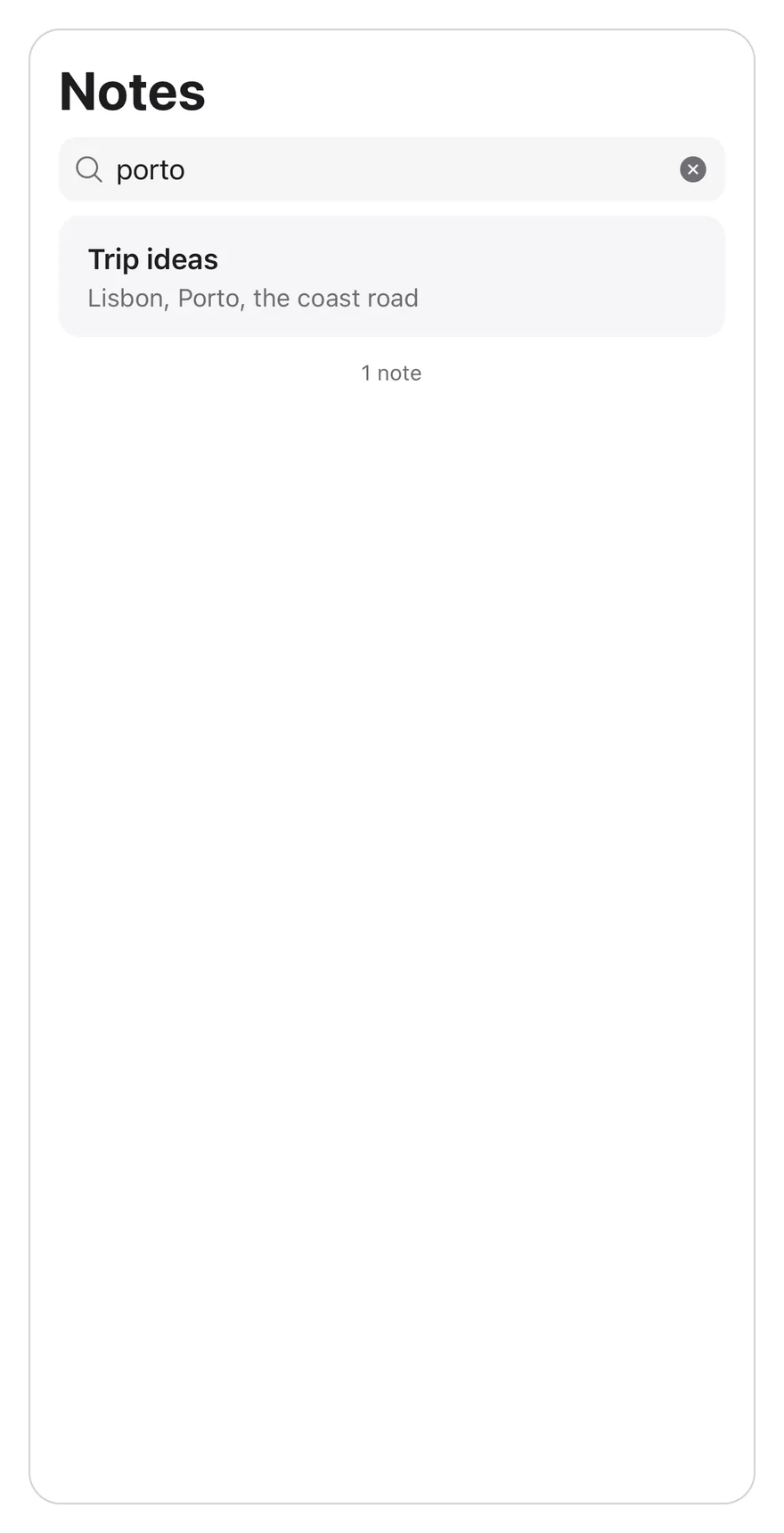
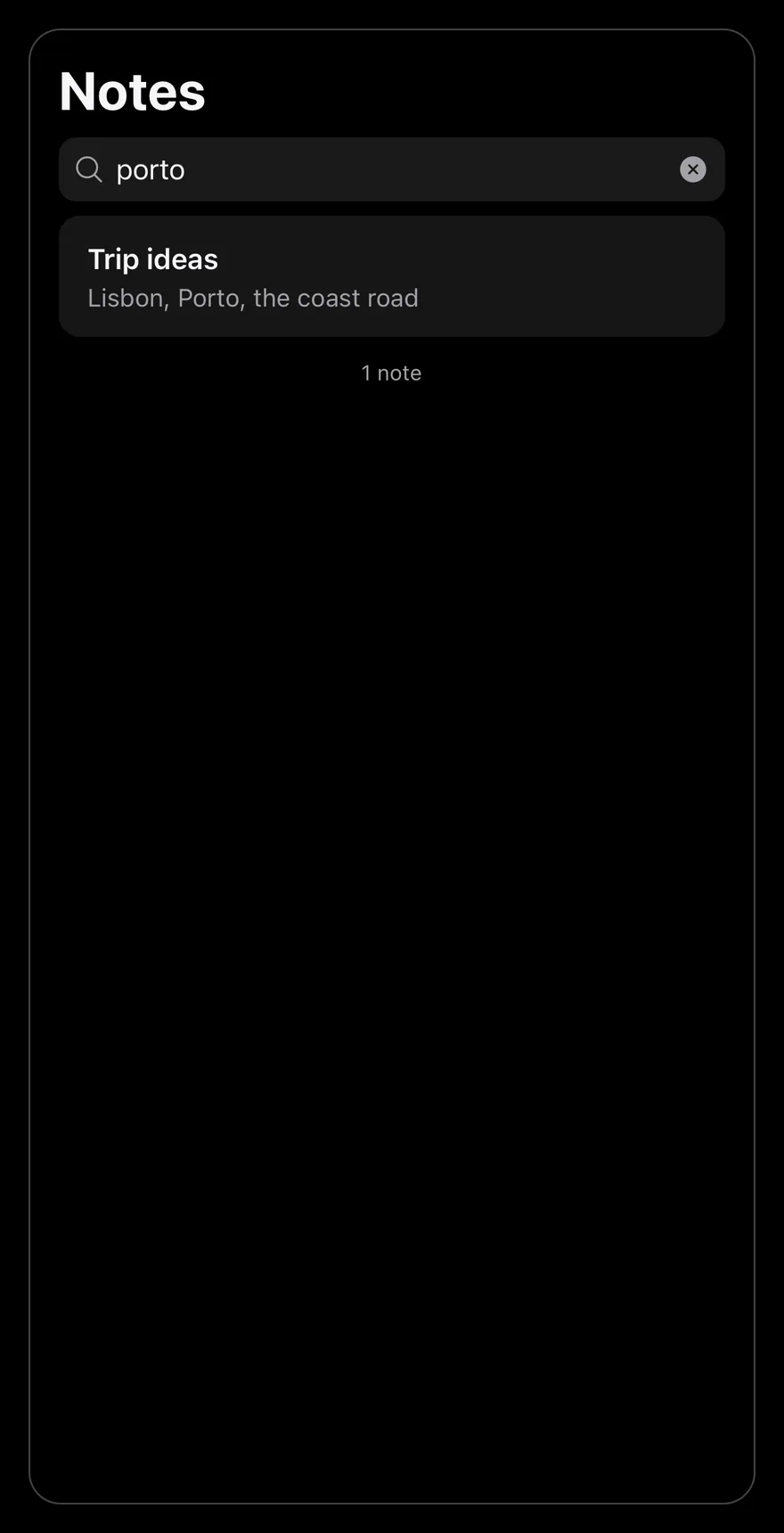
}With query
Starts with a query, so the field is visible and the list is filtered.
import * as React from "react"
import { Pressable, View } from "react-native"
import { SearchReveal, SearchRevealContent, SearchRevealField } from "@/components/interactions/search-reveal"
import { Text } from "@/components/ui/text"

const allNotes = [
  { id: 1, title: "Groceries", preview: "Milk, eggs, bread, coffee" },
  { id: 2, title: "Trip ideas", preview: "Lisbon, Porto, the coast road" },
  { id: 3, title: "Book list", preview: "Three novels for the summer" },
  { id: 4, title: "Meeting notes", preview: "Ship the beta on Friday" },
  { id: 5, title: "Gift ideas", preview: "Headphones, a plant, a scarf" },
  { id: 6, title: "Recipes", preview: "Lemon pasta and a quick curry" },
  { id: 7, title: "Workout plan", preview: "Run on Monday, swim on Thursday" },
  {
    id: 8,
    title: "Movies to watch",
    preview: "Two documentaries and a classic",
  },
  { id: 9, title: "Garden", preview: "Plant tomatoes after the frost" },
  { id: 10, title: "Packing list", preview: "Charger, passport, rain jacket" },
  { id: 11, title: "Podcast notes", preview: "Episode about city design" },
  { id: 12, title: "Budget", preview: "Rent, groceries, savings" },
]

function NotesExample({
  count,
  defaultQuery = "",
}: {
  count: number
  defaultQuery?: string
}) {
  const [query, setQuery] = React.useState(defaultQuery)
  const notes = allNotes
    .slice(0, count)
    .filter((note) =>
      `${note.title} ${note.preview}`
        .toLowerCase()
        .includes(query.trim().toLowerCase())
    )

  return (
    <View className="flex-1 overflow-hidden rounded-2xl border border-border">
      <Text variant="h1" className="px-4 pt-4 pb-2">
        Notes
      </Text>
      <SearchReveal>
        <SearchRevealField value={query} onValueChange={setQuery} />
        <SearchRevealContent>
          {notes.length === 0 ? (
            <Text className="px-4 py-16 text-center text-sm text-muted-foreground">
              No results for “{query}”
            </Text>
          ) : (
            <View className="mx-4 overflow-hidden rounded-xl bg-muted">
              {notes.map((note, index) => (
                <Pressable
                  key={note.id}
                  className={
                    index > 0
                      ? "border-t border-border px-4 py-3 active:opacity-80"
                      : "px-4 py-3 active:opacity-80"
                  }
                >
                  <Text numberOfLines={1} className="font-semibold">
                    {note.title}
                  </Text>
                  <Text
                    numberOfLines={1}
                    className="text-sm text-muted-foreground"
                  >
                    {note.preview}
                  </Text>
                </Pressable>
              ))}
            </View>
          )}
          <Text className="px-4 py-3 text-center text-xs text-muted-foreground">
            {notes.length} {notes.length === 1 ? "note" : "notes"}
          </Text>
        </SearchRevealContent>
      </SearchReveal>
    </View>
  )
}

export function SearchRevealWithQueryExample() {
  return (
    <NotesExample count={12} defaultQuery="porto" />
  )
}import EsuissUI
import SwiftUI
struct SearchRevealWithQueryExample: View {
var body: some View {
SearchRevealNotes(count: 12, query: "porto")
}
}
struct SearchRevealNote: Identifiable {
let id: Int
let title: String
let preview: String
}
let searchRevealNotes = [
SearchRevealNote(id: 1, title: "Groceries", preview: "Milk, eggs, bread, coffee"),
SearchRevealNote(id: 2, title: "Trip ideas", preview: "Lisbon, Porto, the coast road"),
SearchRevealNote(id: 3, title: "Book list", preview: "Three novels for the summer"),
SearchRevealNote(id: 4, title: "Meeting notes", preview: "Ship the beta on Friday"),
SearchRevealNote(id: 5, title: "Gift ideas", preview: "Headphones, a plant, a scarf"),
SearchRevealNote(id: 6, title: "Recipes", preview: "Lemon pasta and a quick curry"),
SearchRevealNote(id: 7, title: "Workout plan", preview: "Run on Monday, swim on Thursday"),
SearchRevealNote(id: 8, title: "Movies to watch", preview: "Two documentaries and a classic"),
SearchRevealNote(id: 9, title: "Garden", preview: "Plant tomatoes after the frost"),
SearchRevealNote(id: 10, title: "Packing list", preview: "Charger, passport, rain jacket"),
SearchRevealNote(id: 11, title: "Podcast notes", preview: "Episode about city design"),
SearchRevealNote(id: 12, title: "Budget", preview: "Rent, groceries, savings"),
]
struct SearchRevealNotes: View {
let count: Int
@State private var query: String
init(count: Int, query: String = "") {
self.count = count
_query = State(initialValue: query)
}
var notes: [SearchRevealNote] {
let needle = query.trimmingCharacters(in: .whitespaces).lowercased()
return searchRevealNotes.prefix(count).filter { note in
needle.isEmpty || "\(note.title) \(note.preview)".lowercased().contains(needle)
}
}
var body: some View {
let notes = notes
let shape = RoundedRectangle(cornerRadius: Radius.xl2, style: .continuous)
VStack(alignment: .leading, spacing: 0) {
Text("Notes")
.textVariant(.h1)
.padding(.horizontal, 16)
.padding(.top, 16)
.padding(.bottom, 8)
SearchReveal {
SearchRevealField(text: $query)
SearchRevealContent {
if notes.isEmpty {
Text(verbatim: "No results for “\(query)”")
.textStyle(.sm)
.foregroundStyle(EsuissColor.mutedForeground)
.multilineTextAlignment(.center)
.padding(.horizontal, 16)
.padding(.vertical, 64)
.frame(maxWidth: .infinity)
} else {
VStack(spacing: 0) {
ForEach(Array(notes.enumerated()), id: \.element.id) { index, note in
Button {} label: {
VStack(alignment: .leading, spacing: 0) {
Text(verbatim: note.title)
.textStyle(.base, weight: .semibold)
.foregroundStyle(EsuissColor.foreground)
.lineLimit(1)
Text(verbatim: note.preview)
.textStyle(.sm)
.foregroundStyle(EsuissColor.mutedForeground)
.lineLimit(1)
}
.padding(.horizontal, 16)
.padding(.vertical, 12)
.frame(maxWidth: .infinity, alignment: .leading)
.contentShape(Rectangle())
}
.buttonStyle(SearchRevealRowStyle())
.overlay(alignment: .top) {
if index > 0 {
EsuissColor.border.frame(height: 1)
}
}
}
}
.background(EsuissColor.muted)
.clipShape(RoundedRectangle(cornerRadius: Radius.xl, style: .continuous))
.padding(.horizontal, 16)
}
Text(verbatim: "\(notes.count) \(notes.count == 1 ? "note" : "notes")")
.textStyle(.xs)
.foregroundStyle(EsuissColor.mutedForeground)
.multilineTextAlignment(.center)
.padding(.horizontal, 16)
.padding(.vertical, 12)
.frame(maxWidth: .infinity)
}
}
}
.clipShape(shape)
.overlay { shape.strokeBorder(EsuissColor.border) }
.containerRelativeFrame(.vertical) { height, _ in height - 32 }
}
}
struct SearchRevealRowStyle: ButtonStyle {
func makeBody(configuration: Configuration) -> some View {
configuration.label
.opacity(configuration.isPressed ? 0.8 : 1)
}
}import androidx.compose.foundation.background
import androidx.compose.foundation.border
import androidx.compose.foundation.clickable
import androidx.compose.foundation.interaction.MutableInteractionSource
import androidx.compose.foundation.interaction.collectIsPressedAsState
import androidx.compose.foundation.layout.Box
import androidx.compose.foundation.layout.Column
import androidx.compose.foundation.layout.fillMaxWidth
import androidx.compose.foundation.layout.height
import androidx.compose.foundation.layout.padding
import androidx.compose.foundation.shape.RoundedCornerShape
import androidx.compose.runtime.Composable
import androidx.compose.runtime.getValue
import androidx.compose.runtime.mutableStateOf
import androidx.compose.runtime.remember
import androidx.compose.runtime.saveable.rememberSaveable
import androidx.compose.runtime.setValue
import androidx.compose.ui.Modifier
import androidx.compose.ui.draw.alpha
import androidx.compose.ui.draw.clip
import androidx.compose.ui.semantics.Role
import androidx.compose.ui.text.font.FontWeight
import androidx.compose.ui.text.style.TextAlign
import androidx.compose.ui.text.style.TextOverflow
import androidx.compose.ui.unit.dp
import com.esuiss.ui.components.Text
import com.esuiss.ui.components.TextVariant
import com.esuiss.ui.interactions.SearchReveal
import com.esuiss.ui.interactions.SearchRevealContent
import com.esuiss.ui.interactions.SearchRevealField
import com.esuiss.ui.theme.EsuissTheme
import com.esuiss.ui.theme.Radius
import com.esuiss.ui.theme.Typography
@Composable
fun SearchRevealWithQueryExample() {
SearchRevealNotes(count = 12, defaultQuery = "porto")
}
class SearchRevealNote(val id: Int, val title: String, val preview: String)
val searchRevealAllNotes = listOf(
SearchRevealNote(1, "Groceries", "Milk, eggs, bread, coffee"),
SearchRevealNote(2, "Trip ideas", "Lisbon, Porto, the coast road"),
SearchRevealNote(3, "Book list", "Three novels for the summer"),
SearchRevealNote(4, "Meeting notes", "Ship the beta on Friday"),
SearchRevealNote(5, "Gift ideas", "Headphones, a plant, a scarf"),
SearchRevealNote(6, "Recipes", "Lemon pasta and a quick curry"),
SearchRevealNote(7, "Workout plan", "Run on Monday, swim on Thursday"),
SearchRevealNote(8, "Movies to watch", "Two documentaries and a classic"),
SearchRevealNote(9, "Garden", "Plant tomatoes after the frost"),
SearchRevealNote(10, "Packing list", "Charger, passport, rain jacket"),
SearchRevealNote(11, "Podcast notes", "Episode about city design"),
SearchRevealNote(12, "Budget", "Rent, groceries, savings"),
)
@Composable
fun SearchRevealNotes(count: Int, defaultQuery: String = "") {
val colors = EsuissTheme.colors
var query by rememberSaveable { mutableStateOf(defaultQuery) }
val needle = query.trim().lowercase()
val notes = searchRevealAllNotes.take(count).filter { "${it.title} ${it.preview}".lowercase().contains(needle) }
val shape = RoundedCornerShape(Radius.xl2)
Column(
Modifier
.fillMaxWidth()
.height(600.dp)
.clip(shape)
.border(1.dp, colors.border, shape),
) {
Text("Notes", modifier = Modifier.padding(start = 16.dp, end = 16.dp, top = 16.dp, bottom = 8.dp), variant = TextVariant.H1)
SearchReveal(Modifier.weight(1f)) {
SearchRevealField(value = query, onValueChange = { query = it })
SearchRevealContent {
if (notes.isEmpty()) {
Text(
"No results for “$query”",
modifier = Modifier.fillMaxWidth().padding(horizontal = 16.dp, vertical = 64.dp),
style = Typography.sm.copy(color = colors.mutedForeground),
textAlign = TextAlign.Center,
)
} else {
Column(
Modifier
.padding(horizontal = 16.dp)
.fillMaxWidth()
.clip(RoundedCornerShape(Radius.xl))
.background(colors.muted),
) {
notes.forEachIndexed { index, note ->
if (index > 0) Box(Modifier.fillMaxWidth().height(1.dp).background(colors.border))
SearchRevealRow(note)
}
}
}
Text(
"${notes.size} ${if (notes.size == 1) "note" else "notes"}",
modifier = Modifier.fillMaxWidth().padding(horizontal = 16.dp, vertical = 12.dp),
style = Typography.xs.copy(color = colors.mutedForeground),
textAlign = TextAlign.Center,
)
}
}
}
}
@Composable
fun SearchRevealRow(note: SearchRevealNote) {
val colors = EsuissTheme.colors
val interaction = remember { MutableInteractionSource() }
val pressed by interaction.collectIsPressedAsState()
Column(
Modifier
.fillMaxWidth()
.alpha(if (pressed) 0.8f else 1f)
.clickable(interactionSource = interaction, indication = null, role = Role.Button) {}
.padding(horizontal = 16.dp, vertical = 12.dp),
) {
Text(
note.title,
style = Typography.base.copy(fontWeight = FontWeight.SemiBold),
maxLines = 1,
overflow = TextOverflow.Ellipsis,
)
Text(
note.preview,
style = Typography.sm.copy(color = colors.mutedForeground),
maxLines = 1,
overflow = TextOverflow.Ellipsis,
)
}
}API Reference
SearchReveal
The scroll view that hides and reveals the field.
Also accepts the props of ScrollViewProps.
SearchRevealField
The search input with a clear button.
| Prop | Type | Default | Description |
|---|---|---|---|
value | string | Required | The current query. |
onValueChange | (value: string) => void | Required | Called with the new query. |
Also accepts the props of React.ComponentProps<typeof TextInput>.
SearchRevealContent
The list area, at least one screen tall.
Also accepts the props of ViewProps.
Accessibility
- The input has the
searchboxrole and is labelled byplaceholder. - The clear button is labelled
Clear searchand returns focus to the input.
Notes
- The field uses
bg-secondarywithmuted-foregroundplaceholder and icons. - Autocorrect and autocapitalization are off, and the return key reads
search. - Taps on the list work while the keyboard is open.