# Image Viewer
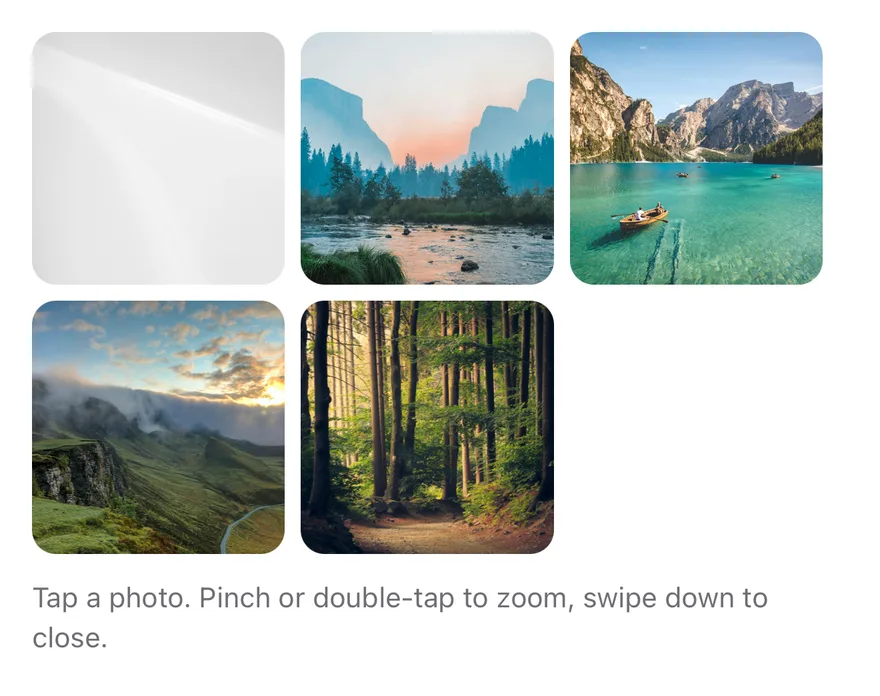
A full-screen photo viewer with swipe paging, pinch and double-tap zoom, and swipe down to close.
Image Viewer is an open-source interaction from suiss/ui for React Native, SwiftUI and Jetpack Compose. The @esuiss/ui CLI copies its source into your project, so you own the code.
Source: https://ui.suiss.app/docs/interactions/image-viewer
**React Native, SwiftUI, Jetpack Compose**
```tsx
import { Image, View } from "react-native"
import { ImageViewer, ImageViewerContent, type ImageViewerImage, ImageViewerTrigger } from "@/components/interactions/image-viewer"
import { Text } from "@/components/ui/text"
const images: ImageViewerImage[] = [
{
source: {
uri: "https://images.unsplash.com/photo-1588345921523-c2dcdb7f1dcd?w=1200&q=80",
},
accessibilityLabel: "Mountain lake at sunrise",
},
{
source: {
uri: "https://images.unsplash.com/photo-1506744038136-46273834b3fb?w=1200&q=80",
},
accessibilityLabel: "Valley with a river",
},
{
source: {
uri: "https://images.unsplash.com/photo-1501785888041-af3ef285b470?w=1200&q=80",
},
accessibilityLabel: "Lake between mountains",
},
{
source: {
uri: "https://images.unsplash.com/photo-1470071459604-3b5ec3a7fe05?w=1200&q=80",
},
accessibilityLabel: "Foggy hills",
},
{
source: {
uri: "https://images.unsplash.com/photo-1441974231531-c6227db76b6e?w=1200&q=80",
},
accessibilityLabel: "Forest path",
},
]
function Gallery({
defaultOpen,
defaultIndex,
}: {
defaultOpen?: boolean
defaultIndex?: number
}) {
return (
{images.map((image, index) => (
))}
Tap a photo. Pinch or double-tap to zoom, swipe down to close.
)
}
export function ImageViewerOpenByDefaultExample() {
return (
)
}
```
```swift
import EsuissUI
import SwiftUI
import UIKit
struct ImageViewerOpenByDefaultExample: View {
var body: some View {
ImageViewerGallery(open: true, index: 1)
}
}
struct ImageViewerPhoto {
let url: URL
let label: String
}
let imageViewerPhotos = [
ImageViewerPhoto(url: URL(string: "https://images.unsplash.com/photo-1588345921523-c2dcdb7f1dcd?w=1200&q=80")!, label: "Mountain lake at sunrise"),
ImageViewerPhoto(url: URL(string: "https://images.unsplash.com/photo-1506744038136-46273834b3fb?w=1200&q=80")!, label: "Valley with a river"),
ImageViewerPhoto(url: URL(string: "https://images.unsplash.com/photo-1501785888041-af3ef285b470?w=1200&q=80")!, label: "Lake between mountains"),
ImageViewerPhoto(url: URL(string: "https://images.unsplash.com/photo-1470071459604-3b5ec3a7fe05?w=1200&q=80")!, label: "Foggy hills"),
ImageViewerPhoto(url: URL(string: "https://images.unsplash.com/photo-1441974231531-c6227db76b6e?w=1200&q=80")!, label: "Forest path"),
]
struct ImageViewerGallery: View {
@State private var open: Bool
@State private var index: Int
@State private var loaded: [Int: UIImage] = [:]
init(open: Bool = false, index: Int = 0) {
_open = State(initialValue: open)
_index = State(initialValue: index)
}
var images: [Image] {
imageViewerPhotos.indices.map { page in
let photo = imageViewerPhotos[page]
if let cgImage = loaded[page]?.cgImage {
return Image(cgImage, scale: 1, orientation: .up, label: Text(verbatim: photo.label))
}
return Image(uiImage: UIImage())
}
}
var body: some View {
VStack(alignment: .leading, spacing: 12) {
GeometryReader { proxy in
let side = ((proxy.size.width - 16) / 3).rounded(.down)
FlowRow(spacing: 8) {
ForEach(imageViewerPhotos.indices, id: \.self) { page in
Button {
index = page
open = true
} label: {
thumbnail(page)
.frame(width: side, height: side)
.background(EsuissColor.muted)
.clipShape(RoundedRectangle(cornerRadius: Radius.xl, style: .continuous))
}
.buttonStyle(.plain)
.accessibilityLabel(Text(verbatim: imageViewerPhotos[page].label))
}
}
}
.aspectRatio(3 / 2, contentMode: .fit)
Text("Tap a photo. Pinch or double-tap to zoom, swipe down to close.")
.textVariant(.muted)
}
.imageViewer(isPresented: $open, images: images, index: $index)
.task {
await load()
}
}
@ViewBuilder
func thumbnail(_ page: Int) -> some View {
if let image = loaded[page] {
Image(uiImage: image)
.resizable()
.scaledToFill()
} else {
EsuissColor.muted
}
}
func load() async {
await withTaskGroup(of: (Int, UIImage?).self) { group in
for (page, photo) in imageViewerPhotos.enumerated() {
group.addTask {
guard let (data, _) = try? await URLSession.shared.data(from: photo.url) else { return (page, nil) }
return (page, UIImage(data: data))
}
}
for await (page, image) in group {
if let image { loaded[page] = image }
}
}
}
}
let group = StoryGroup(.interactions, "Image Viewer", stories: [
Story("Default") {
ImageViewerGallery()
},
Story("OpenByDefault") {
ImageViewerGallery(open: true, index: 1)
},
]
```
```kotlin
import androidx.compose.foundation.Image
import androidx.compose.foundation.background
import androidx.compose.foundation.clickable
import androidx.compose.foundation.layout.Arrangement
import androidx.compose.foundation.layout.Column
import androidx.compose.foundation.layout.FlowRow
import androidx.compose.foundation.layout.aspectRatio
import androidx.compose.foundation.layout.fillMaxWidth
import androidx.compose.foundation.shape.RoundedCornerShape
import androidx.compose.runtime.Composable
import androidx.compose.runtime.getValue
import androidx.compose.runtime.mutableIntStateOf
import androidx.compose.runtime.mutableStateOf
import androidx.compose.runtime.remember
import androidx.compose.runtime.saveable.rememberSaveable
import androidx.compose.runtime.setValue
import androidx.compose.ui.Modifier
import androidx.compose.ui.draw.clip
import androidx.compose.ui.geometry.Offset
import androidx.compose.ui.geometry.Size
import androidx.compose.ui.graphics.Brush
import androidx.compose.ui.graphics.Color
import androidx.compose.ui.graphics.drawscope.DrawScope
import androidx.compose.ui.graphics.painter.Painter
import androidx.compose.ui.layout.ContentScale
import androidx.compose.ui.semantics.Role
import androidx.compose.ui.semantics.contentDescription
import androidx.compose.ui.semantics.semantics
import androidx.compose.ui.unit.dp
import com.esuiss.ui.components.Text
import com.esuiss.ui.components.TextVariant
import com.esuiss.ui.interactions.ImageViewer
import com.esuiss.ui.interactions.ImageViewerImage
import com.esuiss.ui.theme.EsuissTheme
import com.esuiss.ui.theme.Palette
import com.esuiss.ui.theme.Radius
@Composable
fun ImageViewerOpenByDefaultExample() {
ImageViewerGallery(defaultOpen = true, defaultIndex = 1)
}
class ImageViewerGradient(private val from: Color, private val to: Color, private val size: Size) : Painter() {
override val intrinsicSize: Size
get() = size
override fun DrawScope.onDraw() {
drawRect(Brush.linearGradient(listOf(from, to), start = Offset.Zero, end = Offset(this.size.width, this.size.height)))
}
}
val imageViewerLabels = listOf(
"Mountain lake at sunrise",
"Valley with a river",
"Lake between mountains",
"Foggy hills",
"Forest path",
)
@Composable
fun ImageViewerGallery(defaultOpen: Boolean, defaultIndex: Int) {
val colors = EsuissTheme.colors
var open by rememberSaveable { mutableStateOf(defaultOpen) }
var index by rememberSaveable { mutableIntStateOf(defaultIndex) }
val tones = listOf(
Palette.orange500 to Palette.pink500,
Palette.teal500 to Palette.blue500,
Palette.indigo500 to Palette.cyan500,
Palette.zinc500 to Palette.teal400,
Palette.green500 to Palette.amber500,
)
val images = remember(tones) {
imageViewerLabels.mapIndexed { position, label ->
val (from, to) = tones[position]
ImageViewerImage(ImageViewerGradient(from, to, Size(1200f, 800f)), contentDescription = label)
}
}
val shape = RoundedCornerShape(Radius.xl)
Column(verticalArrangement = Arrangement.spacedBy(12.dp)) {
FlowRow(
modifier = Modifier.fillMaxWidth(),
horizontalArrangement = Arrangement.spacedBy(8.dp),
verticalArrangement = Arrangement.spacedBy(8.dp),
) {
images.forEachIndexed { position, image ->
Image(
painter = image.painter,
contentDescription = null,
contentScale = ContentScale.Crop,
modifier = Modifier
.fillMaxWidth(0.31f)
.aspectRatio(1f)
.clip(shape)
.background(colors.muted, shape)
.semantics { contentDescription = imageViewerLabels[position] }
.clickable(role = Role.Button) {
index = position
open = true
},
)
}
}
Text("Tap a photo. Pinch or double-tap to zoom, swipe down to close.", variant = TextVariant.Muted)
}
ImageViewer(
open = open,
onOpenChange = { open = it },
images = images,
index = index,
onIndexChange = { index = it },
)
}
```
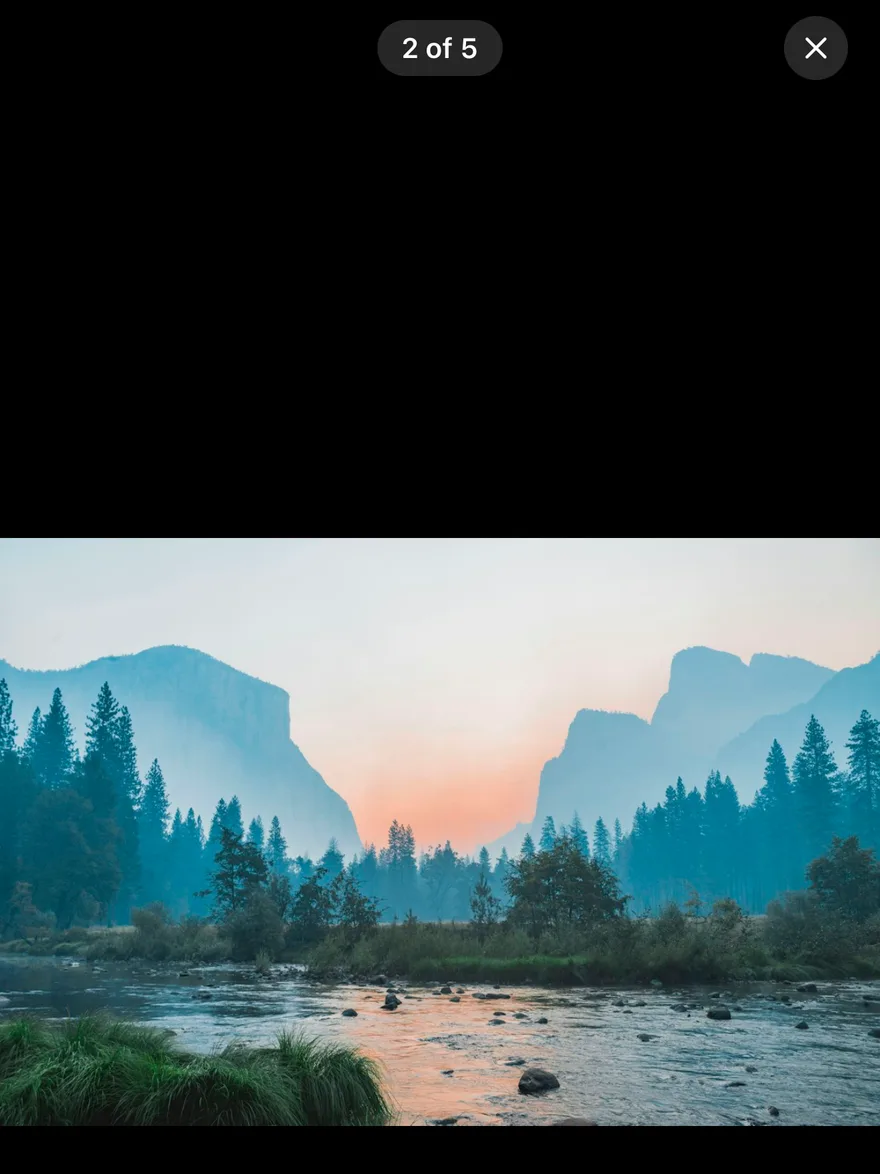
`ImageViewer` opens a set of `images` full screen on a black background, starting at the pressed thumbnail. A counter such as `2 of 5` and a close button sit at the top, below the safe area.
Swipe sideways to page between images, with resistance at the first and last image. Pinch to zoom between 1x and 4x around the fingers, double-tap to zoom to 2.5x at the tapped point or back to 1x, and drag to pan while zoomed. Swiping up or down far enough closes the viewer, and a single tap toggles the controls.
## Installation
**React Native**
```bash title="Terminal"
npx shadcn@latest add @esuiss-rn/image-viewer
```
See [Installation](https://ui.suiss.app/docs/installation) for the `components.json` setup. Or use the suiss/ui CLI:
```bash title="Terminal"
npx @esuiss/ui@latest add image-viewer
```
**SwiftUI**
```bash title="Terminal"
npx @esuiss/ui@latest add image-viewer --platform swift
```
**Jetpack Compose**
```bash title="Terminal"
npx @esuiss/ui@latest add image-viewer --platform kotlin
```
The CLI also adds what it builds on: [Icon](https://ui.suiss.app/docs/components/icon), [Text](https://ui.suiss.app/docs/components/text). On React Native it also adds the animated view `components/ui/animated-view.tsx`.
### Manual
**React Native**
**Uniwind**
1. Install the dependencies:
```bash title="Terminal"
npx expo install cn phosphor-react-native react-native-reanimated react-native-safe-area-context react-native-screens react-native-svg react-native-worklets
```
2. Add the pieces it builds on: [Icon](https://ui.suiss.app/docs/components/icon), [Text](https://ui.suiss.app/docs/components/text), and the primitives `components/primitives/image-viewer.tsx`, `components/primitives/use-render.tsx`, and the animated view `components/ui/animated-view.tsx` from the next step.
3. Copy the animated view into `components/ui/animated-view.tsx`:
- `uniwind/components/ui/animated-view.tsx`: [source](https://github.com/e-suiss/ui/blob/main/packages/mobile/uniwind/components/ui/animated-view.tsx)
4. Copy the source into `components/interactions/image-viewer.tsx`:
```tsx title="uniwind/components/interactions/image-viewer.tsx"
import { cn } from "cn"
import { XIcon } from "phosphor-react-native"
import * as React from "react"
import { Platform, View } from "react-native"
import { FadeIn, FadeOut, ReduceMotion } from "react-native-reanimated"
import { useSafeAreaInsets } from "react-native-safe-area-context"
import { FullWindowOverlay as RNFullWindowOverlay } from "react-native-screens"
import * as ImageViewerPrimitive from "@/components/primitives/image-viewer"
import { resolveClassName } from "@/components/primitives/use-render"
import { AnimatedView } from "@/components/ui/animated-view"
import { Icon } from "@/components/ui/icon"
import { Text } from "@/components/ui/text"
type ImageViewerImage = ImageViewerPrimitive.ImageViewerImage
const FullWindowOverlay =
Platform.OS === "ios" ? RNFullWindowOverlay : React.Fragment
function defaultIndexLabel(index: number, count: number) {
return `${index + 1} of ${count}`
}
function useImageViewer() {
const context = ImageViewerPrimitive.useRootContext("useImageViewer")
return {
open: context.open,
index: context.index,
count: context.count,
images: context.images,
}
}
function ImageViewer({
onOpenChange,
onIndexChange,
...props
}: Omit<
React.ComponentProps,
"onOpenChange" | "onIndexChange"
> & {
onOpenChange?: (open: boolean) => void
onIndexChange?: (index: number) => void
}) {
return (
onOpenChange?.(open)}
onIndexChange={(index) => onIndexChange?.(index)}
{...props}
/>
)
}
function ImageViewerTrigger({
className,
...props
}: React.ComponentProps) {
return (
cn("active:opacity-80", resolveClassName(className, state))
}
{...props}
/>
)
}
function ImageViewerContent({
portalHost,
closeLabel = "Close",
indexLabel = defaultIndexLabel,
className,
}: {
portalHost?: string
closeLabel?: string
indexLabel?: (index: number, count: number) => string
className?: string
}) {
const insets = useSafeAreaInsets()
const { index, count } = useImageViewer()
const label = indexLabel(index, count)
return (
{label}
)
}
export type { ImageViewerImage }
export { ImageViewer, ImageViewerContent, ImageViewerTrigger, useImageViewer }
```
5. Update the import paths to match your project.
**NativeWind**
1. Install the dependencies:
```bash title="Terminal"
npx expo install cn phosphor-react-native react-native-reanimated react-native-safe-area-context react-native-screens react-native-svg react-native-worklets
```
2. Add the pieces it builds on: [Icon](https://ui.suiss.app/docs/components/icon), [Text](https://ui.suiss.app/docs/components/text), and the primitives `components/primitives/image-viewer.tsx`, `components/primitives/use-render.tsx`, and the animated view `components/ui/animated-view.tsx` from the next step.
3. Copy the animated view into `components/ui/animated-view.tsx`:
- `nativewind/components/ui/animated-view.tsx`: [source](https://github.com/e-suiss/ui/blob/main/packages/mobile/nativewind/components/ui/animated-view.tsx)
4. Copy the source into `components/interactions/image-viewer.tsx`:
```tsx title="nativewind/components/interactions/image-viewer.tsx"
import { cn } from "cn"
import { XIcon } from "phosphor-react-native"
import * as React from "react"
import { Platform, View } from "react-native"
import { FadeIn, FadeOut, ReduceMotion } from "react-native-reanimated"
import { useSafeAreaInsets } from "react-native-safe-area-context"
import { FullWindowOverlay as RNFullWindowOverlay } from "react-native-screens"
import * as ImageViewerPrimitive from "@/components/primitives/image-viewer"
import { resolveClassName } from "@/components/primitives/use-render"
import { AnimatedView } from "@/components/ui/animated-view"
import { Icon } from "@/components/ui/icon"
import { Text } from "@/components/ui/text"
type ImageViewerImage = ImageViewerPrimitive.ImageViewerImage
const FullWindowOverlay =
Platform.OS === "ios" ? RNFullWindowOverlay : React.Fragment
function defaultIndexLabel(index: number, count: number) {
return `${index + 1} of ${count}`
}
function useImageViewer() {
const context = ImageViewerPrimitive.useRootContext("useImageViewer")
return {
open: context.open,
index: context.index,
count: context.count,
images: context.images,
}
}
function ImageViewer({
onOpenChange,
onIndexChange,
...props
}: Omit<
React.ComponentProps,
"onOpenChange" | "onIndexChange"
> & {
onOpenChange?: (open: boolean) => void
onIndexChange?: (index: number) => void
}) {
return (
onOpenChange?.(open)}
onIndexChange={(index) => onIndexChange?.(index)}
{...props}
/>
)
}
function ImageViewerTrigger({
className,
...props
}: React.ComponentProps) {
return (
cn("active:opacity-80", resolveClassName(className, state))
}
{...props}
/>
)
}
function ImageViewerContent({
portalHost,
closeLabel = "Close",
indexLabel = defaultIndexLabel,
className,
}: {
portalHost?: string
closeLabel?: string
indexLabel?: (index: number, count: number) => string
className?: string
}) {
const insets = useSafeAreaInsets()
const { index, count } = useImageViewer()
const label = indexLabel(index, count)
return (
{label}
)
}
export type { ImageViewerImage }
export { ImageViewer, ImageViewerContent, ImageViewerTrigger, useImageViewer }
```
5. Update the import paths to match your project.
**StyleSheet**
1. Install the dependencies:
```bash title="Terminal"
npx expo install phosphor-react-native react-native-reanimated react-native-safe-area-context react-native-screens react-native-svg react-native-worklets
```
2. Add the pieces it builds on: [Icon](https://ui.suiss.app/docs/components/icon), [Text](https://ui.suiss.app/docs/components/text), and the primitives `components/primitives/image-viewer.tsx`, `components/primitives/use-render.tsx`, and the animated view `components/ui/animated-view.tsx` from the next step.
3. Copy the animated view into `components/ui/animated-view.tsx`:
- `stylesheet/components/ui/animated-view.tsx`: [source](https://github.com/e-suiss/ui/blob/main/packages/mobile/stylesheet/components/ui/animated-view.tsx)
4. Copy the source into `components/interactions/image-viewer.tsx`:
```tsx title="stylesheet/components/interactions/image-viewer.tsx"
import { XIcon } from "phosphor-react-native"
import * as React from "react"
import {
Platform,
Pressable,
StyleSheet,
View,
type ViewStyle,
} from "react-native"
import { FadeIn, FadeOut, ReduceMotion } from "react-native-reanimated"
import { useSafeAreaInsets } from "react-native-safe-area-context"
import { FullWindowOverlay as RNFullWindowOverlay } from "react-native-screens"
import * as ImageViewerPrimitive from "@/components/primitives/image-viewer"
import { resolveStyle } from "@/components/primitives/use-render"
import { AnimatedView } from "@/components/ui/animated-view"
import { Icon } from "@/components/ui/icon"
import { Text } from "@/components/ui/text"
import { fontSize, palette, radius } from "@/components/ui/theme"
type ImageViewerImage = ImageViewerPrimitive.ImageViewerImage
const FullWindowOverlay =
Platform.OS === "ios" ? RNFullWindowOverlay : React.Fragment
const styles = StyleSheet.create({
frame: {
position: "absolute",
top: 0,
right: 0,
bottom: 0,
left: 0,
zIndex: 50,
},
pressed: { opacity: 0.8 },
controls: {
position: "absolute",
top: 0,
right: 0,
left: 0,
flexDirection: "row",
alignItems: "center",
justifyContent: "space-between",
paddingHorizontal: 16,
},
spacer: { width: 32, height: 32 },
label: {
borderRadius: radius.full,
paddingHorizontal: 12,
paddingVertical: 4,
},
labelText: { ...fontSize.sm, fontWeight: "600" },
close: {
width: 32,
height: 32,
alignItems: "center",
justifyContent: "center",
borderRadius: radius.full,
},
})
function withAlpha(color: string, alpha: number) {
if (!color.startsWith("#") || color.length !== 7) return color
const r = Number.parseInt(color.slice(1, 3), 16)
const g = Number.parseInt(color.slice(3, 5), 16)
const b = Number.parseInt(color.slice(5, 7), 16)
return `rgba(${r}, ${g}, ${b}, ${alpha})`
}
function defaultIndexLabel(index: number, count: number) {
return `${index + 1} of ${count}`
}
function useImageViewer() {
const context = ImageViewerPrimitive.useRootContext("useImageViewer")
return {
open: context.open,
index: context.index,
count: context.count,
images: context.images,
}
}
function ImageViewer({
onOpenChange,
onIndexChange,
...props
}: Omit<
React.ComponentProps,
"onOpenChange" | "onIndexChange"
> & {
onOpenChange?: (open: boolean) => void
onIndexChange?: (index: number) => void
}) {
return (
onOpenChange?.(open)}
onIndexChange={(index) => onIndexChange?.(index)}
{...props}
/>
)
}
function ImageViewerTrigger({
style,
...props
}: React.ComponentProps) {
return (
resolveStyle(style, state) as ViewStyle}
render={(renderProps) => {
const { style: baseStyle, ...rest } = renderProps
return (
[
baseStyle as ViewStyle,
pressed && styles.pressed,
]}
/>
)
}}
{...props}
/>
)
}
function ImageViewerContent({
portalHost,
closeLabel = "Close",
indexLabel = defaultIndexLabel,
style,
}: {
portalHost?: string
closeLabel?: string
indexLabel?: (index: number, count: number) => string
style?: ViewStyle
}) {
const insets = useSafeAreaInsets()
const { index, count } = useImageViewer()
const label = indexLabel(index, count)
return (
{label}
{
const { style: baseStyle, ...rest } = renderProps
return (
[
baseStyle as ViewStyle,
styles.close,
{
backgroundColor: withAlpha(
palette.white,
pressed ? 0.25 : 0.15
),
},
]}
/>
)
}}
>
)
}
export type { ImageViewerImage }
export { ImageViewer, ImageViewerContent, ImageViewerTrigger, useImageViewer }
```
5. Update the import paths to match your project.
**SwiftUI**
1. Target iOS 17 or later.
2. Add the Swift package to your app:
```swift title="Package.swift"
.package(url: "https://github.com/phosphor-icons/swift", from: "2.1.0")
```
3. Copy the theme files every view uses:
- `swift/Theme/Theme.swift`: [source](https://github.com/e-suiss/ui/blob/main/packages/mobile/swiftui/Sources/EsuissUI/Theme/Theme.swift)
- `swift/Theme/Tokens.swift`: [source](https://github.com/e-suiss/ui/blob/main/packages/mobile/swiftui/Sources/EsuissUI/Theme/Tokens.swift)
4. Copy the source and every file it uses:
```swift title="swift/Interactions/ImageViewer.swift"
import PhosphorSwift
import SwiftUI
enum ImageViewerMath {
static let minScale: CGFloat = 1
static let maxScale: CGFloat = 4
static let doubleTapScale: CGFloat = 2.5
static let dismissDistance: CGFloat = 120
static let fadeDistance: CGFloat = 300
static func clampScale(_ scale: CGFloat) -> CGFloat {
min(max(scale, minScale), maxScale)
}
static func clampOffset(_ offset: CGSize, scale: CGFloat, size: CGSize) -> CGSize {
let limitX = max(0, (size.width * scale - size.width) / 2)
let limitY = max(0, (size.height * scale - size.height) / 2)
return CGSize(
width: min(max(offset.width, -limitX), limitX),
height: min(max(offset.height, -limitY), limitY)
)
}
static func doubleTap(scale: CGFloat, location: CGPoint, size: CGSize) -> (scale: CGFloat, offset: CGSize) {
guard scale <= minScale else { return (minScale, .zero) }
let target = doubleTapScale
let offset = CGSize(
width: (size.width / 2 - location.x) * (target - 1),
height: (size.height / 2 - location.y) * (target - 1)
)
return (target, clampOffset(offset, scale: target, size: size))
}
static func page(current: Int, translation: CGFloat, predicted: CGFloat, width: CGFloat, count: Int) -> Int {
guard count > 0, width > 0 else { return 0 }
var next = current
if translation < -width * 0.25 || predicted < -width * 0.5 {
next = current + 1
} else if translation > width * 0.25 || predicted > width * 0.5 {
next = current - 1
}
return min(max(next, 0), count - 1)
}
static func resisted(_ translation: CGFloat, current: Int, count: Int) -> CGFloat {
let atStart = current == 0 && translation > 0
let atEnd = current >= count - 1 && translation < 0
return atStart || atEnd ? translation / 3 : translation
}
static func backdropOpacity(_ translation: CGFloat) -> Double {
Double(max(0, 1 - abs(translation) / fadeDistance))
}
static func shouldDismiss(translation: CGFloat, predicted: CGFloat) -> Bool {
abs(translation) > dismissDistance || abs(predicted) > dismissDistance * 2.5
}
}
extension View {
public func imageViewer(
isPresented: Binding,
images: [Image],
index: Binding
) -> some View {
modifier(
CoverPresenter(isPresented: isPresented, enter: .easeOut(duration: 0.2), exit: .easeIn(duration: 0.2)) { visible in
ImageViewer(images: images, index: index)
.opacity(visible ? 1 : 0)
.scaleEffect(visible ? 1 : 0.96)
}
)
}
}
public struct ImageViewer: View {
let images: [Image]
let index: Binding
@State private var scale: CGFloat = 1
@State private var offset: CGSize = .zero
@State private var pinchStart: CGFloat?
@State private var panStart: CGSize?
@State private var drag: CGSize = .zero
@State private var axis: Axis?
@State private var dismissing = false
@Environment(\.overlayDismiss) private var dismiss
@Environment(\.accessibilityReduceMotion) private var reduceMotion
public init(images: [Image], index: Binding) {
self.images = images
self.index = index
}
public var body: some View {
GeometryReader { proxy in
let size = proxy.size
let count = images.count
let current = CarouselMath.clamp(index.wrappedValue, count: count)
let fade = axis == .vertical || dismissing ? ImageViewerMath.backdropOpacity(drag.height) : 1
ZStack {
EsuissColor.background
.opacity(fade)
.ignoresSafeArea()
HStack(spacing: 0) {
ForEach(images.indices, id: \.self) { page in
images[page]
.resizable()
.scaledToFit()
.frame(width: size.width, height: size.height)
.scaleEffect(page == current ? scale : 1)
.offset(page == current ? offset : .zero)
.accessibilityHidden(page != current)
}
}
.frame(width: size.width, height: size.height, alignment: .leading)
.offset(
x: -CGFloat(current) * size.width + (axis == .horizontal ? drag.width : 0),
y: axis == .vertical || dismissing ? drag.height : 0
)
.contentShape(Rectangle())
.gesture(dragGesture(size: size, current: current, count: count))
.simultaneousGesture(magnifyGesture(size: size))
.onTapGesture(count: 2, coordinateSpace: .local) { location in
let result = ImageViewerMath.doubleTap(scale: scale, location: location, size: size)
withAnimation(animation) {
scale = result.scale
offset = result.offset
}
}
.accessibilityElement(children: .ignore)
.accessibilityLabel(Text("Image \(current + 1) of \(count)"))
.accessibilityAddTraits(.isImage)
.accessibilityAdjustableAction { direction in
switch direction {
case .increment: if current < count - 1 { index.wrappedValue = current + 1 }
case .decrement: if current > 0 { index.wrappedValue = current - 1 }
@unknown default: break
}
}
VStack {
ZStack {
Text("\(current + 1) of \(count)")
.scaledFont(.base, weight: .semibold)
.monospacedDigit()
.foregroundStyle(EsuissColor.foreground)
HStack {
Spacer()
Button {
dismiss?()
} label: {
Ph.x.bold.frame(width: 16, height: 16)
}
.buttonStyle(.variant(.secondary, size: .icon))
.accessibilityLabel(Text("Close"))
}
}
.padding(.horizontal, 16)
.frame(height: 44)
Spacer()
}
.opacity(fade)
}
.clipped()
}
.onChange(of: index.wrappedValue) { _, _ in
scale = 1
offset = .zero
}
.accessibilityAddTraits(.isModal)
.accessibilityAction(.escape) { dismiss?() }
.environment(\.colorScheme, .dark)
}
private var animation: Animation? {
reduceMotion ? nil : .timingCurve(0.32, 0.72, 0, 1, duration: 0.35)
}
private func dragGesture(size: CGSize, current: Int, count: Int) -> some Gesture {
DragGesture(minimumDistance: 10)
.onChanged { value in
if scale > 1 {
let start = panStart ?? offset
panStart = start
offset = ImageViewerMath.clampOffset(
CGSize(width: start.width + value.translation.width, height: start.height + value.translation.height),
scale: scale,
size: size
)
return
}
if axis == nil {
axis = abs(value.translation.width) > abs(value.translation.height) ? .horizontal : .vertical
}
drag = CGSize(
width: ImageViewerMath.resisted(value.translation.width, current: current, count: count),
height: value.translation.height
)
}
.onEnded { value in
panStart = nil
guard scale <= 1 else { return }
if axis == .horizontal {
let target = ImageViewerMath.page(
current: current,
translation: value.translation.width,
predicted: value.predictedEndTranslation.width,
width: size.width,
count: count
)
withAnimation(animation) {
index.wrappedValue = target
drag = .zero
} completion: {
axis = nil
}
} else if axis == .vertical {
if ImageViewerMath.shouldDismiss(translation: value.translation.height, predicted: value.predictedEndTranslation.height) {
dismissing = true
axis = nil
dismiss?()
} else {
withAnimation(animation) {
drag = .zero
} completion: {
axis = nil
}
}
}
}
}
private func magnifyGesture(size: CGSize) -> some Gesture {
MagnifyGesture()
.onChanged { value in
let start = pinchStart ?? scale
pinchStart = start
scale = ImageViewerMath.clampScale(start * value.magnification)
offset = ImageViewerMath.clampOffset(offset, scale: scale, size: size)
}
.onEnded { _ in
pinchStart = nil
if scale <= 1.01 {
withAnimation(animation) {
scale = 1
offset = .zero
}
}
}
}
}
```
- `swift/Components/Button.swift`: see [Button](https://ui.suiss.app/docs/components/button.md)
- `swift/Components/ButtonGroup.swift`: see [Button Group](https://ui.suiss.app/docs/components/button-group.md)
- `swift/Components/Carousel.swift`: see [Carousel](https://ui.suiss.app/docs/components/carousel.md)
- `swift/Components/Overlay.swift`: [source](https://github.com/e-suiss/ui/blob/main/packages/mobile/swiftui/Sources/EsuissUI/Components/Overlay.swift)
- `swift/Components/TextVariant.swift`: [source](https://github.com/e-suiss/ui/blob/main/packages/mobile/swiftui/Sources/EsuissUI/Components/TextVariant.swift)
5. Add the files to your app target.
**Jetpack Compose**
1. Set `minSdk` to 24 or higher and add the dependencies:
```kotlin title="build.gradle.kts"
implementation(platform("androidx.compose:compose-bom:2026.09.00"))
implementation("androidx.compose.foundation:foundation")
implementation("androidx.compose.ui:ui")
implementation("com.adamglin:phosphor-icon-android:1.0.0")
```
2. Copy the theme files every view uses:
- `kotlin/theme/Theme.kt`: [source](https://github.com/e-suiss/ui/blob/main/packages/mobile/kotlin/ui/src/main/kotlin/com/esuiss/ui/theme/Theme.kt)
- `kotlin/theme/Tokens.kt`: [source](https://github.com/e-suiss/ui/blob/main/packages/mobile/kotlin/ui/src/main/kotlin/com/esuiss/ui/theme/Tokens.kt)
3. Copy the source and every file it uses:
```kt title="kotlin/interactions/ImageViewer.kt"
package com.esuiss.ui.interactions
import androidx.compose.animation.core.Animatable
import androidx.compose.animation.core.CubicBezierEasing
import androidx.compose.animation.core.VectorConverter
import androidx.compose.animation.core.spring
import androidx.compose.animation.core.tween
import androidx.compose.foundation.Image
import androidx.compose.foundation.background
import androidx.compose.foundation.gestures.awaitEachGesture
import androidx.compose.foundation.gestures.awaitFirstDown
import androidx.compose.foundation.gestures.calculateCentroid
import androidx.compose.foundation.gestures.calculatePan
import androidx.compose.foundation.gestures.calculateZoom
import androidx.compose.foundation.layout.Box
import androidx.compose.foundation.layout.Row
import androidx.compose.foundation.layout.WindowInsets
import androidx.compose.foundation.layout.fillMaxSize
import androidx.compose.foundation.layout.fillMaxWidth
import androidx.compose.foundation.layout.height
import androidx.compose.foundation.layout.padding
import androidx.compose.foundation.layout.safeDrawing
import androidx.compose.foundation.layout.windowInsetsPadding
import androidx.compose.foundation.pager.HorizontalPager
import androidx.compose.foundation.pager.rememberPagerState
import androidx.compose.foundation.text.BasicText
import androidx.compose.runtime.Composable
import androidx.compose.runtime.CompositionLocalProvider
import androidx.compose.runtime.Immutable
import androidx.compose.runtime.LaunchedEffect
import androidx.compose.runtime.Stable
import androidx.compose.runtime.getValue
import androidx.compose.runtime.mutableStateOf
import androidx.compose.runtime.remember
import androidx.compose.runtime.rememberCoroutineScope
import androidx.compose.runtime.rememberUpdatedState
import androidx.compose.runtime.setValue
import androidx.compose.runtime.snapshotFlow
import androidx.compose.ui.Alignment
import androidx.compose.ui.Modifier
import androidx.compose.ui.geometry.Offset
import androidx.compose.ui.graphics.graphicsLayer
import androidx.compose.ui.graphics.painter.Painter
import androidx.compose.ui.input.pointer.pointerInput
import androidx.compose.ui.input.pointer.positionChanged
import androidx.compose.ui.layout.ContentScale
import androidx.compose.ui.layout.onSizeChanged
import androidx.compose.ui.semantics.contentDescription
import androidx.compose.ui.semantics.semantics
import androidx.compose.ui.semantics.stateDescription
import androidx.compose.ui.text.font.FontWeight
import androidx.compose.ui.unit.IntSize
import androidx.compose.ui.unit.dp
import com.adamglin.PhosphorIcons
import com.adamglin.phosphoricons.Regular
import com.adamglin.phosphoricons.regular.X
import com.esuiss.ui.components.Button
import com.esuiss.ui.components.ButtonSize
import com.esuiss.ui.components.ButtonVariant
import com.esuiss.ui.components.Icon
import com.esuiss.ui.components.ModalWindow
import com.esuiss.ui.theme.DarkColors
import com.esuiss.ui.theme.EsuissTheme
import com.esuiss.ui.theme.LocalColors
import com.esuiss.ui.theme.Typography
import kotlin.math.abs
import kotlin.math.roundToInt
import kotlinx.coroutines.coroutineScope
import kotlinx.coroutines.flow.distinctUntilChanged
import kotlinx.coroutines.launch
@Immutable
class ImageViewerImage(val painter: Painter, val contentDescription: String? = null)
private const val MinScale = 1f
private const val MaxScale = 4f
private const val DoubleTapScale = 2.5f
private val Easing = CubicBezierEasing(0.32f, 0.72f, 0f, 1f)
@Stable
private class ZoomState {
val scale = Animatable(1f)
val offset = Animatable(Offset.Zero, Offset.VectorConverter)
var size by mutableStateOf(IntSize.Zero)
fun bounds(scale: Float): Offset = Offset(size.width * (scale - 1f) / 2f, size.height * (scale - 1f) / 2f)
fun clamp(value: Offset, scale: Float): Offset {
val limit = bounds(scale)
return Offset(value.x.coerceIn(-limit.x, limit.x), value.y.coerceIn(-limit.y, limit.y))
}
suspend fun reset() = coroutineScope {
launch { scale.animateTo(1f, tween(300, easing = Easing)) }
launch { offset.animateTo(Offset.Zero, tween(300, easing = Easing)) }
}
suspend fun zoomTo(target: Float, focus: Offset) = coroutineScope {
val center = Offset(size.width / 2f, size.height / 2f)
val next = clamp((center - focus) * (target - 1f), target)
launch { scale.animateTo(target, tween(300, easing = Easing)) }
launch { offset.animateTo(next, tween(300, easing = Easing)) }
}
}
@Composable
fun ImageViewer(
open: Boolean,
onOpenChange: (Boolean) -> Unit,
images: List,
index: Int,
onIndexChange: (Int) -> Unit,
modifier: Modifier = Modifier,
closeLabel: String = "Close",
indexLabel: (index: Int, count: Int) -> String = { current, count -> "${current + 1} of $count" },
) {
var shown by remember { mutableStateOf(open) }
val appear = remember { Animatable(if (open) 1f else 0f) }
val dismiss = remember { Animatable(0f) }
LaunchedEffect(open) {
if (open) {
shown = true
dismiss.snapTo(0f)
appear.animateTo(1f, tween(250, easing = Easing))
} else if (shown) {
appear.animateTo(0f, tween(200, easing = Easing))
shown = false
}
}
if (images.isEmpty()) return
val change by rememberUpdatedState(onOpenChange)
val indexChange by rememberUpdatedState(onIndexChange)
ModalWindow(
visible = shown,
onDismissRequest = { change(false) },
dismissOnBackPress = true,
paneTitle = images.getOrNull(index)?.contentDescription,
) {
CompositionLocalProvider(LocalColors provides DarkColors) {
val colors = EsuissTheme.colors
val pager = rememberPagerState(index.coerceIn(0, images.lastIndex)) { images.size }
val zooms = remember(images.size) { List(images.size) { ZoomState() } }
val scope = rememberCoroutineScope()
LaunchedEffect(pager) {
snapshotFlow { pager.settledPage }.distinctUntilChanged().collect { page ->
zooms.forEachIndexed { position, zoom ->
if (position != page && zoom.scale.value != 1f) {
zoom.scale.snapTo(1f)
zoom.offset.snapTo(Offset.Zero)
}
}
if (page != index) indexChange(page)
}
}
LaunchedEffect(index) {
val target = index.coerceIn(0, images.lastIndex)
if (target != pager.settledPage) pager.scrollToPage(target)
}
val zoomed = zooms.getOrNull(pager.currentPage)?.let { it.scale.value > 1.01f } ?: false
Box(
modifier = modifier
.fillMaxSize()
.graphicsLayer { alpha = appear.value }
.background(colors.background.copy(alpha = 1f - (abs(dismiss.value) / 600f).coerceIn(0f, 0.8f))),
) {
HorizontalPager(
state = pager,
modifier = Modifier.fillMaxSize(),
userScrollEnabled = !zoomed,
pageSpacing = 16.dp,
) { page ->
val zoom = zooms[page]
val image = images[page]
Box(
modifier = Modifier
.fillMaxSize()
.onSizeChanged { zoom.size = it }
.pointerInput(zoom) {
val slop = viewConfiguration.touchSlop
var lastTap = 0L
var lastTapPosition = Offset.Zero
awaitEachGesture {
val down = awaitFirstDown(requireUnconsumed = false)
var mode = 0
var travel = Offset.Zero
var moved = false
var multi = false
do {
val event = awaitPointerEvent()
val pressed = event.changes.count { it.pressed }
if (pressed >= 2) {
multi = true
mode = 3
val factor = event.calculateZoom()
val pan = event.calculatePan()
val centroid = event.calculateCentroid()
val center = Offset(size.width / 2f, size.height / 2f)
val current = zoom.scale.value
val next = (current * factor).coerceIn(MinScale * 0.8f, MaxScale)
val applied = next / current
val offset = (zoom.offset.value + pan) * applied + (centroid - center) * (1f - applied)
scope.launch {
zoom.scale.snapTo(next)
zoom.offset.snapTo(zoom.clamp(offset, maxOf(next, 1f)))
}
event.changes.forEach { if (it.positionChanged()) it.consume() }
} else if (pressed == 1) {
val pan = event.calculatePan()
travel += pan
if (travel.getDistance() > slop) moved = true
if (zoom.scale.value > 1.01f && mode != 3) {
mode = 2
val next = zoom.clamp(zoom.offset.value + pan, zoom.scale.value)
scope.launch { zoom.offset.snapTo(next) }
event.changes.forEach { it.consume() }
} else if (mode == 0 && moved) {
mode = if (abs(travel.y) > abs(travel.x)) 1 else 4
}
if (mode == 1) {
scope.launch { dismiss.snapTo(dismiss.value + pan.y) }
event.changes.forEach { it.consume() }
}
}
} while (event.changes.any { it.pressed })
when {
mode == 1 -> {
if (abs(dismiss.value) > 120.dp.toPx()) {
change(false)
} else {
scope.launch { dismiss.animateTo(0f, spring()) }
}
}
mode == 3 && zoom.scale.value < 1f -> scope.launch { zoom.reset() }
!moved && !multi -> {
val now = down.uptimeMillis
if (now - lastTap < viewConfiguration.doubleTapTimeoutMillis &&
(down.position - lastTapPosition).getDistance() < slop * 4
) {
lastTap = 0L
scope.launch {
if (zoom.scale.value > 1.01f) zoom.reset() else zoom.zoomTo(DoubleTapScale, down.position)
}
} else {
lastTap = now
lastTapPosition = down.position
}
}
}
}
}
.semantics {
image.contentDescription?.let { contentDescription = it }
stateDescription = "${(zoom.scale.value * 100).roundToInt()}%"
},
contentAlignment = Alignment.Center,
) {
Image(
painter = image.painter,
contentDescription = null,
contentScale = ContentScale.Fit,
modifier = Modifier
.fillMaxSize()
.graphicsLayer {
scaleX = zoom.scale.value
scaleY = zoom.scale.value
translationX = zoom.offset.value.x
translationY = zoom.offset.value.y + if (page == pager.currentPage) dismiss.value else 0f
val shrink = 1f - (abs(dismiss.value) / 3000f).coerceIn(0f, 0.2f)
if (page == pager.currentPage) {
scaleX *= shrink
scaleY *= shrink
}
},
)
}
}
Row(
modifier = Modifier
.fillMaxWidth()
.windowInsetsPadding(WindowInsets.safeDrawing)
.padding(horizontal = 12.dp)
.height(52.dp)
.graphicsLayer { alpha = 1f - (abs(dismiss.value) / 200f).coerceIn(0f, 1f) },
verticalAlignment = Alignment.CenterVertically,
) {
Box(modifier = Modifier.weight(1f))
BasicText(
indexLabel(pager.currentPage, images.size),
style = Typography.base.copy(color = colors.foreground, fontWeight = FontWeight.SemiBold),
)
Box(modifier = Modifier.weight(1f), contentAlignment = Alignment.CenterEnd) {
Button(onClick = { change(false) }, variant = ButtonVariant.Secondary, size = ButtonSize.Icon) {
Icon(PhosphorIcons.Regular.X, contentDescription = closeLabel)
}
}
}
}
}
}
}
```
- `kotlin/components/Button.kt`: see [Button](https://ui.suiss.app/docs/components/button.md)
- `kotlin/components/ButtonGroup.kt`: see [Button Group](https://ui.suiss.app/docs/components/button-group.md)
- `kotlin/components/Content.kt`: [source](https://github.com/e-suiss/ui/blob/main/packages/mobile/kotlin/ui/src/main/kotlin/com/esuiss/ui/components/Content.kt)
- `kotlin/components/Icon.kt`: see [Icon](https://ui.suiss.app/docs/components/icon.md)
- `kotlin/components/Overlay.kt`: [source](https://github.com/e-suiss/ui/blob/main/packages/mobile/kotlin/ui/src/main/kotlin/com/esuiss/ui/components/Overlay.kt)
4. Update the `com.esuiss.ui` package names to match your project.
## Usage
```tsx
import { ImageViewer, ImageViewerTrigger, ImageViewerContent } from "@/components/interactions/image-viewer"
```
```tsx
```
Pass `images` to `ImageViewer`, wrap each thumbnail in an `ImageViewerTrigger` with its `index`, and render one `ImageViewerContent`. Give each image an `accessibilityLabel`. The `ImageViewerImage` type is exported.
Open state and the current image can be uncontrolled with `defaultOpen` and `defaultIndex`, or controlled with `open`, `onOpenChange`, `index` and `onIndexChange`. `useImageViewer` returns `open`, `index`, `count` and `images`.
## Examples
### Default
```tsx
import { Image, View } from "react-native"
import { ImageViewer, ImageViewerContent, type ImageViewerImage, ImageViewerTrigger } from "@/components/interactions/image-viewer"
import { Text } from "@/components/ui/text"
const images: ImageViewerImage[] = [
{
source: {
uri: "https://images.unsplash.com/photo-1588345921523-c2dcdb7f1dcd?w=1200&q=80",
},
accessibilityLabel: "Mountain lake at sunrise",
},
{
source: {
uri: "https://images.unsplash.com/photo-1506744038136-46273834b3fb?w=1200&q=80",
},
accessibilityLabel: "Valley with a river",
},
{
source: {
uri: "https://images.unsplash.com/photo-1501785888041-af3ef285b470?w=1200&q=80",
},
accessibilityLabel: "Lake between mountains",
},
{
source: {
uri: "https://images.unsplash.com/photo-1470071459604-3b5ec3a7fe05?w=1200&q=80",
},
accessibilityLabel: "Foggy hills",
},
{
source: {
uri: "https://images.unsplash.com/photo-1441974231531-c6227db76b6e?w=1200&q=80",
},
accessibilityLabel: "Forest path",
},
]
function Gallery({
defaultOpen,
defaultIndex,
}: {
defaultOpen?: boolean
defaultIndex?: number
}) {
return (
{images.map((image, index) => (
))}
Tap a photo. Pinch or double-tap to zoom, swipe down to close.
)
}
export function ImageViewerExample() {
return (
)
}
```
```swift
import EsuissUI
import SwiftUI
import UIKit
struct ImageViewerPhoto {
let url: URL
let label: String
}
let imageViewerPhotos = [
ImageViewerPhoto(url: URL(string: "https://images.unsplash.com/photo-1588345921523-c2dcdb7f1dcd?w=1200&q=80")!, label: "Mountain lake at sunrise"),
ImageViewerPhoto(url: URL(string: "https://images.unsplash.com/photo-1506744038136-46273834b3fb?w=1200&q=80")!, label: "Valley with a river"),
ImageViewerPhoto(url: URL(string: "https://images.unsplash.com/photo-1501785888041-af3ef285b470?w=1200&q=80")!, label: "Lake between mountains"),
ImageViewerPhoto(url: URL(string: "https://images.unsplash.com/photo-1470071459604-3b5ec3a7fe05?w=1200&q=80")!, label: "Foggy hills"),
ImageViewerPhoto(url: URL(string: "https://images.unsplash.com/photo-1441974231531-c6227db76b6e?w=1200&q=80")!, label: "Forest path"),
]
struct ImageViewerGallery: View {
@State private var open: Bool
@State private var index: Int
@State private var loaded: [Int: UIImage] = [:]
init(open: Bool = false, index: Int = 0) {
_open = State(initialValue: open)
_index = State(initialValue: index)
}
var images: [Image] {
imageViewerPhotos.indices.map { page in
let photo = imageViewerPhotos[page]
if let cgImage = loaded[page]?.cgImage {
return Image(cgImage, scale: 1, orientation: .up, label: Text(verbatim: photo.label))
}
return Image(uiImage: UIImage())
}
}
var body: some View {
VStack(alignment: .leading, spacing: 12) {
GeometryReader { proxy in
let side = ((proxy.size.width - 16) / 3).rounded(.down)
FlowRow(spacing: 8) {
ForEach(imageViewerPhotos.indices, id: \.self) { page in
Button {
index = page
open = true
} label: {
thumbnail(page)
.frame(width: side, height: side)
.background(EsuissColor.muted)
.clipShape(RoundedRectangle(cornerRadius: Radius.xl, style: .continuous))
}
.buttonStyle(.plain)
.accessibilityLabel(Text(verbatim: imageViewerPhotos[page].label))
}
}
}
.aspectRatio(3 / 2, contentMode: .fit)
Text("Tap a photo. Pinch or double-tap to zoom, swipe down to close.")
.textVariant(.muted)
}
.imageViewer(isPresented: $open, images: images, index: $index)
.task {
await load()
}
}
@ViewBuilder
func thumbnail(_ page: Int) -> some View {
if let image = loaded[page] {
Image(uiImage: image)
.resizable()
.scaledToFill()
} else {
EsuissColor.muted
}
}
func load() async {
await withTaskGroup(of: (Int, UIImage?).self) { group in
for (page, photo) in imageViewerPhotos.enumerated() {
group.addTask {
guard let (data, _) = try? await URLSession.shared.data(from: photo.url) else { return (page, nil) }
return (page, UIImage(data: data))
}
}
for await (page, image) in group {
if let image { loaded[page] = image }
}
}
}
}
let group = StoryGroup(.interactions, "Image Viewer", stories: [
Story("Default") {
ImageViewerGallery()
},
Story("OpenByDefault") {
ImageViewerGallery(open: true, index: 1)
},
]
```
```kotlin
import androidx.compose.foundation.Image
import androidx.compose.foundation.background
import androidx.compose.foundation.clickable
import androidx.compose.foundation.layout.Arrangement
import androidx.compose.foundation.layout.Column
import androidx.compose.foundation.layout.FlowRow
import androidx.compose.foundation.layout.aspectRatio
import androidx.compose.foundation.layout.fillMaxWidth
import androidx.compose.foundation.shape.RoundedCornerShape
import androidx.compose.runtime.Composable
import androidx.compose.runtime.getValue
import androidx.compose.runtime.mutableIntStateOf
import androidx.compose.runtime.mutableStateOf
import androidx.compose.runtime.remember
import androidx.compose.runtime.saveable.rememberSaveable
import androidx.compose.runtime.setValue
import androidx.compose.ui.Modifier
import androidx.compose.ui.draw.clip
import androidx.compose.ui.geometry.Offset
import androidx.compose.ui.geometry.Size
import androidx.compose.ui.graphics.Brush
import androidx.compose.ui.graphics.Color
import androidx.compose.ui.graphics.drawscope.DrawScope
import androidx.compose.ui.graphics.painter.Painter
import androidx.compose.ui.layout.ContentScale
import androidx.compose.ui.semantics.Role
import androidx.compose.ui.semantics.contentDescription
import androidx.compose.ui.semantics.semantics
import androidx.compose.ui.unit.dp
import com.esuiss.ui.components.Text
import com.esuiss.ui.components.TextVariant
import com.esuiss.ui.interactions.ImageViewer
import com.esuiss.ui.interactions.ImageViewerImage
import com.esuiss.ui.theme.EsuissTheme
import com.esuiss.ui.theme.Palette
import com.esuiss.ui.theme.Radius
@Composable
fun ImageViewerExample() {
ImageViewerGallery(defaultOpen = false, defaultIndex = 0)
}
class ImageViewerGradient(private val from: Color, private val to: Color, private val size: Size) : Painter() {
override val intrinsicSize: Size
get() = size
override fun DrawScope.onDraw() {
drawRect(Brush.linearGradient(listOf(from, to), start = Offset.Zero, end = Offset(this.size.width, this.size.height)))
}
}
val imageViewerLabels = listOf(
"Mountain lake at sunrise",
"Valley with a river",
"Lake between mountains",
"Foggy hills",
"Forest path",
)
@Composable
fun ImageViewerGallery(defaultOpen: Boolean, defaultIndex: Int) {
val colors = EsuissTheme.colors
var open by rememberSaveable { mutableStateOf(defaultOpen) }
var index by rememberSaveable { mutableIntStateOf(defaultIndex) }
val tones = listOf(
Palette.orange500 to Palette.pink500,
Palette.teal500 to Palette.blue500,
Palette.indigo500 to Palette.cyan500,
Palette.zinc500 to Palette.teal400,
Palette.green500 to Palette.amber500,
)
val images = remember(tones) {
imageViewerLabels.mapIndexed { position, label ->
val (from, to) = tones[position]
ImageViewerImage(ImageViewerGradient(from, to, Size(1200f, 800f)), contentDescription = label)
}
}
val shape = RoundedCornerShape(Radius.xl)
Column(verticalArrangement = Arrangement.spacedBy(12.dp)) {
FlowRow(
modifier = Modifier.fillMaxWidth(),
horizontalArrangement = Arrangement.spacedBy(8.dp),
verticalArrangement = Arrangement.spacedBy(8.dp),
) {
images.forEachIndexed { position, image ->
Image(
painter = image.painter,
contentDescription = null,
contentScale = ContentScale.Crop,
modifier = Modifier
.fillMaxWidth(0.31f)
.aspectRatio(1f)
.clip(shape)
.background(colors.muted, shape)
.semantics { contentDescription = imageViewerLabels[position] }
.clickable(role = Role.Button) {
index = position
open = true
},
)
}
}
Text("Tap a photo. Pinch or double-tap to zoom, swipe down to close.", variant = TextVariant.Muted)
}
ImageViewer(
open = open,
onOpenChange = { open = it },
images = images,
index = index,
onIndexChange = { index = it },
)
}
```
## API Reference
### ImageViewer
The root that holds the images, open state and current index.
| Prop | Type | Default | Description |
| --- | --- | --- | --- |
| `onOpenChange` | `(open: boolean) => void` | - | Called when the viewer opens or closes. |
| `onIndexChange` | `(index: number) => void` | - | Called with the new index after paging. |
Also accepts the props of `React.ComponentProps`.
### ImageViewerTrigger
A pressable thumbnail that opens the viewer at its `index`.
Also accepts the props of `React.ComponentProps`.
### ImageViewerContent
The full-screen viewer with the pages, counter and close button.
| Prop | Type | Default | Description |
| --- | --- | --- | --- |
| `portalHost` | `string` | - | Name of a portal host to render into. |
| `closeLabel` | `string` | `"Close"` | Accessibility label of the close button. Defaults to `Close`. |
| `indexLabel` | `(index: number, count: number) => string` | `defaultIndexLabel` | Formats the counter from the index and count. Defaults to `n of count`. |
| `className` | `string` | - | |
## Accessibility
- The viewer is modal for screen readers, and the escape gesture closes it.
- The current page is `adjustable`: swiping up or down with a screen reader moves between images. It is labelled by the image's `accessibilityLabel`, or `Image n`, with the counter as its value.
- Triggers have the `button` role and expose their `expanded` state.
## Notes
- The viewer fades in and out, and paging and zoom animations respect the system reduce motion setting.
- Colors use the `bg-black` and `text-white` tokens, so the viewer stays dark in light mode.
- On iOS the viewer renders in a full-window overlay so it appears above native screens.