# QR Scanner
A camera overlay with a rounded cut-out scan frame, rounded corner brackets, an optional scan line and an optional flashlight toggle.
QR Scanner is an open-source component from suiss/ui for React Native, SwiftUI and Jetpack Compose. The @esuiss/ui CLI copies its source into your project, so you own the code.
Source: https://ui.suiss.app/docs/components/qr-scanner
**React Native, SwiftUI, Jetpack Compose**
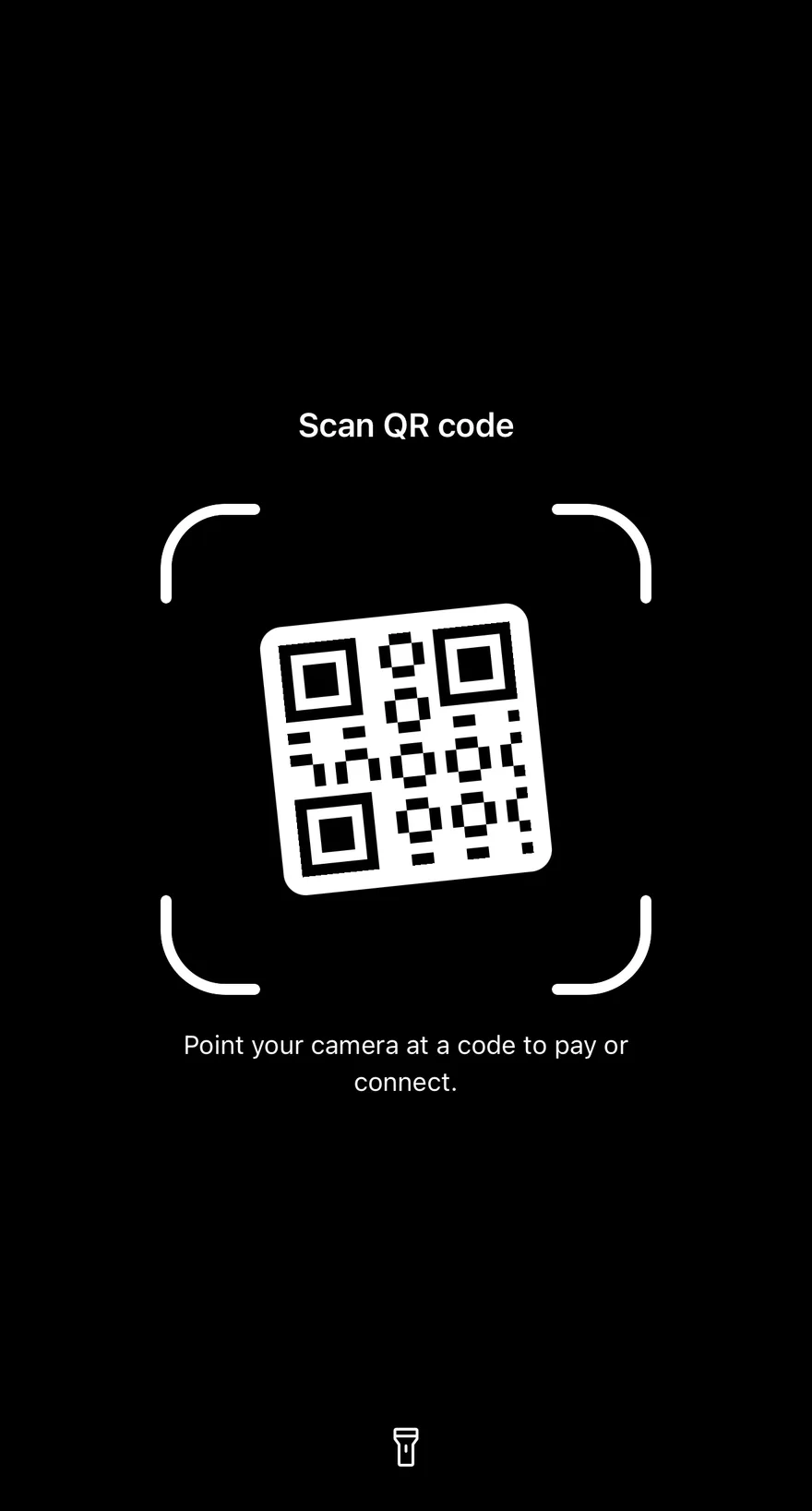
```tsx
import { IconProps as PhosphorIconProps } from "phosphor-react-native"
import * as React from "react"
import { View } from "react-native"
import { Path } from "react-native-svg"
import Svg from "react-native-svg"
import { Icon } from "@/components/ui/icon"
import { QRScanner, type QRScannerState } from "@/components/ui/qr-scanner"
const MODULES = 21
const MODULE_SIZE = 6
const CODE_SIZE = MODULES * MODULE_SIZE
const FINDERS = [
[0, 0],
[0, 14],
[14, 0],
]
function isDark(row: number, column: number) {
for (const [top, left] of FINDERS) {
const i = row - top
const j = column - left
if (i >= 0 && i <= 6 && j >= 0 && j <= 6) {
return (
i === 0 ||
i === 6 ||
j === 0 ||
j === 6 ||
(i >= 2 && i <= 4 && j >= 2 && j <= 4)
)
}
const boxTop = top === 0 ? 0 : top - 1
const boxLeft = left === 0 ? 0 : left - 1
if (
row >= boxTop &&
row <= boxTop + 7 &&
column >= boxLeft &&
column <= boxLeft + 7
) {
return false
}
}
return (row * 7 + column * 11 + row * column) % 5 < 2
}
const CODE_PATH = Array.from({ length: MODULES * MODULES }, (_, index) => {
const row = Math.floor(index / MODULES)
const column = index % MODULES
return isDark(row, column)
? `M${column * MODULE_SIZE} ${row * MODULE_SIZE}h${MODULE_SIZE}v${MODULE_SIZE}h-${MODULE_SIZE}Z`
: ""
}).join("")
function QRCode({ color }: PhosphorIconProps) {
return (
)
}
function CameraPlaceholder() {
return (
)
}
function Scanner({
state,
description,
scanLine,
}: {
state?: QRScannerState
description?: string
scanLine?: boolean
}) {
const [torch, setTorch] = React.useState(false)
return (
)
}
export function QrScannerExample() {
return (
)
}
```
```swift
import EsuissUI
import SwiftUI
struct QRScannerExample: View {
var body: some View {
QRScannerDemo(hint: "Point your camera at a code to pay or connect.")
}
}
struct QRScannerDemo: View {
var state: QRScannerState = .idle
let hint: LocalizedStringKey
var scanLine = false
@State private var torch = false
var body: some View {
QRScanner(
state: state,
title: "Scan QR code",
hint: hint,
scanLine: scanLine,
isTorchOn: torch,
onTorchToggle: { torch.toggle() }
) {
QRScannerCameraPlaceholder()
}
.ignoresSafeArea()
}
}
enum QRCodeSample {
static let count = 21
static let module: CGFloat = 6
static let padding: CGFloat = 10
static let side = CGFloat(count) * module + padding * 2
static func isDark(_ r: Int, _ c: Int) -> Bool {
for (fr, fc) in [(0, 0), (0, 14), (14, 0)] {
let i = r - fr
let j = c - fc
if (0...6).contains(i) && (0...6).contains(j) {
return i == 0 || i == 6 || j == 0 || j == 6 || ((2...4).contains(i) && (2...4).contains(j))
}
}
if r <= 7 && c <= 7 { return false }
if r <= 7 && c >= 13 { return false }
if r >= 13 && c <= 7 { return false }
return (r * 7 + c * 11 + r * c) % 5 < 2
}
static let modules: Path = {
var path = Path()
for r in 0.. Bool {
for (fr, fc) in [(0, 0), (0, 14), (14, 0)] {
let i = r - fr
let j = c - fc
if (0...6).contains(i) && (0...6).contains(j) {
return i == 0 || i == 6 || j == 0 || j == 6 || ((2...4).contains(i) && (2...4).contains(j))
}
}
if r <= 7 && c <= 7 { return false }
if r <= 7 && c >= 13 { return false }
if r >= 13 && c <= 7 { return false }
return (r * 7 + c * 11 + r * c) % 5 < 2
}
let modules: Path = {
var path = Path()
for r in 0.. = {
idle: "text-white",
success: "text-green-600 dark:text-green-400",
error: "text-destructive",
}
const AnimatedPath = Animated.createAnimatedComponent(Path)
function surroundPath(
width: number,
height: number,
left: number,
top: number,
size: number,
radius: number
) {
const r = Math.min(radius, size / 2)
const right = left + size
const bottom = top + size
return [
`M0 0H${width}V${height}H0Z`,
`M${left + r} ${top}H${right - r}`,
`A${r} ${r} 0 0 1 ${right} ${top + r}V${bottom - r}`,
`A${r} ${r} 0 0 1 ${right - r} ${bottom}H${left + r}`,
`A${r} ${r} 0 0 1 ${left} ${bottom - r}V${top + r}`,
`A${r} ${r} 0 0 1 ${left + r} ${top}Z`,
].join("")
}
function bracketPath(size: number, radius: number, arm: number, pad: number) {
const r = Math.min(radius, size / 2)
const a = Math.max(r, Math.min(arm, size / 2))
const s = size + pad
const p = pad
return [
`M${p} ${p + a}V${p + r}A${r} ${r} 0 0 1 ${p + r} ${p}H${p + a}`,
`M${s - a} ${p}H${s - r}A${r} ${r} 0 0 1 ${s} ${p + r}V${p + a}`,
`M${s} ${s - a}V${s - r}A${r} ${r} 0 0 1 ${s - r} ${s}H${s - a}`,
`M${p + a} ${s}H${p + r}A${r} ${r} 0 0 1 ${p} ${s - r}V${s - a}`,
].join("")
}
const SurroundContext = React.createContext("")
const BracketContext = React.createContext(0)
function QRScannerSurround({ color }: PhosphorIconProps) {
const path = React.useContext(SurroundContext)
return (
)
}
function QRScannerBrackets({ color = "transparent" }: PhosphorIconProps) {
const size = React.useContext(BracketContext)
const stroke = useSharedValue(color)
const box = size + BRACKET_PAD * 2
React.useEffect(() => {
stroke.value = withTiming(color, { duration: 250 })
}, [color, stroke])
const animatedProps = useAnimatedProps(() => ({ stroke: stroke.value }))
return (
)
}
function wrapText(children: React.ReactNode, className: string) {
if (typeof children === "string" || typeof children === "number") {
return {children}
}
return children
}
function QRScanner({
state = "idle",
title,
description,
scanLine = false,
torch = false,
onTorchToggle,
torchLabel = "Flashlight",
frameSize: frameSizeProp,
className,
children,
onLayout,
...props
}: React.ComponentProps & {
state?: QRScannerState
title?: React.ReactNode
description?: React.ReactNode
scanLine?: boolean
torch?: boolean
onTorchToggle?: (torch: boolean) => void
torchLabel?: string
frameSize?: number
}) {
const [layout, setLayout] = React.useState({ width: 0, height: 0 })
const frameSize =
frameSizeProp ??
Math.min(260, Math.round(Math.min(layout.width, layout.height) * 0.66))
const frameTop = Math.max(0, (layout.height - frameSize) / 2 - FRAME_LIFT)
const frameLeft = Math.max(0, (layout.width - frameSize) / 2)
const reduceMotion = useReducedMotion()
const offset = useSharedValue(0)
const scale = useSharedValue(
state === "success" && !reduceMotion ? SUCCESS_SCALE : 1
)
const line = useSharedValue(0)
const previousState = React.useRef(state)
const haptics = useHaptics()
const scanning = scanLine && state === "idle" && frameSize > 0
const onError = useEffectEvent(() => {
const step = {
duration: SHAKE_DURATION / 6,
reduceMotion: ReduceMotion.System,
}
offset.value = withSequence(
withTiming(-12, step),
withTiming(10, step),
withTiming(-8, step),
withTiming(6, step),
withTiming(-3, step),
withTiming(0, step)
)
})
React.useEffect(() => {
const previous = previousState.current
previousState.current = state
if (state === previous) return
if (state === "error") {
haptics.notification("error")
onError()
} else if (state === "success") {
haptics.notification("success")
}
}, [state, onError, haptics])
React.useEffect(() => {
const target = state === "success" && !reduceMotion ? SUCCESS_SCALE : 1
scale.value = withSpring(target, {
duration: 350,
dampingRatio: 0.6,
})
}, [state, reduceMotion, scale])
React.useEffect(() => {
if (!scanning) {
cancelAnimation(line)
line.value = 0
return
}
line.value = 0
line.value = withRepeat(
withTiming(1, {
duration: 1800,
easing: Easing.inOut(Easing.quad),
reduceMotion: ReduceMotion.System,
}),
-1,
true
)
return () => cancelAnimation(line)
}, [scanning, line])
const frameStyle = useAnimatedStyle(() => ({
transform: [{ translateX: offset.value }, { scale: scale.value }],
}))
const lineTravel = Math.max(0, frameSize - LINE_INSET * 2 - LINE_HEIGHT)
const lineStyle = useAnimatedStyle(() => ({
transform: [{ translateY: line.value * lineTravel }],
}))
return (
{
setLayout({
width: event.nativeEvent.layout.width,
height: event.nativeEvent.layout.height,
})
onLayout?.(event)
}}
className={cn(
"relative overflow-hidden",
children == null && "bg-black",
className
)}
{...props}
>
{children}
{frameSize > 0 ? (
{scanning ? (
) : null}
{title !== undefined ? (
{wrapText(title, "text-center text-lg font-semibold text-white")}
) : null}
{description !== undefined ? (
{wrapText(description, "text-center text-sm text-white")}
) : null}
{onTorchToggle ? (
onTorchToggle(!torch)}
className={cn(
"size-14 items-center justify-center rounded-full",
"active:opacity-70",
torch ? "bg-white" : "bg-black/50"
)}
>
) : null}
) : null}
)
}
export type { QRScannerState }
export { QRScanner }
```
5. Update the import paths to match your project.
**NativeWind**
1. Install the dependencies:
```bash title="Terminal"
npx expo install cn phosphor-react-native react-native-reanimated react-native-svg react-native-worklets
```
2. Add the pieces it builds on: [Icon](https://ui.suiss.app/docs/components/icon), [Text](https://ui.suiss.app/docs/components/text), and the primitives `components/primitives/haptics.tsx`, `components/primitives/hooks.tsx`, and the animated view `components/ui/animated-view.tsx` from the next step.
3. Copy the animated view into `components/ui/animated-view.tsx`:
- `nativewind/components/ui/animated-view.tsx`: [source](https://github.com/e-suiss/ui/blob/main/packages/mobile/nativewind/components/ui/animated-view.tsx)
4. Copy the source into `components/ui/qr-scanner.tsx`:
```tsx title="nativewind/components/ui/qr-scanner.tsx"
import { cn } from "cn"
import {
FlashlightIcon,
type IconProps as PhosphorIconProps,
} from "phosphor-react-native"
import * as React from "react"
import { Pressable, View } from "react-native"
import Animated, {
cancelAnimation,
Easing,
ReduceMotion,
useAnimatedProps,
useAnimatedStyle,
useReducedMotion,
useSharedValue,
withRepeat,
withSequence,
withSpring,
withTiming,
} from "react-native-reanimated"
import Svg, { Path } from "react-native-svg"
import { useHaptics } from "@/components/primitives/haptics"
import { useEffectEvent } from "@/components/primitives/hooks"
import { AnimatedView } from "@/components/ui/animated-view"
import { Icon } from "@/components/ui/icon"
import { Text } from "@/components/ui/text"
type QRScannerState = "idle" | "success" | "error"
const FRAME_RADIUS = 32
const FRAME_LIFT = 24
const BRACKET_ARM = 48
const BRACKET_WIDTH = 6
const BRACKET_PAD = BRACKET_WIDTH
const SUCCESS_SCALE = 0.94
const SHAKE_DURATION = 400
const LINE_INSET = 24
const LINE_HEIGHT = 2
const BRACKET_COLOR: Record = {
idle: "text-white",
success: "text-green-600 dark:text-green-400",
error: "text-destructive",
}
const AnimatedPath = Animated.createAnimatedComponent(Path)
function surroundPath(
width: number,
height: number,
left: number,
top: number,
size: number,
radius: number
) {
const r = Math.min(radius, size / 2)
const right = left + size
const bottom = top + size
return [
`M0 0H${width}V${height}H0Z`,
`M${left + r} ${top}H${right - r}`,
`A${r} ${r} 0 0 1 ${right} ${top + r}V${bottom - r}`,
`A${r} ${r} 0 0 1 ${right - r} ${bottom}H${left + r}`,
`A${r} ${r} 0 0 1 ${left} ${bottom - r}V${top + r}`,
`A${r} ${r} 0 0 1 ${left + r} ${top}Z`,
].join("")
}
function bracketPath(size: number, radius: number, arm: number, pad: number) {
const r = Math.min(radius, size / 2)
const a = Math.max(r, Math.min(arm, size / 2))
const s = size + pad
const p = pad
return [
`M${p} ${p + a}V${p + r}A${r} ${r} 0 0 1 ${p + r} ${p}H${p + a}`,
`M${s - a} ${p}H${s - r}A${r} ${r} 0 0 1 ${s} ${p + r}V${p + a}`,
`M${s} ${s - a}V${s - r}A${r} ${r} 0 0 1 ${s - r} ${s}H${s - a}`,
`M${p + a} ${s}H${p + r}A${r} ${r} 0 0 1 ${p} ${s - r}V${s - a}`,
].join("")
}
const SurroundContext = React.createContext("")
const BracketContext = React.createContext(0)
function QRScannerSurround({ color }: PhosphorIconProps) {
const path = React.useContext(SurroundContext)
return (
)
}
function QRScannerBrackets({ color = "transparent" }: PhosphorIconProps) {
const size = React.useContext(BracketContext)
const stroke = useSharedValue(color)
const box = size + BRACKET_PAD * 2
React.useEffect(() => {
stroke.value = withTiming(color, { duration: 250 })
}, [color, stroke])
const animatedProps = useAnimatedProps(() => ({ stroke: stroke.value }))
return (
)
}
function wrapText(children: React.ReactNode, className: string) {
if (typeof children === "string" || typeof children === "number") {
return {children}
}
return children
}
function QRScanner({
state = "idle",
title,
description,
scanLine = false,
torch = false,
onTorchToggle,
torchLabel = "Flashlight",
frameSize: frameSizeProp,
className,
children,
onLayout,
...props
}: React.ComponentProps & {
state?: QRScannerState
title?: React.ReactNode
description?: React.ReactNode
scanLine?: boolean
torch?: boolean
onTorchToggle?: (torch: boolean) => void
torchLabel?: string
frameSize?: number
}) {
const [layout, setLayout] = React.useState({ width: 0, height: 0 })
const frameSize =
frameSizeProp ??
Math.min(260, Math.round(Math.min(layout.width, layout.height) * 0.66))
const frameTop = Math.max(0, (layout.height - frameSize) / 2 - FRAME_LIFT)
const frameLeft = Math.max(0, (layout.width - frameSize) / 2)
const reduceMotion = useReducedMotion()
const offset = useSharedValue(0)
const scale = useSharedValue(
state === "success" && !reduceMotion ? SUCCESS_SCALE : 1
)
const line = useSharedValue(0)
const previousState = React.useRef(state)
const haptics = useHaptics()
const scanning = scanLine && state === "idle" && frameSize > 0
const onError = useEffectEvent(() => {
const step = {
duration: SHAKE_DURATION / 6,
reduceMotion: ReduceMotion.System,
}
offset.value = withSequence(
withTiming(-12, step),
withTiming(10, step),
withTiming(-8, step),
withTiming(6, step),
withTiming(-3, step),
withTiming(0, step)
)
})
React.useEffect(() => {
const previous = previousState.current
previousState.current = state
if (state === previous) return
if (state === "error") {
haptics.notification("error")
onError()
} else if (state === "success") {
haptics.notification("success")
}
}, [state, onError, haptics])
React.useEffect(() => {
const target = state === "success" && !reduceMotion ? SUCCESS_SCALE : 1
scale.value = withSpring(target, {
duration: 350,
dampingRatio: 0.6,
})
}, [state, reduceMotion, scale])
React.useEffect(() => {
if (!scanning) {
cancelAnimation(line)
line.value = 0
return
}
line.value = 0
line.value = withRepeat(
withTiming(1, {
duration: 1800,
easing: Easing.inOut(Easing.quad),
reduceMotion: ReduceMotion.System,
}),
-1,
true
)
return () => cancelAnimation(line)
}, [scanning, line])
const frameStyle = useAnimatedStyle(() => ({
transform: [{ translateX: offset.value }, { scale: scale.value }],
}))
const lineTravel = Math.max(0, frameSize - LINE_INSET * 2 - LINE_HEIGHT)
const lineStyle = useAnimatedStyle(() => ({
transform: [{ translateY: line.value * lineTravel }],
}))
return (
{
setLayout({
width: event.nativeEvent.layout.width,
height: event.nativeEvent.layout.height,
})
onLayout?.(event)
}}
className={cn(
"relative overflow-hidden",
children == null && "bg-black",
className
)}
{...props}
>
{children}
{frameSize > 0 ? (
{scanning ? (
) : null}
{title !== undefined ? (
{wrapText(title, "text-center text-lg font-semibold text-white")}
) : null}
{description !== undefined ? (
{wrapText(description, "text-center text-sm text-white")}
) : null}
{onTorchToggle ? (
onTorchToggle(!torch)}
className={cn(
"size-14 items-center justify-center rounded-full",
"active:opacity-70",
torch ? "bg-white" : "bg-black/50"
)}
>
) : null}
) : null}
)
}
export type { QRScannerState }
export { QRScanner }
```
5. Update the import paths to match your project.
**StyleSheet**
1. Install the dependencies:
```bash title="Terminal"
npx expo install phosphor-react-native react-native-reanimated react-native-svg react-native-worklets
```
2. Add the pieces it builds on: [Icon](https://ui.suiss.app/docs/components/icon), [Text](https://ui.suiss.app/docs/components/text), and the primitives `components/primitives/haptics.tsx`, `components/primitives/hooks.tsx`, and the animated view `components/ui/animated-view.tsx` from the next step.
3. Copy the animated view into `components/ui/animated-view.tsx`:
- `stylesheet/components/ui/animated-view.tsx`: [source](https://github.com/e-suiss/ui/blob/main/packages/mobile/stylesheet/components/ui/animated-view.tsx)
4. Copy the source into `components/ui/qr-scanner.tsx`:
```tsx title="stylesheet/components/ui/qr-scanner.tsx"
import { FlashlightIcon } from "phosphor-react-native"
import * as React from "react"
import {
Pressable,
type StyleProp,
StyleSheet,
type TextStyle,
View,
type ViewStyle,
} from "react-native"
import Animated, {
cancelAnimation,
Easing,
ReduceMotion,
useAnimatedProps,
useAnimatedStyle,
useReducedMotion,
useSharedValue,
withRepeat,
withSequence,
withSpring,
withTiming,
} from "react-native-reanimated"
import Svg, { Path } from "react-native-svg"
import { useHaptics } from "@/components/primitives/haptics"
import { useEffectEvent } from "@/components/primitives/hooks"
import { AnimatedView } from "@/components/ui/animated-view"
import { Icon } from "@/components/ui/icon"
import { Text } from "@/components/ui/text"
import {
fontSize,
palette,
radius,
type ThemeColors,
useTheme,
} from "@/components/ui/theme"
type QRScannerState = "idle" | "success" | "error"
const FRAME_RADIUS = 32
const FRAME_LIFT = 24
const BRACKET_ARM = 48
const BRACKET_WIDTH = 6
const BRACKET_PAD = BRACKET_WIDTH
const SUCCESS_SCALE = 0.94
const SHAKE_DURATION = 400
const LINE_INSET = 24
const LINE_HEIGHT = 2
const AnimatedPath = Animated.createAnimatedComponent(Path)
function surroundPath(
width: number,
height: number,
left: number,
top: number,
size: number,
radius: number
) {
const r = Math.min(radius, size / 2)
const right = left + size
const bottom = top + size
return [
`M0 0H${width}V${height}H0Z`,
`M${left + r} ${top}H${right - r}`,
`A${r} ${r} 0 0 1 ${right} ${top + r}V${bottom - r}`,
`A${r} ${r} 0 0 1 ${right - r} ${bottom}H${left + r}`,
`A${r} ${r} 0 0 1 ${left} ${bottom - r}V${top + r}`,
`A${r} ${r} 0 0 1 ${left + r} ${top}Z`,
].join("")
}
function bracketPath(size: number, radius: number, arm: number, pad: number) {
const r = Math.min(radius, size / 2)
const a = Math.max(r, Math.min(arm, size / 2))
const s = size + pad
const p = pad
return [
`M${p} ${p + a}V${p + r}A${r} ${r} 0 0 1 ${p + r} ${p}H${p + a}`,
`M${s - a} ${p}H${s - r}A${r} ${r} 0 0 1 ${s} ${p + r}V${p + a}`,
`M${s} ${s - a}V${s - r}A${r} ${r} 0 0 1 ${s - r} ${s}H${s - a}`,
`M${p + a} ${s}H${p + r}A${r} ${r} 0 0 1 ${p} ${s - r}V${s - a}`,
].join("")
}
function bracketColor(state: QRScannerState, colors: ThemeColors) {
if (state === "success") return palette.green500
if (state === "error") return colors.destructive
return palette.white
}
const styles = StyleSheet.create({
root: { position: "relative", overflow: "hidden" },
absolute: { position: "absolute" },
brackets: { position: "absolute", top: -BRACKET_PAD, left: -BRACKET_PAD },
line: {
position: "absolute",
left: LINE_INSET,
right: LINE_INSET,
top: LINE_INSET,
height: LINE_HEIGHT,
borderRadius: radius.full,
},
title: { position: "absolute", left: 24, right: 24, alignItems: "center" },
titleText: { ...fontSize.lg, fontWeight: "600", textAlign: "center" },
footer: { position: "absolute", left: 24, right: 24, alignItems: "center" },
descriptionBox: { maxWidth: 280 },
description: { ...fontSize.sm, textAlign: "center" },
torchRow: {
position: "absolute",
left: 0,
right: 0,
bottom: 48,
alignItems: "center",
},
torch: {
width: 56,
height: 56,
alignItems: "center",
justifyContent: "center",
borderRadius: radius.full,
},
})
function QRScannerBrackets({ size, color }: { size: number; color: string }) {
const stroke = useSharedValue(color)
const box = size + BRACKET_PAD * 2
React.useEffect(() => {
stroke.value = withTiming(color, { duration: 250 })
}, [color, stroke])
const animatedProps = useAnimatedProps(() => ({ stroke: stroke.value }))
return (
)
}
function wrapText(children: React.ReactNode, style: StyleProp) {
if (typeof children === "string" || typeof children === "number") {
return {children}
}
return children
}
function QRScanner({
state = "idle",
title,
description,
scanLine = false,
torch = false,
onTorchToggle,
torchLabel = "Flashlight",
frameSize: frameSizeProp,
style,
children,
onLayout,
...props
}: Omit, "style"> & {
style?: StyleProp
state?: QRScannerState
title?: React.ReactNode
description?: React.ReactNode
scanLine?: boolean
torch?: boolean
onTorchToggle?: (torch: boolean) => void
torchLabel?: string
frameSize?: number
}) {
const { colors } = useTheme()
const [layout, setLayout] = React.useState({ width: 0, height: 0 })
const frameSize =
frameSizeProp ??
Math.min(260, Math.round(Math.min(layout.width, layout.height) * 0.66))
const frameTop = Math.max(0, (layout.height - frameSize) / 2 - FRAME_LIFT)
const frameLeft = Math.max(0, (layout.width - frameSize) / 2)
const reduceMotion = useReducedMotion()
const offset = useSharedValue(0)
const scale = useSharedValue(
state === "success" && !reduceMotion ? SUCCESS_SCALE : 1
)
const line = useSharedValue(0)
const previousState = React.useRef(state)
const haptics = useHaptics()
const scanning = scanLine && state === "idle" && frameSize > 0
const onError = useEffectEvent(() => {
const step = {
duration: SHAKE_DURATION / 6,
reduceMotion: ReduceMotion.System,
}
offset.value = withSequence(
withTiming(-12, step),
withTiming(10, step),
withTiming(-8, step),
withTiming(6, step),
withTiming(-3, step),
withTiming(0, step)
)
})
React.useEffect(() => {
const previous = previousState.current
previousState.current = state
if (state === previous) return
if (state === "error") {
haptics.notification("error")
onError()
} else if (state === "success") {
haptics.notification("success")
}
}, [state, onError, haptics])
React.useEffect(() => {
const target = state === "success" && !reduceMotion ? SUCCESS_SCALE : 1
scale.value = withSpring(target, {
duration: 350,
dampingRatio: 0.6,
})
}, [state, reduceMotion, scale])
React.useEffect(() => {
if (!scanning) {
cancelAnimation(line)
line.value = 0
return
}
line.value = 0
line.value = withRepeat(
withTiming(1, {
duration: 1800,
easing: Easing.inOut(Easing.quad),
reduceMotion: ReduceMotion.System,
}),
-1,
true
)
return () => cancelAnimation(line)
}, [scanning, line])
const frameStyle = useAnimatedStyle(() => ({
transform: [{ translateX: offset.value }, { scale: scale.value }],
}))
const lineTravel = Math.max(0, frameSize - LINE_INSET * 2 - LINE_HEIGHT)
const lineStyle = useAnimatedStyle(() => ({
transform: [{ translateY: line.value * lineTravel }],
}))
return (
{
setLayout({
width: event.nativeEvent.layout.width,
height: event.nativeEvent.layout.height,
})
onLayout?.(event)
}}
style={[
styles.root,
children == null && { backgroundColor: palette.black },
style,
]}
{...props}
>
{children}
{frameSize > 0 ? (
{scanning ? (
) : null}
{title !== undefined ? (
{wrapText(title, [styles.titleText, { color: palette.white }])}
) : null}
{description !== undefined ? (
{wrapText(description, [
styles.description,
{ color: palette.white },
])}
) : null}
{onTorchToggle ? (
onTorchToggle(!torch)}
style={({ pressed }) => [
styles.torch,
{
backgroundColor: torch
? palette.white
: "rgba(0, 0, 0, 0.5)",
opacity: pressed ? 0.7 : 1,
},
]}
>
) : null}
) : null}
)
}
export type { QRScannerState }
export { QRScanner }
```
5. Update the import paths to match your project.
**SwiftUI**
1. Target iOS 17 or later.
2. Add the Swift package to your app:
```swift title="Package.swift"
.package(url: "https://github.com/phosphor-icons/swift", from: "2.1.0")
```
3. Copy the theme files every view uses:
- `swift/Theme/Theme.swift`: [source](https://github.com/e-suiss/ui/blob/main/packages/mobile/swiftui/Sources/EsuissUI/Theme/Theme.swift)
- `swift/Theme/Tokens.swift`: [source](https://github.com/e-suiss/ui/blob/main/packages/mobile/swiftui/Sources/EsuissUI/Theme/Tokens.swift)
4. Copy the source and every file it uses:
```swift title="swift/Components/QRScanner.swift"
import PhosphorSwift
import SwiftUI
public enum QRScannerState: CaseIterable, Sendable {
case idle, success, error
}
enum QRScannerMath {
static let radius: CGFloat = 32
static let arm: CGFloat = 48
static let lift: CGFloat = 24
static func side(in size: CGSize, frameSize: CGFloat? = nil) -> CGFloat {
if let frameSize { return max(0, frameSize) }
return max(0, min(260, (min(size.width, size.height) * 0.66).rounded()))
}
static func frame(in size: CGSize, frameSize: CGFloat? = nil) -> CGRect {
let side = side(in: size, frameSize: frameSize)
return CGRect(
x: (size.width - side) / 2,
y: max(0, (size.height - side) / 2 - lift),
width: side,
height: side
)
}
static func cutout(in size: CGSize, frame: CGRect) -> Path {
var path = Path(CGRect(origin: .zero, size: size))
let r = min(radius, frame.width / 2)
path.addPath(Path(roundedRect: frame, cornerRadius: r, style: .circular))
return path
}
static func brackets(side: CGFloat) -> Path {
var path = Path()
let r = min(radius, side / 2)
let length = max(r, min(arm, side / 2))
let corners: [(CGPoint, CGFloat, CGFloat)] = [
(CGPoint(x: 0, y: 0), 1, 1),
(CGPoint(x: side, y: 0), -1, 1),
(CGPoint(x: side, y: side), -1, -1),
(CGPoint(x: 0, y: side), 1, -1),
]
for (corner, dx, dy) in corners {
path.move(to: CGPoint(x: corner.x, y: corner.y + dy * length))
path.addLine(to: CGPoint(x: corner.x, y: corner.y + dy * r))
path.addArc(tangent1End: corner, tangent2End: CGPoint(x: corner.x + dx * r, y: corner.y), radius: r)
path.addLine(to: CGPoint(x: corner.x + dx * length, y: corner.y))
}
return path
}
}
public struct QRScanner: View {
let state: QRScannerState
let title: Text?
let hint: Text?
let scanLine: Bool
let isTorchOn: Bool
let onTorchToggle: (() -> Void)?
let frameSize: CGFloat?
let preview: Preview
@State private var shakes = 0
@Environment(\.accessibilityReduceMotion) private var reduceMotion
public init(
state: QRScannerState = .idle,
title: LocalizedStringKey? = nil,
hint: LocalizedStringKey? = nil,
scanLine: Bool = false,
isTorchOn: Bool = false,
onTorchToggle: (() -> Void)? = nil,
frameSize: CGFloat? = nil,
@ViewBuilder preview: () -> Preview
) {
self.state = state
self.title = title.map { Text($0) }
self.hint = hint.map { Text($0) }
self.scanLine = scanLine
self.isTorchOn = isTorchOn
self.onTorchToggle = onTorchToggle
self.frameSize = frameSize
self.preview = preview()
}
public var body: some View {
ZStack {
preview
GeometryReader { proxy in
let size = proxy.size
let frame = QRScannerMath.frame(in: size, frameSize: frameSize)
ZStack(alignment: .topLeading) {
QRScannerMath.cutout(in: size, frame: frame)
.fill(Palette.black.opacity(0.5), style: FillStyle(eoFill: true))
ZStack {
QRScannerMath.brackets(side: frame.width)
.stroke(color, style: StrokeStyle(lineWidth: 6, lineCap: .round, lineJoin: .round))
.animation(.easeOut(duration: 0.2), value: state)
if scanLine && state == .idle && frame.width > 48 {
QRScannerLine(side: frame.width)
}
}
.frame(width: frame.width, height: frame.height)
.scaleEffect(state == .success && !reduceMotion ? 0.94 : 1)
.animation(.spring(duration: 0.35, bounce: 0.3), value: state)
.shake(trigger: shakes)
.offset(x: frame.minX, y: frame.minY)
if let title {
title
.scaledTextStyle(.lg, weight: .semibold)
.foregroundStyle(Palette.white)
.multilineTextAlignment(.center)
.frame(width: max(size.width - 48, 0))
.frame(height: max(frame.minY - 32, 0), alignment: .bottom)
.offset(x: 24)
}
if let hint {
hint
.scaledTextStyle(.sm)
.foregroundStyle(Palette.white)
.multilineTextAlignment(.center)
.fixedSize(horizontal: false, vertical: true)
.frame(maxWidth: min(280, size.width))
.frame(width: size.width)
.offset(y: frame.maxY + 20)
}
if let onTorchToggle {
Button(action: onTorchToggle) {
(isTorchOn ? Ph.flashlight.fill : Ph.flashlight.regular)
.frame(width: 24, height: 24)
.foregroundStyle(isTorchOn ? Palette.black : Palette.white)
.frame(width: 56, height: 56)
.background(isTorchOn ? Palette.white : Palette.black.opacity(0.5), in: Circle())
.contentShape(Circle())
}
.buttonStyle(QRScannerTorchStyle())
.accessibilityLabel(Text(isTorchOn ? "Turn off flashlight" : "Turn on flashlight"))
.accessibilityAddTraits(isTorchOn ? .isSelected : [])
.frame(width: size.width)
.offset(y: max(size.height - 48 - 56, 0))
}
}
}
}
.clipped()
.onChange(of: state) { _, value in
if value == .error { shakes += 1 }
}
.hapticFeedback(.success, trigger: state) { _, new in new == .success }
.hapticFeedback(.error, trigger: state) { _, new in new == .error }
.accessibilityElement(children: .contain)
}
private var color: Color {
switch state {
case .idle: Palette.white
case .success: Color.adaptive(light: Palette.green600, dark: Palette.green400)
case .error: EsuissColor.destructive
}
}
}
extension QRScanner where Preview == Color {
public init(
state: QRScannerState = .idle,
title: LocalizedStringKey? = nil,
hint: LocalizedStringKey? = nil,
scanLine: Bool = false,
isTorchOn: Bool = false,
onTorchToggle: (() -> Void)? = nil,
frameSize: CGFloat? = nil
) {
self.init(
state: state,
title: title,
hint: hint,
scanLine: scanLine,
isTorchOn: isTorchOn,
onTorchToggle: onTorchToggle,
frameSize: frameSize
) {
Color.clear
}
}
}
private struct QRScannerLine: View {
let side: CGFloat
@State private var down = false
@Environment(\.accessibilityReduceMotion) private var reduceMotion
var body: some View {
let travel = side / 2 - 24
Capsule()
.fill(EsuissColor.primary)
.frame(height: 2)
.padding(.horizontal, 24)
.offset(y: reduceMotion ? 0 : (down ? travel : -travel))
.onAppear {
guard !reduceMotion else { return }
withAnimation(.easeInOut(duration: 1.8).repeatForever(autoreverses: true)) { down = true }
}
.accessibilityHidden(true)
}
}
private struct QRScannerTorchStyle: ButtonStyle {
func makeBody(configuration: Configuration) -> some View {
configuration.label
.opacity(configuration.isPressed ? 0.8 : 1)
.animation(.easeOut(duration: 0.15), value: configuration.isPressed)
}
}
```
- `swift/Components/Button.swift`: see [Button](https://ui.suiss.app/docs/components/button.md)
- `swift/Components/ButtonGroup.swift`: see [Button Group](https://ui.suiss.app/docs/components/button-group.md)
- `swift/Components/Checkbox.swift`: see [Checkbox](https://ui.suiss.app/docs/components/checkbox.md)
- `swift/Components/Dialog.swift`: see [Dialog](https://ui.suiss.app/docs/components/dialog.md)
- `swift/Components/Drawer.swift`: see [Drawer](https://ui.suiss.app/docs/components/drawer.md)
- `swift/Components/Field.swift`: see [Field](https://ui.suiss.app/docs/components/field.md)
- `swift/Components/Haptics.swift`: see [Haptics](https://ui.suiss.app/docs/components/haptics.md)
- `swift/Components/Keypad.swift`: see [Keypad](https://ui.suiss.app/docs/components/keypad.md)
- `swift/Components/Overlay.swift`: [source](https://github.com/e-suiss/ui/blob/main/packages/mobile/swiftui/Sources/EsuissUI/Components/Overlay.swift)
- `swift/Components/Popover.swift`: see [Popover](https://ui.suiss.app/docs/components/popover.md)
- `swift/Components/Separator.swift`: see [Separator](https://ui.suiss.app/docs/components/separator.md)
- `swift/Components/TextVariant.swift`: [source](https://github.com/e-suiss/ui/blob/main/packages/mobile/swiftui/Sources/EsuissUI/Components/TextVariant.swift)
- `swift/Patterns/Adaptive.swift`: [source](https://github.com/e-suiss/ui/blob/main/packages/mobile/swiftui/Sources/EsuissUI/Patterns/Adaptive.swift)
- `swift/Patterns/Preview.swift`: see [Preview](https://ui.suiss.app/docs/patterns/preview.md)
5. Add the files to your app target.
**Jetpack Compose**
1. Set `minSdk` to 24 or higher and add the dependencies:
```kotlin title="build.gradle.kts"
implementation(platform("androidx.compose:compose-bom:2026.09.00"))
implementation("androidx.compose.foundation:foundation")
implementation("androidx.compose.ui:ui")
implementation("com.adamglin:phosphor-icon-android:1.0.0")
```
2. Copy the theme files every view uses:
- `kotlin/theme/Theme.kt`: [source](https://github.com/e-suiss/ui/blob/main/packages/mobile/kotlin/ui/src/main/kotlin/com/esuiss/ui/theme/Theme.kt)
- `kotlin/theme/Tokens.kt`: [source](https://github.com/e-suiss/ui/blob/main/packages/mobile/kotlin/ui/src/main/kotlin/com/esuiss/ui/theme/Tokens.kt)
3. Copy the source and every file it uses:
```kt title="kotlin/components/QrScanner.kt"
package com.esuiss.ui.components
import androidx.compose.animation.animateColorAsState
import androidx.compose.animation.core.Animatable
import androidx.compose.animation.core.CubicBezierEasing
import androidx.compose.animation.core.RepeatMode
import androidx.compose.animation.core.animateFloat
import androidx.compose.animation.core.animateFloatAsState
import androidx.compose.animation.core.infiniteRepeatable
import androidx.compose.animation.core.rememberInfiniteTransition
import androidx.compose.animation.core.spring
import androidx.compose.animation.core.tween
import androidx.compose.foundation.Canvas
import androidx.compose.foundation.background
import androidx.compose.foundation.interaction.MutableInteractionSource
import androidx.compose.foundation.interaction.collectIsPressedAsState
import androidx.compose.foundation.layout.Box
import androidx.compose.foundation.layout.BoxScope
import androidx.compose.foundation.layout.fillMaxSize
import androidx.compose.foundation.layout.size
import androidx.compose.foundation.layout.widthIn
import androidx.compose.foundation.selection.toggleable
import androidx.compose.foundation.shape.CircleShape
import androidx.compose.foundation.text.BasicText
import androidx.compose.runtime.Composable
import androidx.compose.runtime.LaunchedEffect
import androidx.compose.runtime.getValue
import androidx.compose.runtime.remember
import androidx.compose.ui.Alignment
import androidx.compose.ui.Modifier
import androidx.compose.ui.draw.alpha
import androidx.compose.ui.draw.clip
import androidx.compose.ui.draw.clipToBounds
import androidx.compose.ui.geometry.CornerRadius
import androidx.compose.ui.geometry.Offset
import androidx.compose.ui.geometry.Rect
import androidx.compose.ui.geometry.RoundRect
import androidx.compose.ui.geometry.Size
import androidx.compose.ui.graphics.Path
import androidx.compose.ui.graphics.PathFillType
import androidx.compose.ui.graphics.StrokeCap
import androidx.compose.ui.graphics.StrokeJoin
import androidx.compose.ui.graphics.drawscope.Stroke
import androidx.compose.ui.graphics.drawscope.scale
import androidx.compose.ui.hapticfeedback.HapticFeedbackType
import androidx.compose.ui.layout.Layout
import androidx.compose.ui.semantics.Role
import androidx.compose.ui.semantics.contentDescription
import androidx.compose.ui.semantics.semantics
import androidx.compose.ui.semantics.stateDescription
import androidx.compose.ui.text.font.FontWeight
import androidx.compose.ui.text.style.TextAlign
import androidx.compose.ui.unit.Density
import androidx.compose.ui.unit.Dp
import androidx.compose.ui.unit.dp
import com.adamglin.PhosphorIcons
import com.adamglin.phosphoricons.Fill
import com.adamglin.phosphoricons.Regular
import com.adamglin.phosphoricons.fill.Flashlight
import com.adamglin.phosphoricons.regular.Flashlight
import com.esuiss.ui.theme.DarkColors
import com.esuiss.ui.theme.Palette
import com.esuiss.ui.theme.Typography
import kotlin.math.max
import kotlin.math.min
import kotlin.math.roundToInt
enum class QrScannerState { Idle, Success, Error }
private val QrFrameMax = 260.dp
private const val QrFrameRatio = 0.66f
private val QrFrameLift = 24.dp
private val QrHoleRadius = 32.dp
private val QrBracketArm = 48.dp
private val QrBracketWidth = 6.dp
private val QrLineInset = 24.dp
private val QrLineHeight = 2.dp
private val QrTitleGap = 32.dp
private val QrTitleInset = 24.dp
private val QrDescriptionGap = 20.dp
private val QrDescriptionWidth = 280.dp
private val QrTorchBottom = 48.dp
private val QrTorchSize = 56.dp
private val QrScanEasing = CubicBezierEasing(0.42f, 0f, 0.58f, 1f)
private fun Density.qrFrame(frameSize: Dp?, width: Float, height: Float): Rect {
val side = frameSize?.toPx()
?: min(QrFrameMax.toPx(), (min(width, height) / density * QrFrameRatio).roundToInt() * density)
val left = (width - side) / 2
val top = max(0f, (height - side) / 2 - QrFrameLift.toPx())
return Rect(left, top, left + side, top + side)
}
@Composable
fun QrScanner(
modifier: Modifier = Modifier,
state: QrScannerState = QrScannerState.Idle,
title: String? = null,
hint: String? = null,
scanLine: Boolean = false,
torch: Boolean = false,
onTorchToggle: ((Boolean) -> Unit)? = null,
frameSize: Dp? = null,
content: @Composable BoxScope.() -> Unit = {},
) {
val colors = DarkColors
val haptics = rememberHaptics()
val reduced = formReducedMotion()
val shake = remember { Animatable(0f) }
LaunchedEffect(state) {
when (state) {
QrScannerState.Success -> haptics.perform(HapticFeedbackType.Confirm)
QrScannerState.Error -> {
haptics.perform(HapticFeedbackType.Reject)
if (!reduced) shake.shake()
}
QrScannerState.Idle -> Unit
}
}
val bracket by animateColorAsState(
when (state) {
QrScannerState.Idle -> Palette.white
QrScannerState.Success -> if (colors.isDark) Palette.green400 else Palette.green600
QrScannerState.Error -> colors.destructive
},
tween(200),
label = "bracket",
)
val scale by animateFloatAsState(
if (state == QrScannerState.Success && !reduced) 0.94f else 1f,
spring(dampingRatio = 0.6f, stiffness = 400f),
label = "scale",
)
val scanning = scanLine && state == QrScannerState.Idle && !reduced
val sweep = rememberInfiniteTransition(label = "scan")
val position by sweep.animateFloat(
0f,
1f,
infiniteRepeatable(tween(1800, easing = QrScanEasing), RepeatMode.Reverse),
label = "line",
)
val stateText = when (state) {
QrScannerState.Idle -> "Scanning"
QrScannerState.Success -> "Code found"
QrScannerState.Error -> "Code not recognized"
}
Box(modifier = modifier.fillMaxSize().clipToBounds()) {
content()
Canvas(
modifier = Modifier
.matchParentSize()
.semantics {
contentDescription = "Scan area"
stateDescription = stateText
},
) {
val base = qrFrame(frameSize, size.width, size.height)
val frame = base.translate(shake.value * density, 0f)
val side = frame.width
val radius = min(QrHoleRadius.toPx(), side / 2)
val cutout = Path().apply {
fillType = PathFillType.EvenOdd
addRect(Rect(Offset.Zero, size))
addRoundRect(RoundRect(frame, CornerRadius(radius)))
}
drawPath(cutout, Palette.black.copy(alpha = 0.5f))
val arm = max(radius, min(QrBracketArm.toPx(), side / 2))
val stroke = Stroke(QrBracketWidth.toPx(), cap = StrokeCap.Round, join = StrokeJoin.Round)
val corners = listOf(
Triple(Offset(frame.left, frame.top), 1f, 1f),
Triple(Offset(frame.right, frame.top), -1f, 1f),
Triple(Offset(frame.right, frame.bottom), -1f, -1f),
Triple(Offset(frame.left, frame.bottom), 1f, -1f),
)
scale(scale, frame.center) {
corners.forEach { (corner, dx, dy) ->
val center = Offset(corner.x + dx * radius, corner.y + dy * radius)
val path = Path().apply {
moveTo(corner.x, corner.y + dy * arm)
lineTo(corner.x, corner.y + dy * radius)
arcTo(
Rect(center, radius),
if (dx > 0) 180f else 0f,
if (dx * dy > 0) 90f else -90f,
false,
)
lineTo(corner.x + dx * arm, corner.y)
}
drawPath(path, bracket, style = stroke)
}
}
if (scanning) {
val inset = QrLineInset.toPx()
val height = QrLineHeight.toPx()
val y = frame.top + inset + (side - inset * 2) * position
drawRoundRect(
colors.primary,
topLeft = Offset(frame.left + inset, y - height / 2),
size = Size(side - inset * 2, height),
cornerRadius = CornerRadius(height / 2),
)
}
}
Layout(
modifier = Modifier.matchParentSize(),
content = {
if (title != null) {
BasicText(
title,
style = Typography.lg.copy(color = Palette.white, fontWeight = FontWeight.SemiBold, textAlign = TextAlign.Center),
)
} else {
Box(Modifier)
}
if (hint != null) {
BasicText(
hint,
modifier = Modifier.widthIn(max = QrDescriptionWidth),
style = Typography.sm.copy(color = Palette.white, textAlign = TextAlign.Center),
)
} else {
Box(Modifier)
}
if (onTorchToggle != null) {
QrScannerTorch(torch, onTorchToggle)
} else {
Box(Modifier)
}
},
) { measurables, constraints ->
val loose = constraints.copy(minWidth = 0, minHeight = 0)
val width = constraints.maxWidth
val height = constraints.maxHeight
val inset = QrTitleInset.roundToPx()
val titlePlaceable = measurables[0].measure(loose.copy(maxWidth = max(0, width - inset * 2)))
val hintPlaceable = measurables[1].measure(loose)
val torchPlaceable = measurables[2].measure(loose)
val frame = qrFrame(frameSize, width.toFloat(), height.toFloat())
val top = frame.top.roundToInt()
val bottom = frame.bottom.roundToInt()
layout(width, height) {
titlePlaceable.place((width - titlePlaceable.width) / 2, top - QrTitleGap.roundToPx() - titlePlaceable.height)
hintPlaceable.place((width - hintPlaceable.width) / 2, bottom + QrDescriptionGap.roundToPx())
torchPlaceable.place((width - torchPlaceable.width) / 2, height - QrTorchBottom.roundToPx() - torchPlaceable.height)
}
}
}
}
@Composable
private fun QrScannerTorch(on: Boolean, onToggle: (Boolean) -> Unit) {
val colors = DarkColors
val source = remember { MutableInteractionSource() }
val pressed by source.collectIsPressedAsState()
val haptics = rememberHaptics()
Box(
modifier = Modifier
.size(QrTorchSize)
.alpha(if (pressed) 0.7f else 1f)
.clip(CircleShape)
.background(if (on) Palette.white else Palette.black.copy(alpha = 0.5f), CircleShape)
.toggleable(on, source, null, true, Role.Switch) {
haptics.toggle(it)
onToggle(it)
}
.semantics { contentDescription = "Torch" },
contentAlignment = Alignment.Center,
) {
Icon(
if (on) PhosphorIcons.Fill.Flashlight else PhosphorIcons.Regular.Flashlight,
contentDescription = null,
size = 24.dp,
tint = if (on) Palette.black else Palette.white,
)
}
}
```
- `kotlin/components/Button.kt`: see [Button](https://ui.suiss.app/docs/components/button.md)
- `kotlin/components/ButtonGroup.kt`: see [Button Group](https://ui.suiss.app/docs/components/button-group.md)
- `kotlin/components/Content.kt`: [source](https://github.com/e-suiss/ui/blob/main/packages/mobile/kotlin/ui/src/main/kotlin/com/esuiss/ui/components/Content.kt)
- `kotlin/components/Field.kt`: see [Field](https://ui.suiss.app/docs/components/field.md)
- `kotlin/components/FormSupport.kt`: [source](https://github.com/e-suiss/ui/blob/main/packages/mobile/kotlin/ui/src/main/kotlin/com/esuiss/ui/components/FormSupport.kt)
- `kotlin/components/Haptics.kt`: see [Haptics](https://ui.suiss.app/docs/components/haptics.md)
- `kotlin/components/Icon.kt`: see [Icon](https://ui.suiss.app/docs/components/icon.md)
- `kotlin/components/Keypad.kt`: see [Keypad](https://ui.suiss.app/docs/components/keypad.md)
- `kotlin/components/Label.kt`: see [Label](https://ui.suiss.app/docs/components/label.md)
- `kotlin/components/Separator.kt`: see [Separator](https://ui.suiss.app/docs/components/separator.md)
- `kotlin/components/Switch.kt`: see [Switch](https://ui.suiss.app/docs/components/switch.md)
4. Update the `com.esuiss.ui` package names to match your project.
## Usage
```tsx
import { QRScanner } from "@/components/ui/qr-scanner"
```
```tsx
```
Render your camera view as `children` and size the scanner with `className`. When there are no children, the background falls back to `bg-black`.
Set `state` to `success` or `error` after you read a code. The brackets fade to a matching color, `success` springs the frame slightly smaller and `error` shakes it. Pass `onTorchToggle` together with a controlled `torch` value to show the flashlight button; leave it out to hide the button. `title` and `description` accept strings or your own elements.
The `QRScannerState` type is also exported.
## Examples
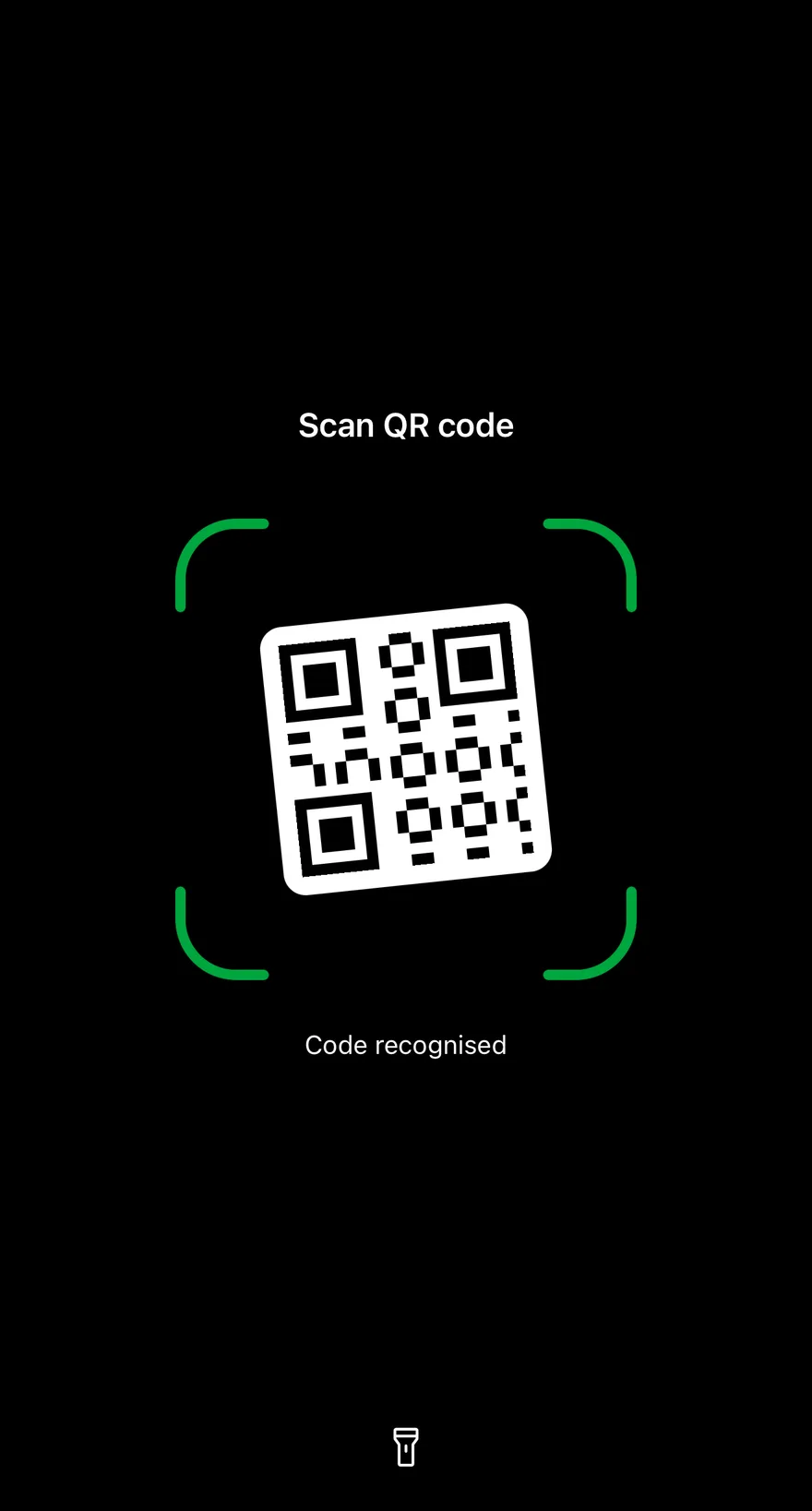
### Success
The `success` state with green brackets and a slightly smaller frame.
```tsx
import { IconProps as PhosphorIconProps } from "phosphor-react-native"
import * as React from "react"
import { View } from "react-native"
import { Path } from "react-native-svg"
import Svg from "react-native-svg"
import { Icon } from "@/components/ui/icon"
import { QRScanner, type QRScannerState } from "@/components/ui/qr-scanner"
const MODULES = 21
const MODULE_SIZE = 6
const CODE_SIZE = MODULES * MODULE_SIZE
const FINDERS = [
[0, 0],
[0, 14],
[14, 0],
]
function isDark(row: number, column: number) {
for (const [top, left] of FINDERS) {
const i = row - top
const j = column - left
if (i >= 0 && i <= 6 && j >= 0 && j <= 6) {
return (
i === 0 ||
i === 6 ||
j === 0 ||
j === 6 ||
(i >= 2 && i <= 4 && j >= 2 && j <= 4)
)
}
const boxTop = top === 0 ? 0 : top - 1
const boxLeft = left === 0 ? 0 : left - 1
if (
row >= boxTop &&
row <= boxTop + 7 &&
column >= boxLeft &&
column <= boxLeft + 7
) {
return false
}
}
return (row * 7 + column * 11 + row * column) % 5 < 2
}
const CODE_PATH = Array.from({ length: MODULES * MODULES }, (_, index) => {
const row = Math.floor(index / MODULES)
const column = index % MODULES
return isDark(row, column)
? `M${column * MODULE_SIZE} ${row * MODULE_SIZE}h${MODULE_SIZE}v${MODULE_SIZE}h-${MODULE_SIZE}Z`
: ""
}).join("")
function QRCode({ color }: PhosphorIconProps) {
return (
)
}
function CameraPlaceholder() {
return (
)
}
function Scanner({
state,
description,
scanLine,
}: {
state?: QRScannerState
description?: string
scanLine?: boolean
}) {
const [torch, setTorch] = React.useState(false)
return (
)
}
export function QrScannerSuccessExample() {
return (
)
}
```
```swift
import EsuissUI
import SwiftUI
struct QRScannerSuccessExample: View {
var body: some View {
QRScannerDemo(state: .success, hint: "Code recognised")
}
}
struct QRScannerDemo: View {
var state: QRScannerState = .idle
let hint: LocalizedStringKey
var scanLine = false
@State private var torch = false
var body: some View {
QRScanner(
state: state,
title: "Scan QR code",
hint: hint,
scanLine: scanLine,
isTorchOn: torch,
onTorchToggle: { torch.toggle() }
) {
QRScannerCameraPlaceholder()
}
.ignoresSafeArea()
}
}
enum QRCodeSample {
static let count = 21
static let module: CGFloat = 6
static let padding: CGFloat = 10
static let side = CGFloat(count) * module + padding * 2
static func isDark(_ r: Int, _ c: Int) -> Bool {
for (fr, fc) in [(0, 0), (0, 14), (14, 0)] {
let i = r - fr
let j = c - fc
if (0...6).contains(i) && (0...6).contains(j) {
return i == 0 || i == 6 || j == 0 || j == 6 || ((2...4).contains(i) && (2...4).contains(j))
}
}
if r <= 7 && c <= 7 { return false }
if r <= 7 && c >= 13 { return false }
if r >= 13 && c <= 7 { return false }
return (r * 7 + c * 11 + r * c) % 5 < 2
}
static let modules: Path = {
var path = Path()
for r in 0.. Bool {
for (fr, fc) in [(0, 0), (0, 14), (14, 0)] {
let i = r - fr
let j = c - fc
if (0...6).contains(i) && (0...6).contains(j) {
return i == 0 || i == 6 || j == 0 || j == 6 || ((2...4).contains(i) && (2...4).contains(j))
}
}
if r <= 7 && c <= 7 { return false }
if r <= 7 && c >= 13 { return false }
if r >= 13 && c <= 7 { return false }
return (r * 7 + c * 11 + r * c) % 5 < 2
}
let modules: Path = {
var path = Path()
for r in 0..= 0 && i <= 6 && j >= 0 && j <= 6) {
return (
i === 0 ||
i === 6 ||
j === 0 ||
j === 6 ||
(i >= 2 && i <= 4 && j >= 2 && j <= 4)
)
}
const boxTop = top === 0 ? 0 : top - 1
const boxLeft = left === 0 ? 0 : left - 1
if (
row >= boxTop &&
row <= boxTop + 7 &&
column >= boxLeft &&
column <= boxLeft + 7
) {
return false
}
}
return (row * 7 + column * 11 + row * column) % 5 < 2
}
const CODE_PATH = Array.from({ length: MODULES * MODULES }, (_, index) => {
const row = Math.floor(index / MODULES)
const column = index % MODULES
return isDark(row, column)
? `M${column * MODULE_SIZE} ${row * MODULE_SIZE}h${MODULE_SIZE}v${MODULE_SIZE}h-${MODULE_SIZE}Z`
: ""
}).join("")
function QRCode({ color }: PhosphorIconProps) {
return (
)
}
function CameraPlaceholder() {
return (
)
}
function Scanner({
state,
description,
scanLine,
}: {
state?: QRScannerState
description?: string
scanLine?: boolean
}) {
const [torch, setTorch] = React.useState(false)
return (
)
}
export function QrScannerErrorStateExample() {
return (
)
}
```
```swift
import EsuissUI
import SwiftUI
struct QRScannerErrorStateExample: View {
var body: some View {
QRScannerDemo(state: .error, hint: "This code is not supported.")
}
}
struct QRScannerDemo: View {
var state: QRScannerState = .idle
let hint: LocalizedStringKey
var scanLine = false
@State private var torch = false
var body: some View {
QRScanner(
state: state,
title: "Scan QR code",
hint: hint,
scanLine: scanLine,
isTorchOn: torch,
onTorchToggle: { torch.toggle() }
) {
QRScannerCameraPlaceholder()
}
.ignoresSafeArea()
}
}
enum QRCodeSample {
static let count = 21
static let module: CGFloat = 6
static let padding: CGFloat = 10
static let side = CGFloat(count) * module + padding * 2
static func isDark(_ r: Int, _ c: Int) -> Bool {
for (fr, fc) in [(0, 0), (0, 14), (14, 0)] {
let i = r - fr
let j = c - fc
if (0...6).contains(i) && (0...6).contains(j) {
return i == 0 || i == 6 || j == 0 || j == 6 || ((2...4).contains(i) && (2...4).contains(j))
}
}
if r <= 7 && c <= 7 { return false }
if r <= 7 && c >= 13 { return false }
if r >= 13 && c <= 7 { return false }
return (r * 7 + c * 11 + r * c) % 5 < 2
}
static let modules: Path = {
var path = Path()
for r in 0.. Bool {
for (fr, fc) in [(0, 0), (0, 14), (14, 0)] {
let i = r - fr
let j = c - fc
if (0...6).contains(i) && (0...6).contains(j) {
return i == 0 || i == 6 || j == 0 || j == 6 || ((2...4).contains(i) && (2...4).contains(j))
}
}
if r <= 7 && c <= 7 { return false }
if r <= 7 && c >= 13 { return false }
if r >= 13 && c <= 7 { return false }
return (r * 7 + c * 11 + r * c) % 5 < 2
}
let modules: Path = {
var path = Path()
for r in 0..= 0 && i <= 6 && j >= 0 && j <= 6) {
return (
i === 0 ||
i === 6 ||
j === 0 ||
j === 6 ||
(i >= 2 && i <= 4 && j >= 2 && j <= 4)
)
}
const boxTop = top === 0 ? 0 : top - 1
const boxLeft = left === 0 ? 0 : left - 1
if (
row >= boxTop &&
row <= boxTop + 7 &&
column >= boxLeft &&
column <= boxLeft + 7
) {
return false
}
}
return (row * 7 + column * 11 + row * column) % 5 < 2
}
const CODE_PATH = Array.from({ length: MODULES * MODULES }, (_, index) => {
const row = Math.floor(index / MODULES)
const column = index % MODULES
return isDark(row, column)
? `M${column * MODULE_SIZE} ${row * MODULE_SIZE}h${MODULE_SIZE}v${MODULE_SIZE}h-${MODULE_SIZE}Z`
: ""
}).join("")
function QRCode({ color }: PhosphorIconProps) {
return (
)
}
function CameraPlaceholder() {
return (
)
}
function Scanner({
state,
description,
scanLine,
}: {
state?: QRScannerState
description?: string
scanLine?: boolean
}) {
const [torch, setTorch] = React.useState(false)
return (
)
}
export function QrScannerWithScanLineExample() {
return (
)
}
```
```swift
import EsuissUI
import SwiftUI
struct QRScannerWithScanLineExample: View {
var body: some View {
QRScannerDemo(hint: "Hold steady over the code.", scanLine: true)
}
}
struct QRScannerDemo: View {
var state: QRScannerState = .idle
let hint: LocalizedStringKey
var scanLine = false
@State private var torch = false
var body: some View {
QRScanner(
state: state,
title: "Scan QR code",
hint: hint,
scanLine: scanLine,
isTorchOn: torch,
onTorchToggle: { torch.toggle() }
) {
QRScannerCameraPlaceholder()
}
.ignoresSafeArea()
}
}
enum QRCodeSample {
static let count = 21
static let module: CGFloat = 6
static let padding: CGFloat = 10
static let side = CGFloat(count) * module + padding * 2
static func isDark(_ r: Int, _ c: Int) -> Bool {
for (fr, fc) in [(0, 0), (0, 14), (14, 0)] {
let i = r - fr
let j = c - fc
if (0...6).contains(i) && (0...6).contains(j) {
return i == 0 || i == 6 || j == 0 || j == 6 || ((2...4).contains(i) && (2...4).contains(j))
}
}
if r <= 7 && c <= 7 { return false }
if r <= 7 && c >= 13 { return false }
if r >= 13 && c <= 7 { return false }
return (r * 7 + c * 11 + r * c) % 5 < 2
}
static let modules: Path = {
var path = Path()
for r in 0.. Bool {
for (fr, fc) in [(0, 0), (0, 14), (14, 0)] {
let i = r - fr
let j = c - fc
if (0...6).contains(i) && (0...6).contains(j) {
return i == 0 || i == 6 || j == 0 || j == 6 || ((2...4).contains(i) && (2...4).contains(j))
}
}
if r <= 7 && c <= 7 { return false }
if r <= 7 && c >= 13 { return false }
if r >= 13 && c <= 7 { return false }
return (r * 7 + c * 11 + r * c) % 5 < 2
}
let modules: Path = {
var path = Path()
for r in 0..= 0 && i <= 6 && j >= 0 && j <= 6) {
return (
i === 0 ||
i === 6 ||
j === 0 ||
j === 6 ||
(i >= 2 && i <= 4 && j >= 2 && j <= 4)
)
}
const boxTop = top === 0 ? 0 : top - 1
const boxLeft = left === 0 ? 0 : left - 1
if (
row >= boxTop &&
row <= boxTop + 7 &&
column >= boxLeft &&
column <= boxLeft + 7
) {
return false
}
}
return (row * 7 + column * 11 + row * column) % 5 < 2
}
const CODE_PATH = Array.from({ length: MODULES * MODULES }, (_, index) => {
const row = Math.floor(index / MODULES)
const column = index % MODULES
return isDark(row, column)
? `M${column * MODULE_SIZE} ${row * MODULE_SIZE}h${MODULE_SIZE}v${MODULE_SIZE}h-${MODULE_SIZE}Z`
: ""
}).join("")
function QRCode({ color }: PhosphorIconProps) {
return (
)
}
function CameraPlaceholder() {
return (
)
}
export function QrScannerWithoutTorchExample() {
return (
)
}
```
```swift
import EsuissUI
import SwiftUI
struct QRScannerWithoutTorchExample: View {
var body: some View {
QRScanner(title: "Scan to sign in", hint: "Open Settings on your other device.") {
QRScannerCameraPlaceholder()
}
.ignoresSafeArea()
}
}
enum QRCodeSample {
static let count = 21
static let module: CGFloat = 6
static let padding: CGFloat = 10
static let side = CGFloat(count) * module + padding * 2
static func isDark(_ r: Int, _ c: Int) -> Bool {
for (fr, fc) in [(0, 0), (0, 14), (14, 0)] {
let i = r - fr
let j = c - fc
if (0...6).contains(i) && (0...6).contains(j) {
return i == 0 || i == 6 || j == 0 || j == 6 || ((2...4).contains(i) && (2...4).contains(j))
}
}
if r <= 7 && c <= 7 { return false }
if r <= 7 && c >= 13 { return false }
if r >= 13 && c <= 7 { return false }
return (r * 7 + c * 11 + r * c) % 5 < 2
}
static let modules: Path = {
var path = Path()
for r in 0.. Bool {
for (fr, fc) in [(0, 0), (0, 14), (14, 0)] {
let i = r - fr
let j = c - fc
if (0...6).contains(i) && (0...6).contains(j) {
return i == 0 || i == 6 || j == 0 || j == 6 || ((2...4).contains(i) && (2...4).contains(j))
}
}
if r <= 7 && c <= 7 { return false }
if r <= 7 && c >= 13 { return false }
if r >= 13 && c <= 7 { return false }
return (r * 7 + c * 11 + r * c) % 5 < 2
}
let modules: Path = {
var path = Path()
for r in 0.. void` | - | Called with the next torch value when the flashlight button is pressed. The button is shown only when this is set. |
| `torchLabel` | `string` | `"Flashlight"` | Accessibility label for the flashlight button. Defaults to `"Flashlight"`. |
| `frameSize` | `number` | - | Side length of the scan frame in points. Overrides the automatic size. |
Also accepts the props of `React.ComponentProps`.
## Accessibility
- The dimmed surround and brackets are hidden from VoiceOver and TalkBack.
- The overlay is a polite live region, so changes to the title and description are announced on Android.
- The flashlight button has the `button` role, uses `torchLabel` as its label and reports `torch` as its selected state.
- State changes to `success` and `error` play a matching haptic notification when a haptics adapter is provided through `HapticsContext`.
- The shake and scan-line animations respect the system reduce motion setting, and the success scale is skipped when reduce motion is on.
## Notes
- Uses the `bg-black`, `text-black/50`, `text-white`, `text-green-600 dark:text-green-400`, `text-destructive` and `bg-primary` tokens; the flashlight button uses `bg-black/50` when off and `bg-white` with a `text-black` icon when on.
- The scan line restarts whenever the state returns to `idle`.